
My M1 icon

My M1

5.34.2 for Android
3.6 | 1,000,000+ Installs | Reviews

M1 Limited

Description of My M1

There are currently two M1 apps available — My M1 and My M1 . For a seamless mobile experience, please take note of the following:
- Customers on M1 Bespoke Plans should use My M1 app to manage your account for your new plan.
- If you are a postpaid or Fibre Broadband customer, please continue using My M1 app.
Manage your account
- Check re-contract status and eligibility
- Subscribe to Value-Added Services
- Nominate M1 mobile lines for more savings with Multi-Service Saver
- Nominate M1 numbers for free calls
- View Loyalty Bonus and Sunrisers vouchers
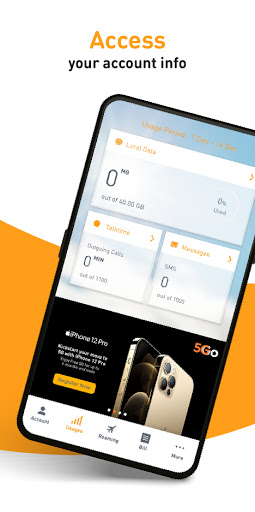
Track your usage
- Monitor your local data, talktime and SMS/MMS usage
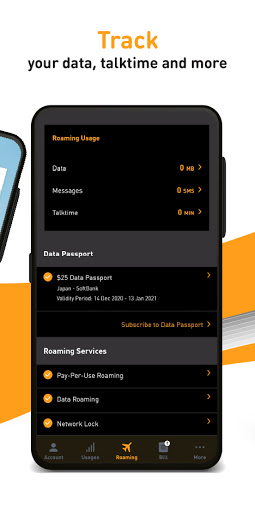
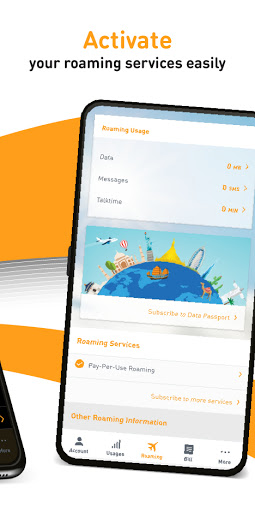
Roaming
- Subscribe to Roaming services and Data Passport
- Track your overseas usage of roaming data, talktime and SMS
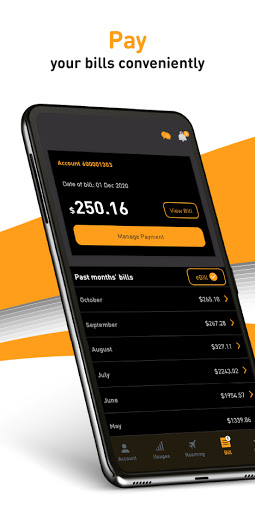
Pay your bills
- View and pay your bills in a jiffy

What's New with My M1 5.34.2

- Bug Fix

Information

  • Category:
    Tools
  • Latest Version:
    5.34.2
  • Updated:
    2021-12-15
  • File size:
    36.7MB
  • Requirements:
    Android 5.0 or later
  • Developer:
    M1 Limited
  • ID:
    com.m1.mym1
  • Available on:
Reviews
  • avatar
    For the last 3 hours it is saying "still loading". I restart the phone. It's " still loading" I uninstall and re install the app it says " still loading". I can't use the phone.....HOW?
    2020-10-19 09:30
  • avatar
    It's an OK app. Useful for paying bills and tracking data usage. I did encounter the a1101 error. I reinstalled and cleared cache, seems to have fixed that for now. Paying bills still doesn't work. Had to use Ocbc app to pay.
    2020-10-18 05:24
  • avatar
    Absolute garbage! Persisting error messages despite re-installing, and it seems that there are many other folks suffering from this issue. I can't even view, or even pay my bill! Do you want my money or not? How can you expect your customers to go cashless if you can't even get your cashless platform to work properly? This is absolutely unacceptable.
    2020-10-18 02:11
  • avatar
    Hi i tried ur method but still doesn't work. The app doesn't go in. The moment I click on the app it just pop out to my hp home screen. I tried downloading the older version but when I try to open it will show me this msg "There is a problem with your application. Please reinstall your application."
    2020-10-17 11:44
  • avatar
    Total shitshow, asked me to pick "English" or "English" for language. So I picked "English". Whole app switched to Chinese, with no way to change it to the other "English" besides uninstalling. Other than that, pretty much nothing works the way it should. Kinda like all "homegrown" apps/software/websites in Singapore.
    2020-10-14 02:05
  • avatar
    Tried to perform a credit card payment just now but failed. The current App just showed a blank page after the "confirm" button was pressed. No such problem encountered on the last version.
    2020-10-11 01:55