
"Control panel for ios 13"
gives you quick access for camera, setting and other many more widgets.
"Control Center for ios 13 - control panel for iphone"
is an easy tool for smart phone devices. It's work fast and smooth, and it’s totally FREE.
With a
"control panel for ios 12 & ios 13"
on the screen, you can easily and more conveniently use your smart phone. You can
quickly access to all your favorite apps, games, settings and quick toggle, screen capture, screen recording
through this
"os11 control center"
.
"Control Center for iphone"
is also an ideal app to protect the physical buttons of your smart phone. this an amazing
"control center ios 13 free"
app is very useful and helpful for big screen smart phone.
control center for ios have few best features that are describe below:
Control Center 2020:
- Virtual volume button, quick touch to easily change volume and change sound mode
- Easy touch to open your favorite application
- Go to setting very quick with a easy & simple single
touch
Home Bar Gestures:
- swipe gesture
- click gesture
- double click gesture
- long click gesture
- Actions include: show control center, go to home, go back, open recent app, quick setting, notification center, power popup, capture screenshot.
Customize panel:
- You can instantly change color of bar/panel with your favorite color, totally free
- Easily change the position of the bar/panel
- Smoothly & Quickly Change the size of bar/panel
- You can also Change the opacity of bar
- You can Add or remove apps or various widgets controls on the Control Center
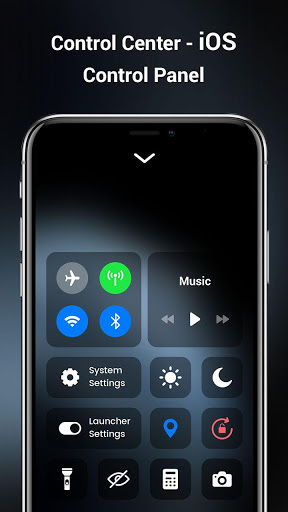
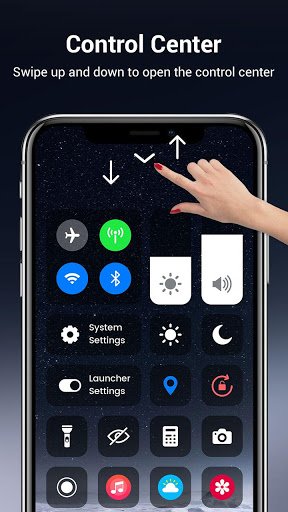
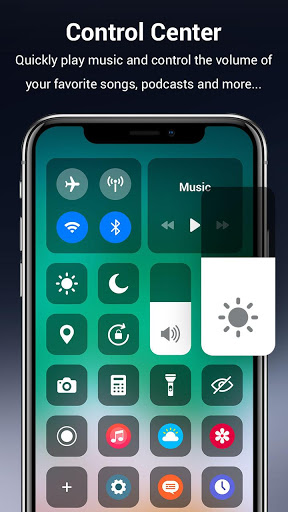
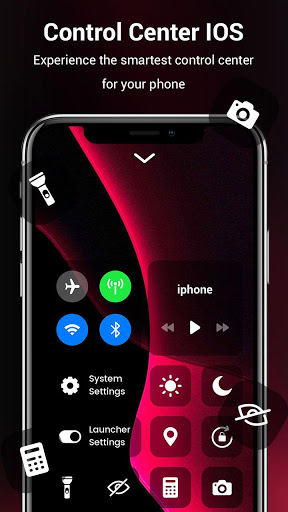
Using this control center for ios 13 you can quickly use and change following settings:
- Airplane Mode: Use Airplane Mode to instantly turn off Bluetooth, Wi-Fi, and network/cellular connections on your smart phone.
- Wi-Fi: Turn on Wi-Fi to browse the web, stream music and video, download movies, videos, photos, documents and many more.
- Bluetooth: Connect to headphones, other smart phone device, car kits, wireless keyboards, and other Bluetooth-enabled devices.
- Do Not Disturb: Silence calls, alerts, and notifications that you receive while your device is locked.
- Portrait Orientation Lock: Keep your screen lock from rotating when you move your device.
- Adjust brightness: Easily and fast adjust the brightness of your display from any screen.
- Flashlight: The LED flash on your camera doubles as a flashlight, so you can get extra light when you need it.
- Alarms and Timer: You can easily set an alarm, timer, or stopwatch, or check the time in another country or region.
- Calculator: Tap numbers and functions in Calculator, just like a standard calculator.
- Camera: Never miss a special moment to take a picture or shoot video with quick access to your camera function.
- Control audio: From here, you can easily & quickly play, pause, and control volume of your favorite song, podcast, and many more.
- Record Screen: Record any action in your phone.
- Screenshot: Capture screen shots.
- Mode: You can easily change the mode of display day mode & night mode so it not harmful for your eyes.
Hey guys no more think just go and install this app. and get new look to your smart phone like iPhone style.
Thank you for installing and using this app, hope you get best experience of this control panel for iOS 13 app!






9Apps 4.9














