

It is simple but configurable tool.
Features:
★ Supported frequencies: 8000 Hz, 11025 Hz, 16000 Hz, 22050 Hz, 44100 Hz.
★ Simple to use, configuration is optional.
★ Custom recordings output directory.
★ Adding date-based suffix to recording name.
How to:
*) Press "Start recording" to record into desired directory.
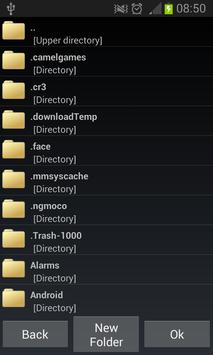
*) Directory may be change with file dialog that opens when "Change folder" button is clicked.
*) If you want to append date to your filename just click checkbox near "Add date at end of name".
*) If you want to change sampling rate click on spinner below "Sampling rate" label and choose the one that you need.
Permissions:
✓ Core app requires only permissions for writing files and recording audio, others are for advertisement services.
Ads:
May be easily ignored if you don't want to support this app.
They appear on exit.
Why not paid app without ads? :
Because in my country it's problematic, sorry, it's not my fault, I hope that I chose nice ads.
*** *** ***
Fell free to write comments / suggestions about app. I will try to respond to all questions.
Privacy policy.
Removed out-of-app ads.
Offline mode fix.

9Apps 4.9















