
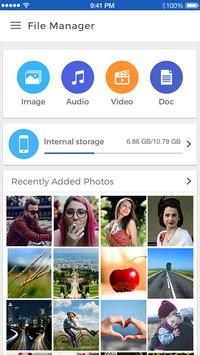
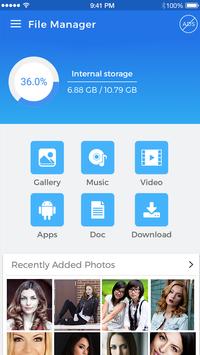
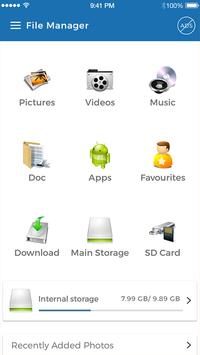
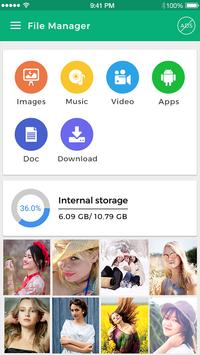
Computer File Manger
Computer file Explorer
is a free, full- features file explorer, designed to support
multiple Tabs.
It's amazing feature like browse, cut, copy, paste, delete, send files.
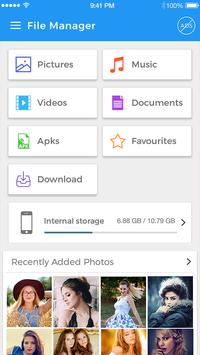
Organize and manage your files and content such as pictures, music, videos or documents on your phone or tablet.
This mobile
Explorer File Manager
app is more than just a File Manager, you also get a Process Manager and Backup Manager included within as a bonus.
File Manager (File transfer) helps you manage more of your device and the currently running processes and backup the applications.
The
Computer File manger
while browsing feels like your
file explorer.
You have an option for application manager and you can launch from this explorer, app search feature is there and also one touch to take all apps backup to the mobile.
File Manager 2017
is the best file manger & es file explorer.
You can easily find mp4, music, doc & PDF file, video file, picture, document and others documents.
SD File Manager
allows you to browse your SD card, create folder, rename, cut, copy, move, and delete files.
ES File Manager
helps you handle all your all files whether they are stored in your device storage or SD card.
So many feature are there in this
Mobile Explorer.
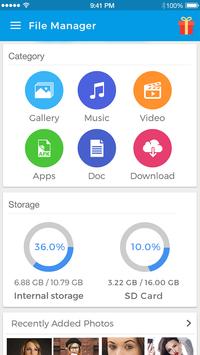
- Quick to open Music, Picture, Videos, Documents, Download files by folder wise.
- Application Launcher with search fields.
- Net Work information from this app.
- Set different type of themes for
"My Computer Mobile Explorer"
with different type of text colors
- Create New Folder/Directory, Search file option for your files.
- Display Memory Space, available Space and also Shows number of file item. folder in folder including date of created folder.
- Different type of explorer view like tiles, Thumbs, List like desktop folder view.
- Cut, Copy, Paste, Delete, Info of all files.
- Access to show hidden
file explorer
for this need to enable "Show Hidden Files/Folder". find this on menu and settings button
- Different types of sorting for files browse. find this on menu and settings button.
You can separately handle libraries of pictures, music, videos, documents, as well as rename, delete, move, zip, convert and send files with just a few taps.
Also, with our
File Converter
feature, you can easily convert your files into one of more 1200 different formats.
Computer File Explorer (File Manager)
is a full-featured file (Images, Music, Movies, Documents, app) manager for both local and networked use!
File Explorer (File Manager)
helps manage your android phone and files efficiently and effectively and share files without data cost.
Looking for a good file explorer with a sleek, modern look and many features? Good to see you here!
Solid Explorer
is the best looking file and cloud manager with two independent panels, which brings to you a new file browsing experience.





9Apps 4.9