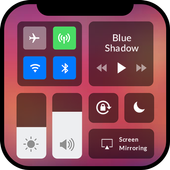
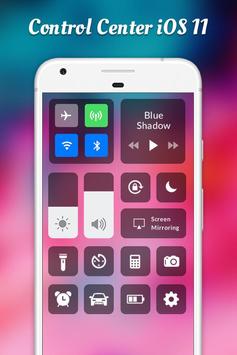
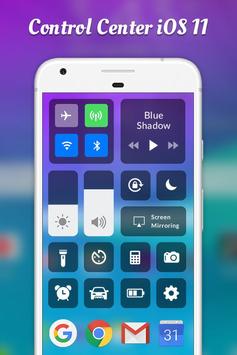
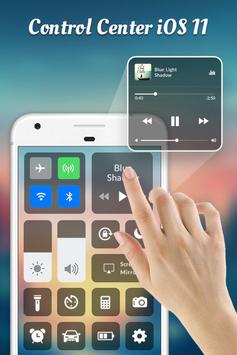
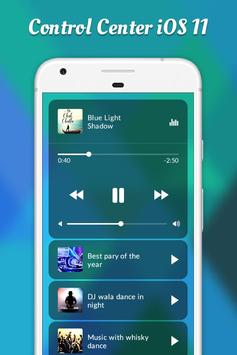
You could quick toggle your switch and open your favorite apps with control center. Quick access now to your favorite app.
Control Center - Control OS11 Pro was made to make you feeling like using a smart control of Phone 7 with íos setting. You could quick toggle your switch and open your favorite apps with control center. Quick access now to your favorite app.
This app uses the Device Administrator permission. It is necessary and used only for locking the device when you use feature turn off the screen. You need to enable Administration before it can be used that feature. To uninstall the app, please open my app and click the "Uninstall" button.
To Open Control Center
- Swipe up, swipe right or swipe left from the edge of screen.
To Close Control Center
- Swipe down, tap the top of the screen, or press the Back, Home, Recent button.
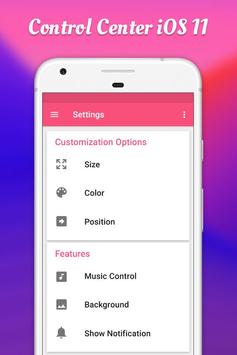
If you want to customize Control Center on your device, open Control Center application and you can change everything.
How it works
1. Open Application iNotify11 on your phone.
2. Maybe Control Center Application need some permission for good running.
3. Setting to open any function in application as Control Center, Battery Percentage, Time format, Status Bar background color etc.
And you can see screenshot for application in google or this first page when open app.
Control Center OS 11 can help you save time in changing Wifi settings, GPS, brightness and more. All you need to do is click on the icon and get quick access to your settings
Features of Control Center OS 11
• Control Center
• Airplane Mode
• Wi-Fi
• Do Not Disturb
• Portrait Orientation Lock
• Adjust brightness
• Flashlight
• Alarms and Timer
• Calculator
• Camera
• Control audio
Utilities of Control Center OS 11:
= Custom background transparent
= Custom more shortcut app
= Custom Volume Control
= Setting and Tools control
= iOS 11 Panel for Navigation and One hand uses functionality
= Custom gesture
= Custom animation
= Custom show hide
= Very easy to use
= Quickly response and support
If you like this Apple Control Center Free application, please kindly to rate us 5 stars and share your love in your reviews.
Thank you for using the application. You leave comments for us to complete the application. The application is completely free with control center Phone style OS X share with you if you like the application
Thank you very much. 😊



9Apps 4.9