
How to Used?
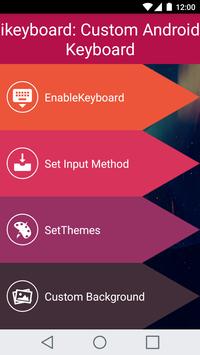
1. Open App iKeyboard: Custom Android Keyboard Free.
2. Select "Enable Keyboard" Button.
3. Set input method to iKeyboard: Custom Android Keyboard option.
4. Set preset Themes
5. Optional: Set image from gallery
Want beautiful themes for your android keyboard? The iKeyboard: Custom Android Keyboard Free app has an awesome collection of Android Themes and allows custom backgrounds.
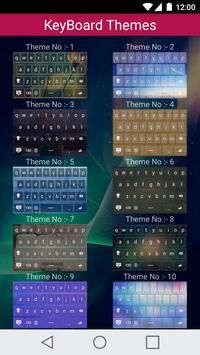
Give a stunning look to your Android Keyboard with 22 beautiful themes!
We are ready to present you a large collection of android keyboard themes. Download it and delight yourself with pretty themes which are specially designed to give the best look to your keyboard.
The iKeyboard: Custom Android Keyboard Free app provides flexibility to choose keyboard theme from app’s built-in keyboard themes or you can create your custom theme by choosing your favorite image for background.
You have to just enable the keyboard from the App. You can choose a picture from your gallery to set the background of the theme.
Key Features :
*22 pretty keyboard themes
*Can create a custom theme
*Can choose image from the gallery for custom theme background



9Apps 4.9













