

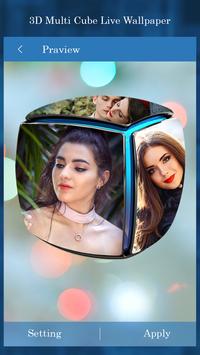
3D Photo Multi Cube Live Wallpaper
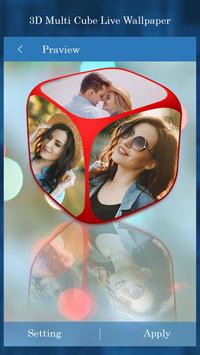
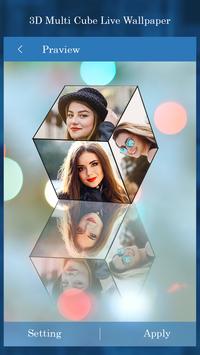
3D Photo Multi Cube Live Wallpaper – Set 3D multi cube live wallpaper on your phone home screen. Set your favorite photos on each side of cube and set this cube is live wall paper.
Now it’s time to give your phone home screen a stunning and lovely look with 3D Photo Multi Cube Live Wallpaper.
Set your favorite photos and images in each side of 3D cube and customize cube by setting cube’s frame size, rotation direction and speed. You can set position of cube like center, left, top and bottom of screen.
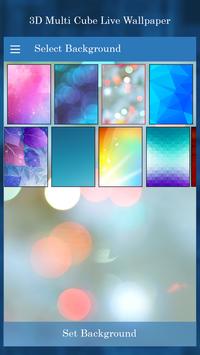
Add HD backgrounds for your images to set a perfect picture on each side of cube. Now you can give effects to photos like blur and Bokeh background, oil painting and sketch effects, black and white and grey scale.
Features:
• Easy to use user interface and lightweight application
• No need to required internet connection
• Inbuilt 3D backgrounds for photos
• Add effects like blur, grey scale and black and white, neon, oil, light and sketch etc.
• Control cube’s size, rotation speed and direction
• Easy to cut and crop, flip and scale photos to fit on cube’s side
• Set as live wallpaper and share on social media
How to Use?
1. Open 3D Photo Multi Cube Live Wallpaper
2. Select cube from cube gallery
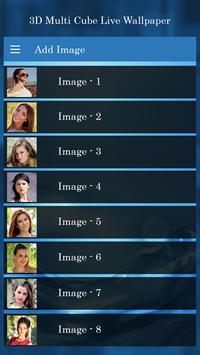
3. Choose your photos to set on each side of cube
4. You can change photo background, add effects and text to photos
5. Customize cube appearance with size and rotation direction
6. Set as live wallpaper





9Apps 4.9














