

*
Move File to SDCard
*
Today anything and everything is available on play store, the major medium or source of entertainment today lies in different apps and cell phones. The major problem is storage, which is very important to store apps or content. Many cheap Android phones come with multi attractive features but with a paltry 4 or 8GB of storage, and even 16GB isn't really enough for a lot of apps or for high-resolution photos and videos or a music library. Fortunately, the vast majority of Android phones have a memory card slot into which you can insert an inexpensive microSD card.
To store all the content, one needs to get an SD Card that is supported by capacity of the phone ranging from 4 GB to 512 GB. Files tend to be a huge culprit when it comes to taking up storage space on Android smart phones and tablets. Instead of going after each and every app file or content moving them from phone stoage to SD Card or vice versa, one can download ‘Move file to SD Card’ app from play store to make it easier.
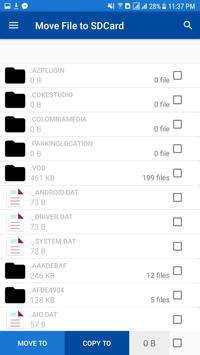
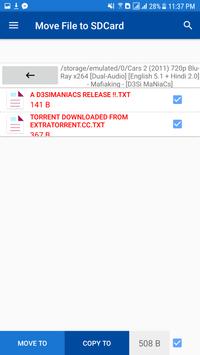
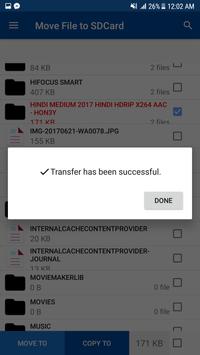
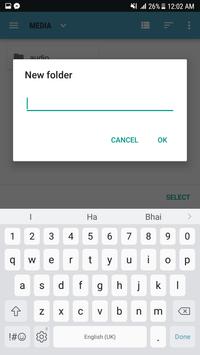
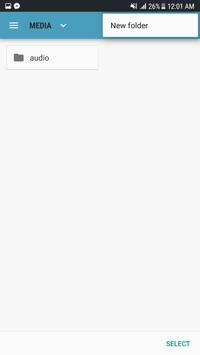
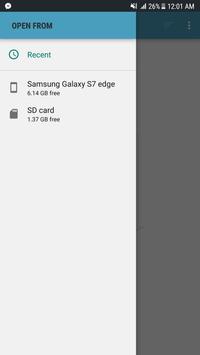
This app is developed by Aspirebit Technologies and can be easily downloaded from play store. After downloading the app, open the ‘Move file to SD Card’ by tapping the Launcher Button to bring up the complete list of apps available on your device. Scroll through the apps and find File Manager, it will present a list of all the apps and files (PDFs, videos, pictures, etc) arranged in alphabetical order usually. The user can then select a single or multiple files to move or copy to the destination folder. In the lower section of the app, three options are available- move to, copy to and size of the available making the transfer convenient. One can click move to or copy to option and there will be a drop down list of where the person wants to transfer the content. Also a square box is placed near the size option, using that one can multi select files.
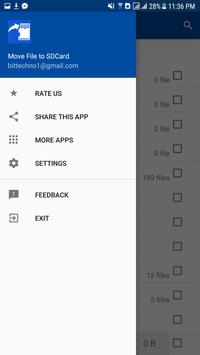
The user only needs to select the storage from where files need to be deleted or get transferred to another place. The app has blue colored icon and there is also a search option available in the top corner to arrange or transfer files. In the left corner rating option is there and also ’Share the App’ to your friends on different social media platforms. The app also has notification option if storage is getting filled or transfer is pending. They also ask for Delete Confirmation before scrapping any files.
The app is quite innovative and has precise features that get the task done without adding unnecessary more features and make it confusing. All the features are easy to find and the app is user friendly making the transfer easy. One can easily locate the app on the Google Play store. A lot of phones do not support moving files from phone to SD Card, but you can navigate to settings on your phone and enable the app to do the task for you.
* Features *
- You can Select Multiple Items
- You can move Single item
- Instant Move from Phone Storage to SD Card
- You can Create a folder while Moving the File
- You can Copy that Files/Images/Videos/Apps & Data
- Check Size of Files
- Check how much Available Space in SD Card and Phone Storage
- Find The Files Instant
- You can Create a folder while Moving the File
- You can Copy that Files/Images/Videos/Apps & Data
- Check Size of Files
![[APP Review #1] MoveIt - Transfer Media From Internal Memory To SD Card [Hindi] screenshot 1](https://i.ytimg.com/vi/oTgCOwwTHYg/mqdefault.jpg)



9Apps 4.9















