
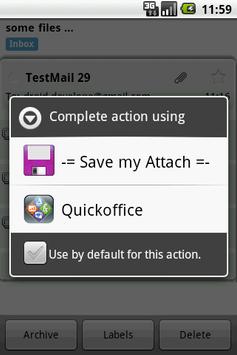
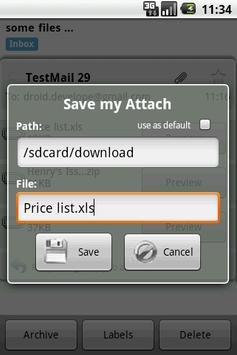
Save the GMail attachments to the SD-card. Tap on "Preview" button in the GMail and select "Save ..." from the list.
Works with Email app also (use "Open").
Please note: this app doesn't have a launch icon! You could open it only from your GMail app by tapping a "Preview" button
1. Resolve file names for GMail up to 2.4
2. Rescan media content after saving image/audio/video files so it becomes available in native gallery apps.




9Apps 4.9














