



*** This app requires root access to work ***
If you do not have a rooted device can't be used. If you do not know what "root" is, please read this (https://goo.gl/W8etnX) article. Please do not leave a bad feedback because it is not an app's fault.
😔 Your buttons are wearing out?
😐 Advanced reboot options are not available in your smartphone or tablet?
😟 Bored by being forced to use ADB or terminal commands to enter advanced modes?
Forget everything! 😄 This application gives you access to
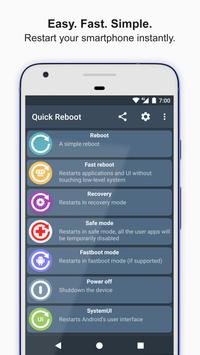
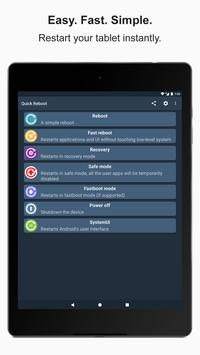
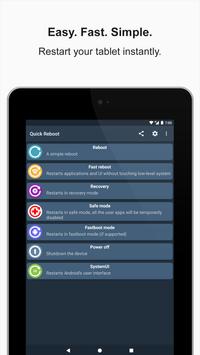
all the advanced reboot options in one single place
. You don't need to type commands in terminal neither do anything else and your buttons are safe.
YAY!
😀
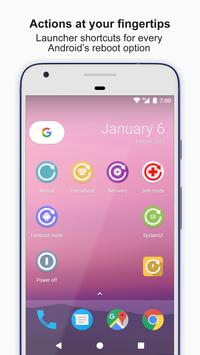
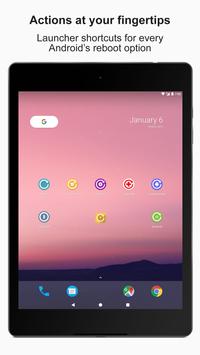
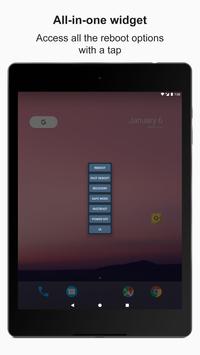
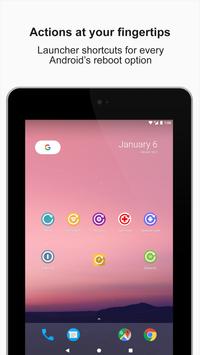
🆒 Quick Reboot provides a powerful shortcut system and an all-in-one widget for your home screen too!
Reboot has never been faster
. 🚀
Main features
➡ Restart
➡ Enter safe mode
➡ Fast reboot (user interface and apps)
➡ Reboot to recovery
➡ Power off
➡ Restart user interface (SystemUI)
➡ Screen lock
➡ Reboot to bootloader (
fastboot mode
for supported devices,
download mode
for Samsung)
⭐ Additional features ⭐
➡ Configurable shortcuts to run specific reboot actions
➡ Widget for LG Smart Bulletin (G3, G4, G5, G6, G7, V10, V20, V30 and G Flex 2)
➡ Configurable icons for the app and the all-in-one widget
➡ Two themes to choose for the app interface and widget: light and dark
➡ Show and hide actions individually
Fastboot mode
(reboot to bootloader):
its behavior cannot be handled by this app who only provides a way to enter it. The device may not allow the user to exit it without ADB, for example in case of non-removable battery or unavailable reset by long pressing the power/lock key.
In case you are stuck in fastboot mode, grab a computer and do the following:
1- Install ADB and fastboot from https://goo.gl/abtKRv
2- Make sure you have installed the proper USB drivers for your device and connect it to the computer
3- In a terminal window, type
fastboot reboot
and press enter
Alternately, let the battery discharge until auto power off.
Safe mode
: Android will temporarily disable all the user apps including Quick Reboot. To exit it, reboot or power off your device with the built-in power menu accessible by long pressing the power/lock key.
🐞 Found issues? Please contact me or select "Support" inside this app rather than leaving a bad feedback. 🙂
If you can help me to translate this app in more languages, please contact me via e-mail at antaresone@antaresone.eu. Thank you! 🍻
Credits:
- Anthony Boyd (https://www.behance.net/savageacee) Pixel XL mockup
- Lucas Smith (https://dribbble.com/volanStudio) Nexus 7 mockup
- Matt Reed (https://dribbble.com/painteddigital) Nexus 9 mockup
Tags: root, advanced, antares, mobile, easy, quick, phone, reboot, restart, recovery, fastboot, download, nougat, oreo, pie, smartphone, tablet, system, screen, display, bootloader, restart phone, restart device, restart android
🔥 Update 2.1.5
➡ The limited "Remove Ads for free" promotion is now available! Go into the Settings menu within Quick Reboot to take advantage of it 🙂
➡ Cloud backup. Now, if the backup on Google Drive is enabled on your device's System settings, all the Quick Reboot's user settings are saved and automatically restored when necessary
➡ Minor bug fixes
➡ Minor text updates to Hindi and Indonesian languages
➡ Minor performance improvements
➡ Minor UX improvements



9Apps 4.9














