

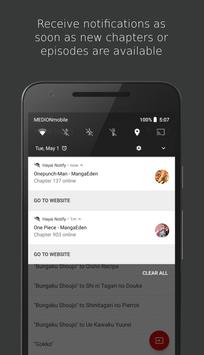
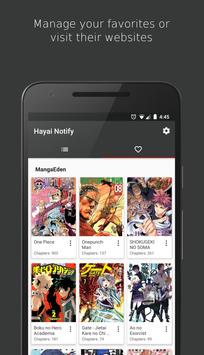
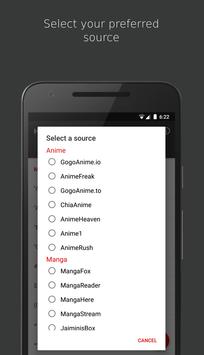
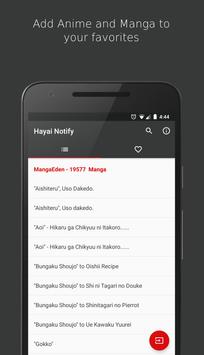
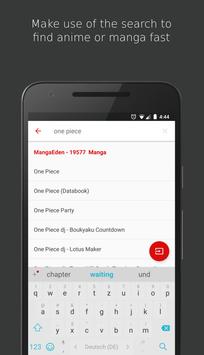
Es kann ziemlich nervig sein, ständig zu überprüfen, ob neue Episoden und Kapitel deiner Favoriten wie one piece , naruto , attack on titan & Co. bereits erschienen sind. Hayai Notify ist eine simple App die dieses Problem löst. Erhalte Benachrichtigungen, sobald die Anime und Manga die du verfolgst, aktualisiert werden.
Entspann dich und lass Hayai Notify die Arbeit machen.
###Problembehebung###
Push Benachrichtigungen funktionieren nicht
Manche Hersteller wie Oppo, Xiaomi, Samsung und Huawai schränken Hintergrundprozesse ein, was dazu führen kann, dass Push Benachrichtigungen ihren Dienst versagen. Bitte stelle sicher, dass Benachrichtigungen für Hayai Notify erlaubt sind und folge den unten aufgeführten Lösungsschritten. Starte die App anschließend neu, um den Benachrichtigungsdienst erneut zu starten. Ein Neustart des Geräts kann erforderlich sein, damit die Änderungen angewendet werden.
Oppo:
Open security center app -> Privacy permissions -> Startup manager -> Select Hayai Notify and choose "allow"
OnePlus:
Open settings -> Apps -> Gear icon -> Apps auto-launch -> Enable auto-launch for Hayai Notify
Vivo:
Open i Manager -> App manager -> Autostart manager -> Choose Hayai Notify and enable autostart
Lenovo:
Open settings -> Power manager -> Background app management -> Enable autostart for Hayai Notify
Samsung:
1. Open settings -> Apps -> Three dots in the upper right corner -> Special access -> Optimize battery usage -> Tap on the dropdown menu that says "Apps not optimized", then switch it to all apps and turn off battery optimization for Hayai Notify
2. Open settings -> Battery -> Turn off battery optimization for Hayai Notify and make sure the "Restrict background data" setting is disabled
Huawai/Honor:
1.1 Open phone manager app -> Launch -> Select Hayai Notify and choose "Manage manually" (Make sure "Auto-launch", "Secondary launch" and "Run in background" are enabled)
1.2 Open system settings -> Advanced settings -> Battery manager -> Protected apps -> Make sure Hayai Notify is protected
2. (Notifications still not working) Open settings -> Apps & notifications -> Apps -> Settings -> Special access -> Ignore battery optimization -> Choose "all apps" tab then select Hayai Notify and choose "allow"
3. (Optional) If you open up the recent apps list and swipe the app away the background process might still be killed. To prevent this either don't swipe the app away or click the lock symbol of the app in the recent apps list.
Xiaomi:
1. Open security app -> Permissions -> Auto-start -> Enable autostart for the app
2. (Notifications still not working) Go to settings -> Battery -> Manage apps battery usage -> Choose Hayai Notify and select "no restrictions"
###Unterstützte Quellen###
Anime:
gogo anime io : https://www1.gogoanime.se/
chia anime : http://ww2.chia-anime.tv/
anime rush : http://www.animerush.tv/
gogo anime to : http://www.gogoanime.to/
anime freak : http://animefreak.tv/
anime heaven http://animeheaven.eu/
anime1 : http://www.anime1.com/
Manga:
manga here : https://www.mangahere.cc/
manga reader : https://www.mangareader.net/
manga panda : https://www.mangapanda.com/
manga eden : https://www.mangaeden.com/eng/
manga fox : https://fanfox.net/
manga stream : https://readms.net/
jaiminis box : https://jaiminisbox.com/
Anerkennung für das One Piece Artwork gebührt Saeed Jalabi
https://www.artstation.com/saeedjalabi
- Support for 9Anime was cancelled due to site changes which made episode notifications impossible
- Support for new source: Anime1

9Apps 4.9














