
9Apps is your first choice to download apps. 10,000+ users downloaded GO Locker Blue Galaxy FREE Theme latest version on 9Apps for free every week! One thing you need to know that this app is unique. This hot app was released on 2013-04-19. And it takes your phone small room to run it.
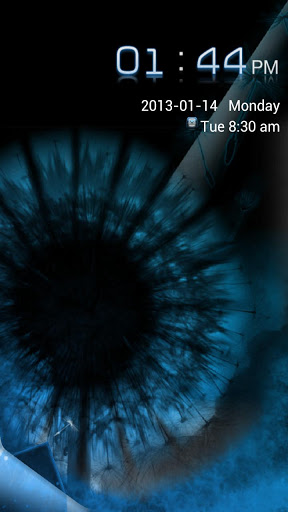
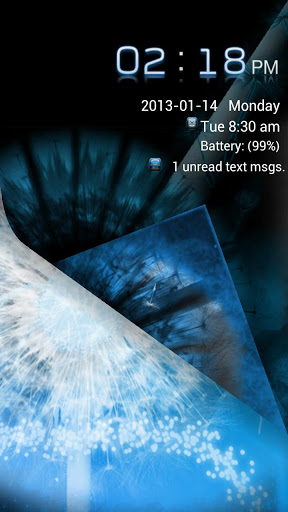
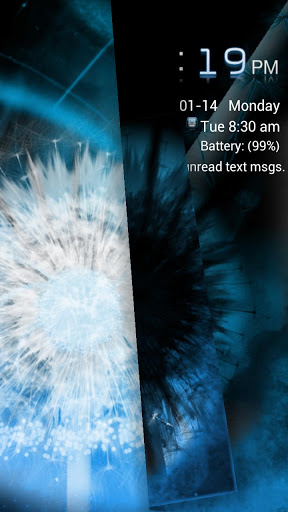
Blue Galaxy Theme is a brand new free theme for GO Locker and GO Locker EX.Stunning high definition backgrounds with sleek, sexy graphics, the Blue Galaxy Theme is meticulously styled to be the ultimate blue theme for GO Locker.This FREE version is supported by LeadBolt and Airpush advertisements (icon and notification).The PRO (ad-free) version is also available in the google Play Store.LUMIA BLUE GALAXY GO LOCKER THEME FEATURES:+ Beautiful, private Unlocking Feature - Simply drag small white dandelion from bottom left corner to unlock.+ Galaxy S3 Inspired Backgrounds - Two exclusive Blue Dandelion wallpapers with brand new graphic effects, designed exclusively for this theme.+ Easy to Read Time - Check time with a quick glance, featuring Galaxy inspired bold numerals with light lumia blue tint to enhance readability.Blue Galaxy Theme supports 12 or 24 hour formats.+ Custom Galaxy Icons Included - Blue Galaxy Theme includes icons to support alarm clock, unanswered calls, and missed text messages.+ Theme Your Whole Phone - Blue Galaxy Themes for GO Launcher EX, GO SMS Pro, GO Contacts EX, and Skinnable Calculator are also available in the Google Play Store!DIRECTIONS & INSTRUCTIONS:This is a theme (like a skin) for GO Locker, it will not open on its own.You must install the free lock screen app "GO Locker" and apply it.To apply theme with GO Locker:Open GO Locker > press Installed > Blue Galaxy GO Locker Theme > ApplyTo apply theme with GO Launcher EX:Open GO Launcher EX > press Menu > Themes > * Locker (Tab) > Installed > Blue Galaxy Free GO Locker Theme > ApplyDEVELOPER NOTES:Please e-mail if you have any other suggestions, questions, or concerns.

9Apps 4.9