


I would like to recommend you an application with large number of downloaders. 10,000+ users downloaded Advanced Mobile WiFi latest version on 9Apps for free every week! By use it, you can upgrade your abilities smartly. This hot app was released on 2013-04-19. Why not download and play it now?
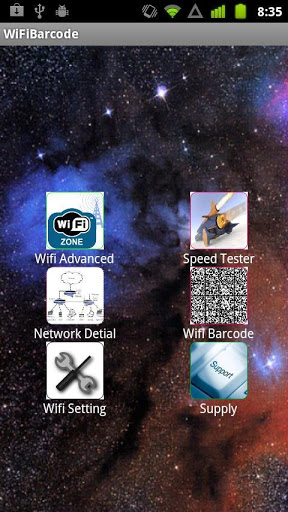
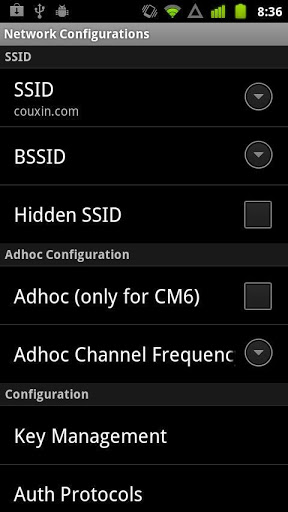
Advanced Mobile WiFi is the best WiFi app used on mobile phone. We added new functions like generate the bar code, test WiFi speed in many aspects, Set the WiFi network you connected and so on. With this app, you can know more information about the WiFi nework You need not input the password of your WiFi sits, can you get a bar code easily In fact, you can also use it to set your WiFi connect work which is as same as the setting of WiFi app. The barcode you get has the ability of including large amount of information,correcting error, speed reading, the full range of literacy. You can use it to get coupons, make phone sweepstakes, search websites, download pictures and so on. The speed tester can tell you the speed information like Host resolve, TCP connect and so on. You can even get the detail information about the network you connected. For example, you can know the IP number and states information in the app FUNCTIONS:1 Tell you the network you connected and mane it in many aspects like SSID, Configuration, Keys and so on. 2 Test the speed in many aspects, it will tell you speed information with vivid pictures and detail words like image 32 then 14 ms.3.When you test the spend, if you do not know how to do, you can press quot;Helpquot; to get the answer4.In test speed page the quot;Morequot; button can tell you the detail information of network.5.Network detail button help you to know the states connected or not, IP number, roaming info and so on. 6.Get WiFi bar code by input type, SSID, password. If you do not what to input them, you can leave them blank. You can get a bar code too Press quot;Generatequot; to get the code. Setting button in this page has the sames function of WiFi Setting in the home page. 7. WiFi setting button help you to set WiFi in many aspects. You ca connected to special sites in this part by inputting password. Choose notify opensecure network or not. If you can not find a suit site in showing page, you can add WiFi network by inputting the network SSID, Security and use proxy server or notIt is an all in one app which connected WiFi setting with Speed tester and bar code generator. If you download this app, you can has the function of three apps By testing speed, you can know the reason why you connected network fast or slow. By WiFi bar code, you can make other things with the bar code without inputting passwords What a great app it is Download it now




9Apps 4.9














