

zip, unzip: RAR ဖိုင်ထုတ်ယူသူ
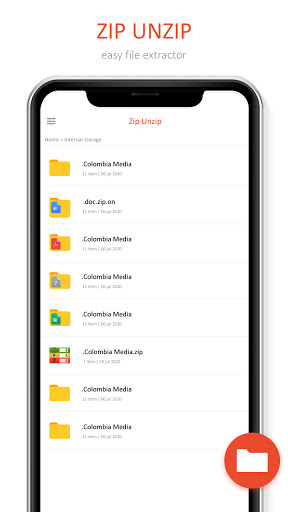
File compressor, zip, unzip, unzip, zip zip file extractor သည် Zip file opener နှင့် file file file manager ဖြစ်သည်။
ဒီဖိုင်ကို compressor နှင့် file ourcractor သုံး. PDF ဖိုင်များကိုသင်အလွယ်တကူချုံ့ခြင်း, PDF အွန်လိုင်း, PDF အရွယ်အစားလျှော့ချခြင်း, PDF ဖိုင် compressor, pdf extractor, pdf extractor သို့မဟုတ် doc, docx, pptf ။
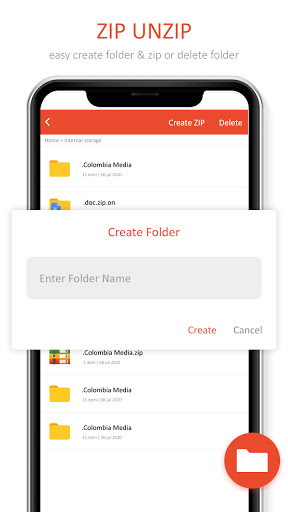
သင်၏ zip ဖိုင်များကိုဖတ်နိုင်သည် zip tool ကိုအဖြစ်အလုပ်လုပ်သည်။ သင်၏ဖုန်း internal memory မှဖိုင်တွဲများနှင့်ဖိုင်တွဲများကို compress လုပ်ပါ။
RAR File Extractor & Zip Opener, File compressor သည် zip - unzip file compression နှင့်ဖွင့်လှစ်ကိရိယာများကို unzip file compression and tool ကို ဖိုင်နှင့် zips ဖိုင်။
zip file viwer viwer features: br>
- သင်ခန်းစာများအားလုံးကိုလွယ်ကူစွာ zip files စာဖတ်သူကိုလွယ်ကူစွာဆွဲထားနိုင်သည်။ လျင်မြန်သော 7ZIT ဖိုင်ထုတ်ယူပြသူ zip ဖိုင်များဖွင့်သည်။
- Extracted compressed file ကို zip file တစ်ခုရှိပုံရိပ်အားလုံးကိုအလွယ်တကူကြည့်ရှုနိုင်သည်။
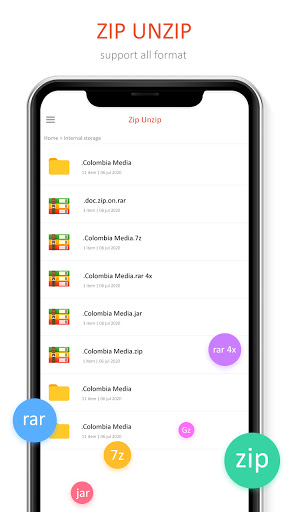
Doc, .docx, .xlsx, .pptx, .pdf, .PDF, .PDF, 7z, Zipx, Tar, Gzip, BZip, TGZ, TBZ, TBZ, DEO, DEG, DEG, CBS, DEB, CBS, CBS, CBS, CBS ။
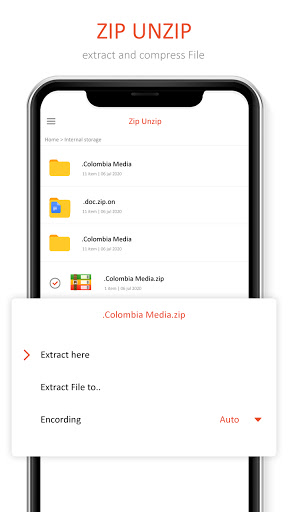
ဤလျှောက်လွှာကိုမည်သို့အသုံးပြုရမည်နည်း။ •ပထမ ဦး စွာသင်ဖိုင်များအားလုံးကို extract လုပ်ရန်လိုအပ်ပြီးအလွယ်တကူ zip လုပ်ပါ။ •သင်၏ဓါတ်ပုံများ, ဗွီဒီယိုများသို့မဟုတ်အခြားဖိုင်များကိုရွေးချယ်ပါ compress လုပ်ချင်တယ်။ •ထုတ်ယူခြင်းလုပ်ငန်းစဉ်အတွက် folder တစ်ခုကိုရွေးချယ်ရန်နှင့် unzip button ကိုနှိပ်ပါ။
>> မည်သည့်ကိစ္စတွင်မဆိုသင်သတိပြုမိလျှင် သို့မဟုတ် crashes, ကျွန်တော်တို့ကိုမေးလ်ပို့ခြင်းဖြင့်ကြင်နာစွာသတင်းပို့ပါ။

9Apps 4.9













