
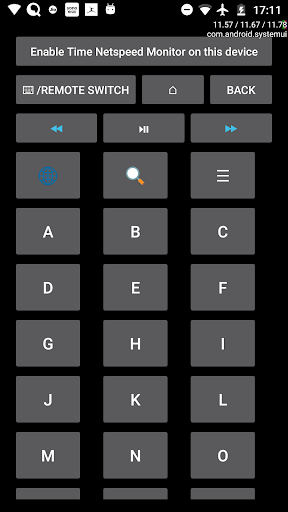

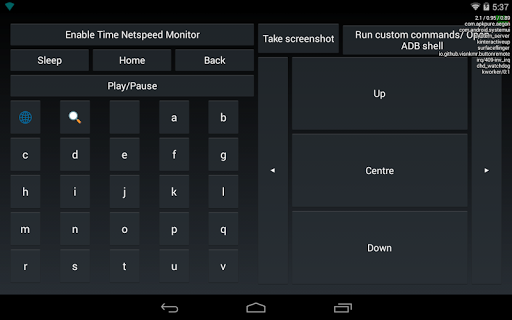
ကြိုးမဲ့ ADB ကီးဘုတ်နှင့်သင်၏ Android ဖုန်းများ, တက်ဘလက်များနှင့်တီဗီများအတွက်ဝေးလံခေါင်ဖျား။
* စက်ပစ္စည်းသည်သင်ဆက်သွယ်လိုသောကိရိယာကိုရည်ညွှန်းသည်။
ကြိုးမဲ့ ADB ကိုဘယ်လိုဖွင့်ရမလဲ။-Name wireless adb debugging "။
- -prerquisites ---
- -prerquisites -r >-
Android Devices အများစုသည် USB debugging ကိုထောက်ပံ့သော်လည်းပုံမှန်အားဖြင့်ကြိုးမဲ့ debugging ကိုအထောက်အကူပြုသည်။
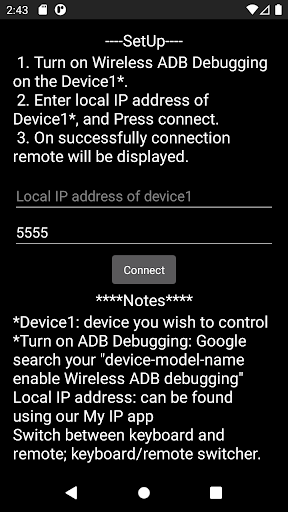
- -Setup --
1 ။ကြိုးမဲ့ adb adb device1 ကို debugging ကိုဖွင့်ပါ။
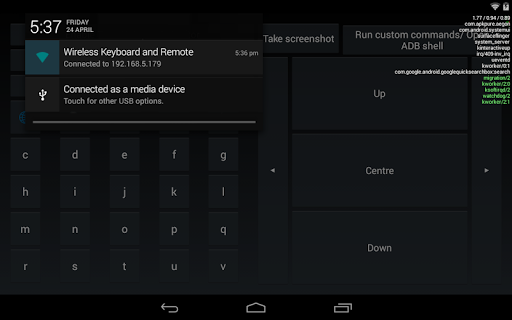
2 ။Local IP address ကို device1 * * ကိုရိုက်ထည့်ပါ, နှင့် Connect ကိုနှိပ်ပါ။
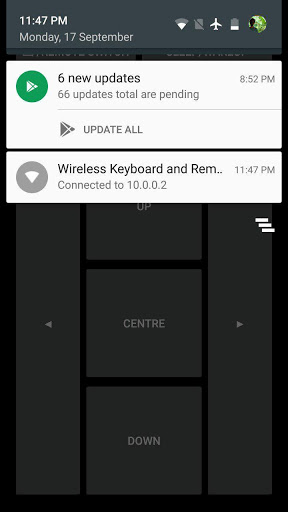
3 ။အောင်မြင်စွာဆက်သွယ်မှု Remote ကိုပြလိမ့်မည်။
*** မှတ်စုများ ***
local IP address ကို အသုံးပြု. ကျွန်ုပ်၏ IP အက်ပလီကေးရှင်းများအကြားခလုတ်ကိုဖွင့်ခြင်း,Keyboard / Remote switcher ။
အကူအညီလိုအပ်ပါ။remote-keyboard-shell
✓Layout updated.
✓Bug Fixes.
☆Upto previous release☆
✓ADB shell shortcut added.
✓Added option to enable time netspeed overlay via the app.
More apps @ https://visnkmr.github.io/apps


9Apps 4.9


![Send ADB Commands to Your Own Phone Without a Computer or Root [How-To] screenshot 2](https://i.ytimg.com/vi/4zKespn_OHg/mqdefault.jpg)