
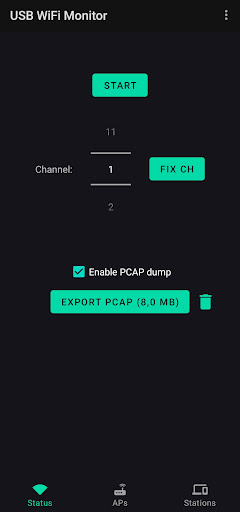
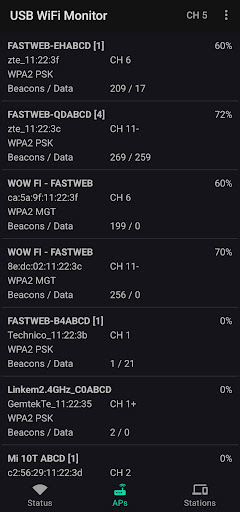
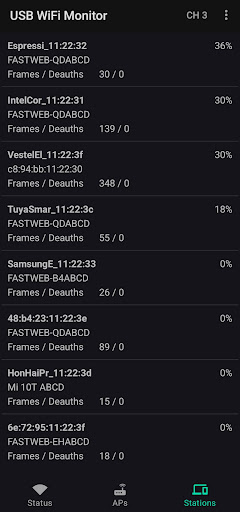
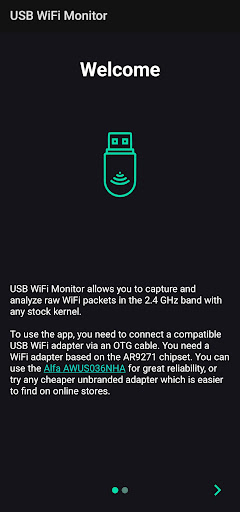
ဤအက်ပလီကေးရှင်းသည်သင့်အား Stock Kernels ရှိ 2.4 GHz Band ရှိ RAW WiFi ဘောင်များကို RAW WiFi ဘောင်များကိုဖမ်းယူရန်ခွင့်ပြုသည်။otg usb cable ကို။အသေးစိတ်အတွက်အောက်တွင်ကြည့်ပါ။
အင်္ဂါရပ်များ -
-
- အနီးအနားရှိ Access Points and States FRAMESS ကိုရိုက်ကူးပြီး PCAP ဖိုင်ကိုဖမ်းယူပါ။Beacons, Probes နှင့် QOS အချက်အလက်များ (ထိန်းချုပ်မှုဘောင်) များ (compress frames)
အလိုအလျောက်ရုပ်သံလိုင်း Hopping နှင့် Fixed channel (
AC
ညွှန်ကြားချက်များ:
Alfa Awus036nha
။
adapter ကို USB OTG cable မှတဆင့် Android device သို့ချိတ်ဆက်ပါ။Non-OTG ကေဘယ်ကြိုးများအလုပ်မလုပ်ပါ။
3 ။popup တစ်ခုဖွင့်ပါလိမ့်မယ်။GRARD & QRESS; USB WiFi Monitor & QROMANCOM;USB စက်ကိုရယူရန်ခွင့်ပြုချက် 4 ။ဘောင်များဖမ်းယူရန်အက်ပလီကေးရှင်းရှိ Start ခလုတ်ကိုနှိပ်ပါ
အမှားတစ်ခုကြောင့်သင်ဖမ်းယူပါက adapter ကိုဖြုတ်။ ပြန်လည်ချိတ်ဆက်ရန်နှင့်ပြန်လည်ချိတ်ဆက်ရန်လိုအပ်သည်
Capture raw WiFi frames in monitor mode without root
- Show the nearby access points and stations
- Capture WiFi management/data frames and save them to PCAP file, e.g. beacons, probes and QoS data
- Switch between automatic channel hopping and fixed channel
- Supports 802.11bgn






9Apps 4.9













