
Note: Web to PDF Converter by UC Browser is an add-on of
UC Browser
, and
UC Browser
must be installed to use it.
Convert webpages to PDF files and access it anytime! Web to PDF Converter helps you to convert webpages to PDF files, and you can share or view your PDF files anytime offline.
How To Use:
1. Open a webpage.
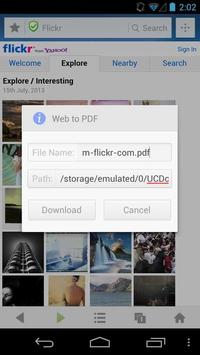
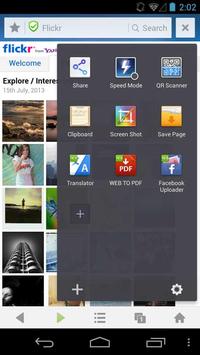
2. Click “Web to PDF” icon.
3. Confirm the file name and path.
4. Click to download.
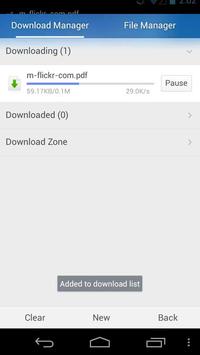
5. Find the webpage in PDF format in download manager.
Other popular add-ons by UC Browser:
•
Photo Uploader for Facebook
•
Gestures by UC Browser
•
Translator by UC Browser
•
Unzip by UC Browser
•
QR Code Generator - UC Browser
•
Private Bookmarks - UC Browser
• Auto Reload by UC Browser
• Save page by UC Browser
• Speed Mode by UC Browser
• Auto Pager by UC Browser
• Adblock by UC Browser
• Screen Shot by UC Browser
• Clipboard by UC Browser
• QR Scanner by UC Browser
• Share by UC Browser
• and more!
Important:
• WEB to PDF by
UC Browser
is an add-on of
UC Browser
. For better experience, please download the latest version of UC Browser
here
.
• UC Browser is a fast and smart browser that gives you excellent browsing experience and helps to reduce data cost. UC Browser is currently used by 400,000,000 users worldwide.
【BUG FIX】
Effectively solve the problem that files fails to transfer to PDF.

9Apps 4.9














