
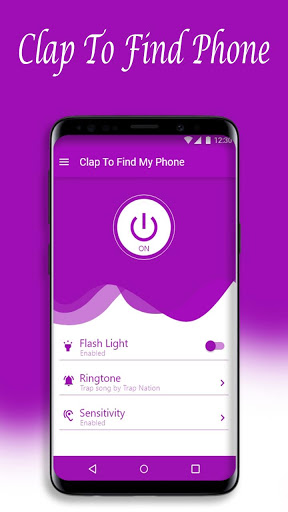

Clap To Find My Phone: Bright Flash Phone Finder
was conceived, groomed and developed by SmartCode Technology. This app is a professional app which helps you to find the lost phone in your room, shop, apartment and office. This app works as a
phone finder
which is a smart and unique application that will allow you to easily track and find the missed phone. It detects the sound of clapping and triggers ringtone sounds and flash. Start of bright flash on this application enables to detect the
tablet or phone in the dark place too.
Worried about misplacing your phone or having it stolen or
lost
? Ease your fears by just downloading this app and setting the functionality. This app includes
smart
features that might give you some added peace of mind if your device goes missing and can be recommended for
elderly people
too.
At this time, we rely mostly on our smartphones or cell for everything from checking bank statements to making perfect social posts, so a lost phone can create a huge headache. That feeling gives you tension and it will turn you into chaos.
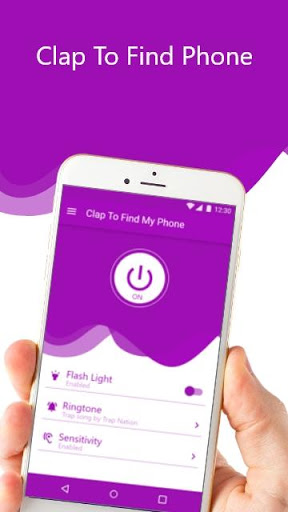
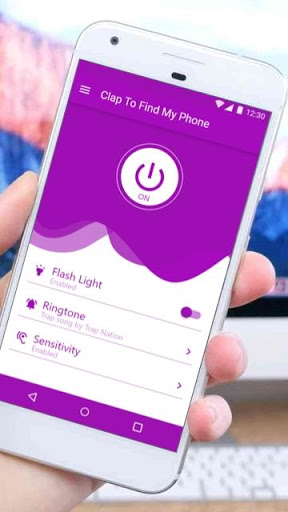
To set up this feature, click Clap To Find My Phone on your
android phone
or
tablet
and click to enable service
ON
. This will enable your phones ability to track the phone by clapping.
When there is a dark in your home or even outside it’s very difficult to find a Torch or Flashlight. You will be paused thinking how to find my phone. Ever you think how good it will be if your phone’s flashlight will turn ON when you clap at night or dark! Isn’t it amazing? Yes, it’s an amazing tool to turn ON/OFF your phone’s flashlight by clapping.
In other words, you need to recover your missing phone as soon as possible. The good news is that your phone has our app to help you.
Clap To Find My Phone: Bright Flash Phone Finder
gives you options to be different. It’s light, RAM & battery friendly cool fonts that you will make great use of.
***Key Features***
✓
Like a sound detector for android, but with clapping searching system
(박수로 폰 찾기)
✓
Sound/Flash alert modes.
✓
Customizable ringtone and volume.
✓
Auto adjusts sensitivity based on the Android device.
✓
Customizable sensitivity.
✓
Widget for easy enabling/disabling.
✓
Easily clap to configure and get started.
✓
Clap triggers alarm sound.
✓
Mobile torch on clap is cell phone finder apps.
✓
Solve the problem of your always lost device with loud clapping & searching, without GPS maps or navigations
✓
Lost gadgets will not be that anymore – fast and easy finder
✓
Stay calm if lost your phone. Ask how? The application will save your lovely time
✓
Feel safe, control & find your phone easily
✓
Sounds recognition easily: always control & easily seek your precious mobile literally in seconds
✓
Or use it as one of the interesting & fun apps
✓
Low battery usage.
How Clap To Find My Phone works?
1. Turn on our clapping detection service.
2. You can use your phone normally. When you will lose it - clap your hands and flash will blink.
3. Our service will detect the
pitch of clapping
and turn ON the alarm - sounds and flashlight! This will help you in finding your phone.
Attention: We should instruct that loud noise and background sounds may prevent you from fast searching for the phone. Main criteria that app recognizes clapping, but in case you clap & intruder background noises are louder, it may not be recognized. Also, only clapping sound works! So, in case of urgent needs, please beware any sound caused by background & prefer silence if possible. Ask everyone to be quiet: solving problems of background noise can help you with faster finds.
Feedback is highly recommended.






9Apps 4.9













