
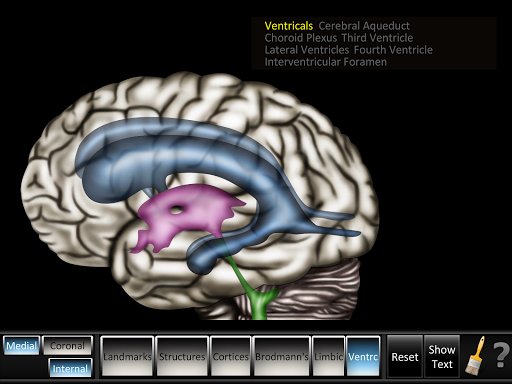
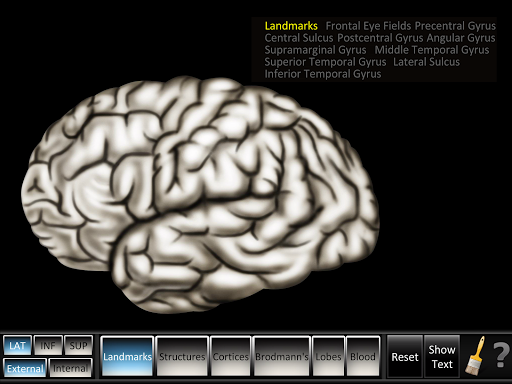
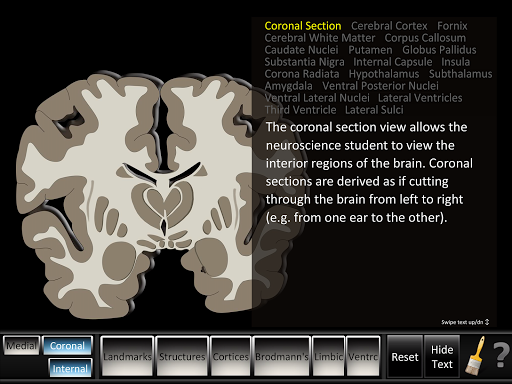
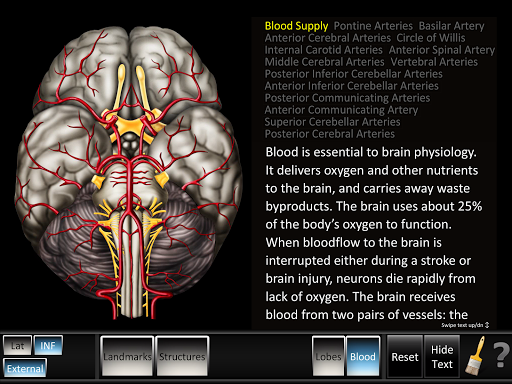
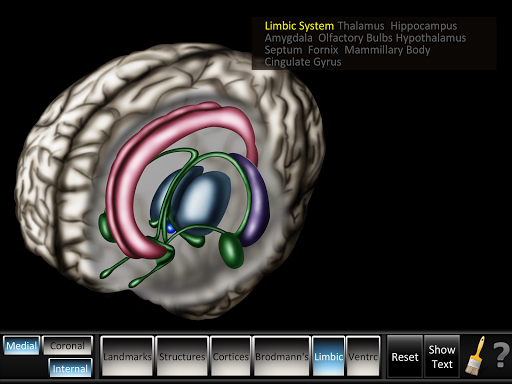
Cerebrum ID အက်ပ်သည်ပုံမှန် cerebrum ID ကိုဖုံးလွှမ်းထားသည်။ အက်ပလီကေးရှင်းတွင်ပြင်ပနှင့်အတွင်းပိုင်းအမြင်များတွင်နှစ် ဦး နှစ်ဖက်, ပြင်ပ - အထင်ကရအဆောက်အအုံများ, ဖွဲ့စည်းတည်ဆောက်ပုံ, cortices, brodmann's, coleces နှင့်သွေးအမြင်များ။ အတွင်း - အထင်ကရနေရာများ, ဖွဲ့စည်းပုံများ, cortices, brodmann's, limbic နှင့် ventricles အမြင်များ။ Coronal: အပိုင်းမြင်ကွင်း။ မြည်းစောင်ဖွဲ့စည်းပုံကိုနည်းလမ်းနှစ်မျိုးဖြင့်သင်ကြားရန်ဒီဇိုင်းရေးဆွဲခြင်း, အစိတ်အပိုင်းများကိုထိပါနှင့်အမည်များကိုမီးမောင်းထိုးပြရန်အမည်ကိုမီးမောင်းထိုးပြသို့မဟုတ်နာမကိုကြည့်ပါ။ အသေးစိတ်စာသားကိုခလုတ်ကို touch တွင်ဝှက်ထားသောသို့မဟုတ်ကြည့်ရှုသည်။ ရှုခင်းများအားလုံးသည်လွယ်ကူသောဘိသိက်ခြင်း, ဖန်သားပြင်ထုတ်ခြင်းနှင့်ပုံနှိပ်ခြင်းအတွက်ဓာတ်ပုံအက်ပ်ကိုတိုက်ရိုက်ဓာတ်ပုံရိုက်ခြင်းအတွက်ပုံဆွဲခြင်း။
ပြင်ပ ID: အထင်ကရအဆောက်အအုံများ, >
Internal ID: အထင်ကရအဆောက်အ ဦ များ, ဖွဲ့စည်းပုံများ, cortics, brodmann's, valbric နှင့် ventricles views ။ • Coronal ID: Section Views zoom နှစ်ခု။ Easy Reset ခလုတ်နှင့်အတူ။
• Whiteboard feature:
drawing: drawing: freeform from for color color dot from size panel ကိုတိုက်ရိုက်ဆွဲပါ။ ။
- စာသား: အရွယ်အစား panel ကိုစာသားအရွယ်အစား, အော်တိုခြုံခြင်း, အနီရောင်, အပြာ, အစိမ်းရောင်သို့မဟုတ်အနက်ရောင်အရောင်ခြယ်သမ်မ။ - Eraser: Eraser: Eraser: touch lines: touch lines ားကိုဖျက်ရန် အမှိုက်ပုံး - တစ် ဦး ကိုအသာပုတ်။ Whiteboard လိုင်းများနှင့်စာသားအားလုံးကိုဖျက်ပစ်သည် - လွယ်ကူသောအီးမေးလ်နှင့်ပုံနှိပ်ခြင်းအတွက်ဓာတ်ပုံအက်ပလီကေးရှင်းကို SCRESSHOT-SCREESSHOT အဘိဓါန် app သည် ဦး နှောက်ကိုလေ့လာခြင်းကိုလွယ်ကူစေသည်။ ယနေ့ app ကိုရယူပါ။
The Cerebrum ID app covers normal cerebrum id. The app includes lateral, inferior and superior aspects in both external and internal views, as applicable. External: landmarks, structures, cortices, Brodmann’s, lobes and blood views. Internal: landmarks, structures, cortices, Brodmann’s, limbic and ventricles views. Coronal: section view. Designed to teach cerebrum structure in two ways; touch the parts and see the names highlight or touch the name to see the part highlight.


9Apps 4.9