

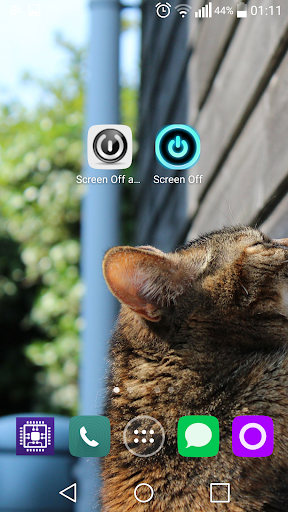
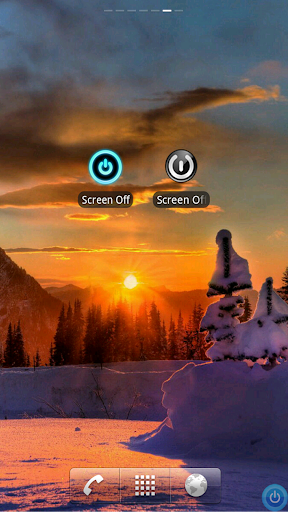
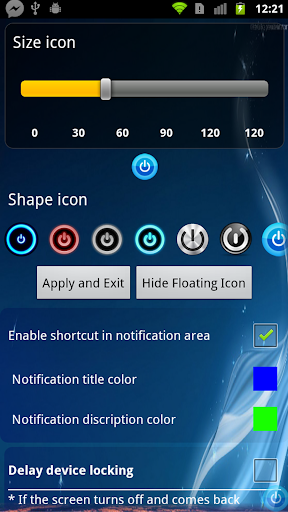

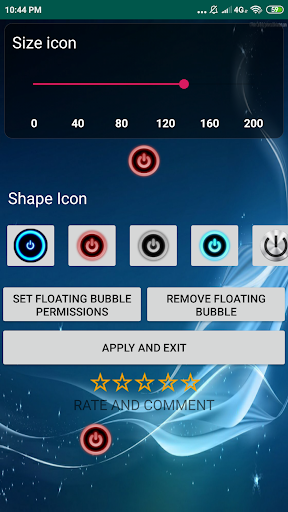
screen ကိုပိတ်ထားပါ။ Marroid 6.0 (Marshmallow), 7.0 (Oreo) သို့မဟုတ် 9.0 (Oreo) သို့မဟုတ် 9.0 (Oreo) သို့မဟုတ် 9.0 (Oreo) သို့မဟုတ် 9.0 (Oreo) စက်ကိရိယာကိုပိတ်ထားရန် Lock app ကိုပိတ်ထားပါ သော့ဖွင့်ရန် PIN ကိုလိုအပ်သည့်လုံခြုံရေးမူဝါဒ။
ဆိုလိုသည်မှာသင်သည်သင်၏ device ကိုသော့ဖွင့်ရန်သင်၏ကိရိယာကိုသော့ဖွင့်ရန်သင်၏ကိရိယာကိုသော့ဖွင့်ရန်အသုံးပြုနိုင်သည်။
Screen ကိုပိတ်ထားပါ။ သင်၏ကိရိယာ၏အကူအညီအက်ပလီကေးရှင်းဖြစ်ရန်သော့ခတ်ထားနိုင်သည်။ ထို့ကြောင့်၎င်းကိုကြာမြင့်စွာနှိပ်ခြင်းဖြင့်ပြုလုပ်နိုင်သည်။
အခြားအင်္ဂါရပ်များ - 1 ။ ကာတွန်းကိုပိတ်ပြီး (အကျော်ကြားဆုံးတီဗီစတိုင်အပါအ 0 င်)
2 ။ Screen Lock / Unlock အသံအကျိုးသက်ရောက်မှု
3 ။ တုန်ခါမှုတုန်ခါခြင်း
4 ။ အသိပေးချက်
5 ။ အက်ပ်များအားလုံးကိုကျော် floating ခလုပ်! ဖေ့စ်ဘွတ်ခ်လိုပဲဘယ်နေရာမှာမဆိုမျက်နှာပြင်ကိုပိတ်ထားနိုင်တယ်။ 6 ။ Search ခလုတ် (သင့်ကိရိယာတွင်ရှိပါက) မျက်နှာပြင်ကိုပိတ်ထားသူများအပေါ်မြင်ယောင်ကြည့်ခြင်းအားဖြင့် appint လုပ်ထားသည့်အတိုင်းပင်။ ကျေးဇူးပြု. အောက်ပါလုပ်ထုံးလုပ်နည်းများကိုလိုက်နာပါ "setting> developer options> transition animation" ကို "ထို့နောက်ဤရွေးချယ်မှုအတွက် 1x ကိုရွေးပါ။ " Settings> Display> Animation အောက်ရှိ "Anime အားလုံး" Option ကိုရွေးချယ်ပါ။ အက်ပလီကေးရှင်းသည် device administrator ၏ခွင့်ပြုချက်ကိုအသုံးပြုသည်။
Turn Off Screen and Lock app can be used to turn off and lock the screen of any Android 6.0 (Marshmallow), 7.0 (Nougat) , 8.0 (Oreo) , 9.0(Pie) or android 10 devices, in a way that it can be unlocked without violating the security policy that requires a PIN to unlock.


9Apps 4.9














