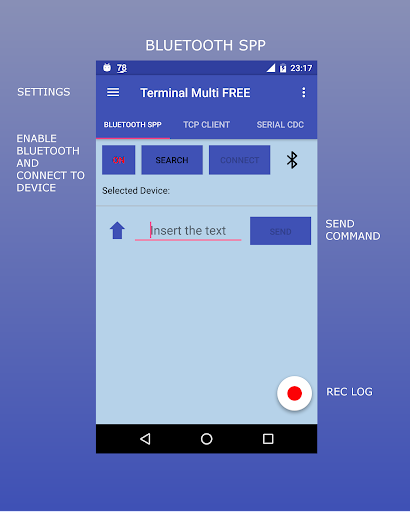
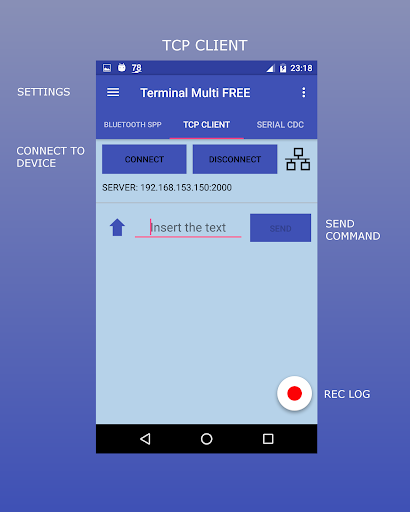
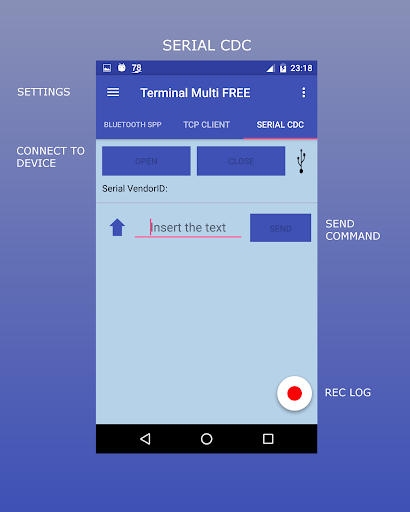
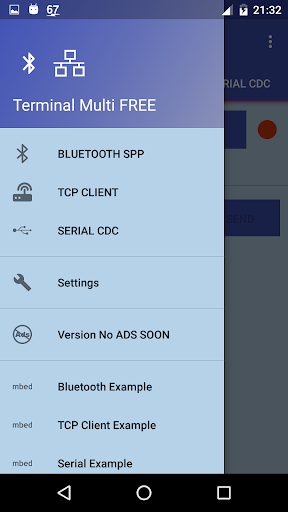
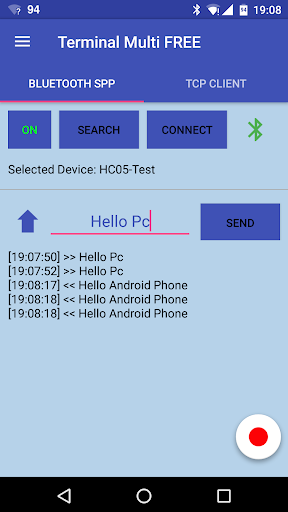
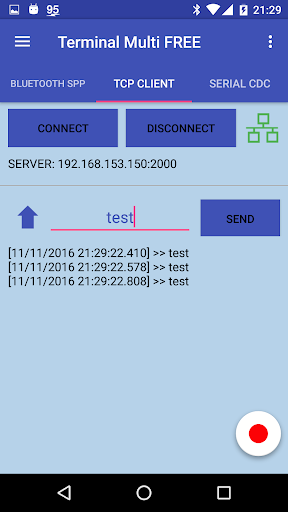
Terminal Multi သည်မတူကွဲပြားသောဆက်သွယ်ရေးအမျိုးအစားသုံးမျိုးကိုထောက်ပံ့ပေးသော terminal app:
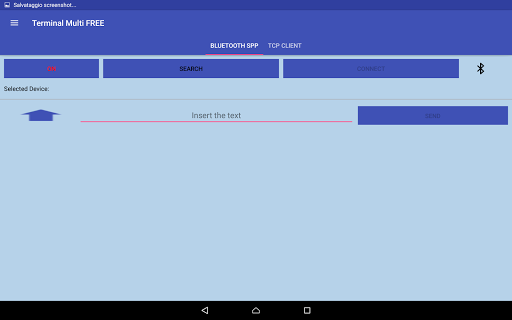
1) Bluetooth SPP: အချက်အလက်များအကြားအချက်အလက်များနှင့်ဘလူးတုသ် action device မှတဆင့် (spp)
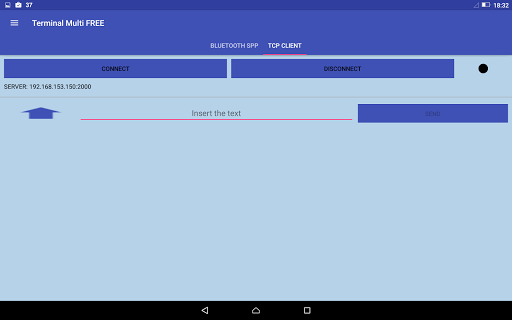
2) TCP client: TCP / IP protocol မှတဆင့်ဖုန်းနှင့်လိုက်ဖက်သည့်ကိရိယာများအကြားအချက်အလက်များနှင့်လိုက်ဖက်သည့်ကိရိယာများအကြားအချက်အလက်များနှင့်သဟဇာတဖြစ်သောကိရိယာများအကြားအချက်အလက်များအားထုတ်လွှင့်ခြင်း / လက်ခံခြင်းဖြစ်သည်။ 3) Serial CDC - ဖုန်းအကြားဒေတာများကိုထုတ်လွှင့် / လက်ခံသည် (ထောက်ခံသည့်ဖုန်းများအတွက်သာ) serial protocol မှတဆင့်လိုက်ဖက်တဲ့ device ကို
>
Bluetooth ဆက်သွယ်ရေးကို HC-05 Bluetooth Module နှင့်ချိတ်ဆက်ထားသော်လည်း MBED LPC1768 နှင့်ချိတ်ဆက်ထားသောအခြား Bluetooth ကိရိယာများကိုသုံးနိုင်သည်။ ဥပမာ - https: //devopoper.mbed တွင်ရှိသည်။ Org / escess / edodm85 / notebook / notebook / hc-05-bluetooth /
TCP / IP ဆက်သွယ်ရေးကို MBED LPC1768 ဘုတ်အဖွဲ့နှင့်စမ်းသပ်ပြီး, ARDUINE, Rasberry, ။
ဆက်သွယ်ရေးကို MBED LPC1768 ဘုတ်အဖွဲ့နှင့်စမ်းသပ်ခဲ့သည်။
- https://developher.mbed.org/users/users/users/Sconnection-betde-mbed-mbed-android/br >
Bluetooth SPP အတွက်ညွှန်ကြားချက်များ - 1) ပထမ ဦး စွာသင်နှင့်သဟဇာတ Bluetooth ကိရိယာ (Ex: hc-05 Bluetooth)
2) သင်၏ဖုန်းကိုပစ်မှတ်စက်နှင့်တွဲဖက်ထားသည် (ဖုန်း၏ bluetooth settings) နှင့်တွဲထားသည် ) 3) Bluetooth STP settings ပေါ်တွင်မှန်ကန်သောလိုင်းချိုးကိုထည့်ပါ။ 4) အက်ပ်ကိုဖွင့ ်. Search ခလုတ်ရှိကိရိယာကိုရွေးချယ်ပြီး "Connect" ခလုတ်ကိုနှိပ်ပါ။
BR> TCP client အတွက်ညွှန်ကြားချက်:
1) Ethernet ၏ LPC1768) ကို Ethernet ၏တူညီသောဒေသကွန်ယက်တစ်ခုနှင့်ချိတ်ဆက်ပါ။ 2) TCP client settings ရှိ IP နှင့် port ကိုထည့်ပါ
3) "Connect" ခလုတ်ကို နှိပ်. စာကိုပို့ပါ။
ညွှန်ကြားချက်များ Serial CDC:
1) USB မှတစ်ဆင့် Board (MBED LPC1768) ကို USB (Micro USB Adapter) ကိုဆက်သွယ်ပါ။ 2) Serial CDC ချိန်ညှိချက်များတွင် corect baud baud ကိုထည့်သွင်းပါ။ Burmese Burmese Burma
v1.3.8 (USB CDC) or 1.2.5 (NO CDC)
- Updated to Android 30
- Moved save folder from root to Download folder (only Android 29 and more)
- Added console autoscroll (enabled by defaul)
- Added Dark Theme
- Restore foreground service
- Internal fixed
v1.3.7 (USB CDC) or 1.2.4 (NO CDC)
- Updated Client Tcp
v1.3.6 (USB CDC) or 1.2.3 (NO CDC)
- Changed background service with foreground service (for Android 8.0 and newer service limitations)
- New App icon
- Bugs fixed


9Apps 4.9