
𝐌𝗩 𝐕𝐢𝐝𝐞𝐨 𝐏𝐥𝐚𝐲𝐞𝐫
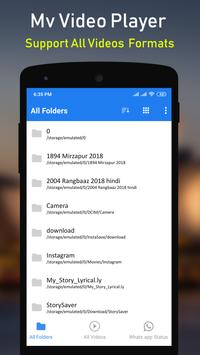
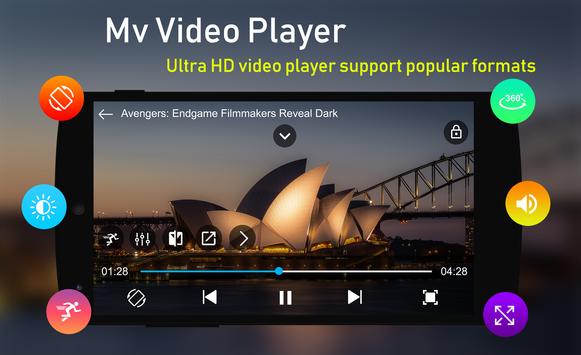
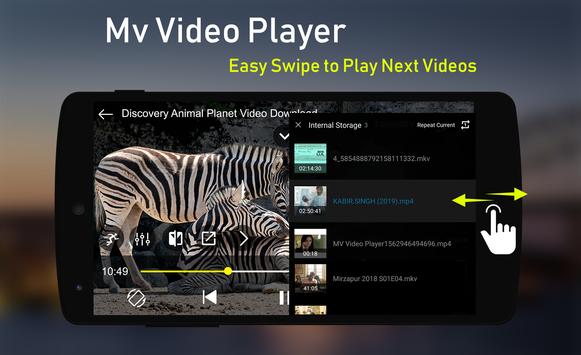
𝐌𝗩 𝐕𝐢𝐝𝐞𝐨 𝐏𝐥𝐚𝐲𝐞𝐫 is best video player on Play store with powerful features. 𝐌𝗩 𝐕𝐢𝐝𝐞𝐨 𝐏𝐥𝐚𝐲𝐞𝐫 Support all types of video formats including AVI , MP4 , WMV , RMVB , MKV , 3GP , M4V , MOV , TS , MPG , FLV etc. In 𝐌𝗩 𝐕𝐢𝐝𝐞𝐨 𝐏𝐥𝐚𝐲𝐞𝐫 you can browse video directly as well as folder wise. You can easily manage all videos in one touch. 𝐌𝗩 𝐕𝐢𝐝𝐞𝐨 𝐏𝐥𝐚𝐲𝐞𝐫 that meets all your needs with an attractive user interface that gives you the best user experience.
𝐏𝐨𝐰𝐞𝐫𝐟𝐮𝐥 𝐅𝐞𝐚𝐭𝐮𝐫𝐞𝐬 𝐎𝐟 𝐌𝗩 𝐕𝐢𝐝𝐞𝐨 𝐏𝐥𝐚𝐲𝐞𝐫
𝐀𝐥𝐥 𝐅𝐨𝐫𝐦𝐚𝐭 𝐕𝐢𝐝𝐞𝐨 𝐒𝐮𝐩𝐩𝐨𝐫𝐭:
𝐌𝗩 𝐕𝐢𝐝𝐞𝐨 𝐏𝐥𝐚𝐲𝐞𝐫 supports all types of video formats like AVI , MP4 , WMV , RMVB , MKV , 3GP , M4V , MOV , TS , MPG , FLV etc
𝐄𝐚𝐬𝐢𝐥𝐲 𝐅𝐢𝐥𝐞 𝐌𝐚𝐧𝐚𝐠𝐞𝐫:
In 𝐌𝗩 𝐕𝐢𝐝𝐞𝐨 𝐏𝐥𝐚𝐲𝐞𝐫 you browser video directly or folder wise, you can delete,rename,details crop video.
𝐀𝐥𝐥 𝐋𝐚𝐧𝐠𝐮𝐚𝐠𝐞 𝐒𝐮𝐩𝐩𝐨𝐫𝐭:
𝐌𝗩 𝐕𝐢𝐝𝐞𝐨 𝐏𝐥𝐚𝐲𝐞𝐫 support all types of languages like English,Gujarati,Hindi,Marathi,Chinese,Spanish and all.
𝐄𝐚𝐬𝐲 𝐔𝐬𝐞𝐫 𝐈𝐧𝐭𝐞𝐫𝐟𝐚𝐜𝐞:
You Can Easily customize player layout like List view and Grid view or change player therms.
𝐄𝐚𝐬𝐲 𝐕𝐢𝐝𝐞𝐨 𝐂𝐨𝐧𝐭𝐫𝐨𝐥𝐬:-
𝟏)𝐒𝐩𝐞𝐞𝐝 𝐂𝐨𝐧𝐭𝐫𝐨𝐥:
You Can play video slow and fast using speed control.
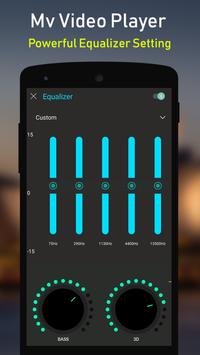
𝟐)𝐄𝐪𝐮𝐚𝐥𝐢𝐳𝐞𝐫:
You Can customize video volume using equalizer like Custom,Classical,Dance,Flat,Folk,Heavy Metal,Hip Hop,Jazz,Pop,Rock,3D Sound,Bass.
𝟑)𝐌𝐢𝐫𝐫𝐨𝐫:
Flip Video using Mirror Control.
𝟒)𝐅𝐥𝐨𝐚𝐭𝐢𝐧𝐠 & 𝐁𝐚𝐜𝐤𝐠𝐫𝐨𝐮𝐧𝐝𝐬:
It can play multiple videos in a pop-up window, floating above other applications. It can also play videos in background, just like an audio file
𝟓)𝟑𝟔𝟎 𝐕𝐢𝐝𝐞𝐨 𝐒𝐮𝐩𝐩𝐨𝐫𝐭:
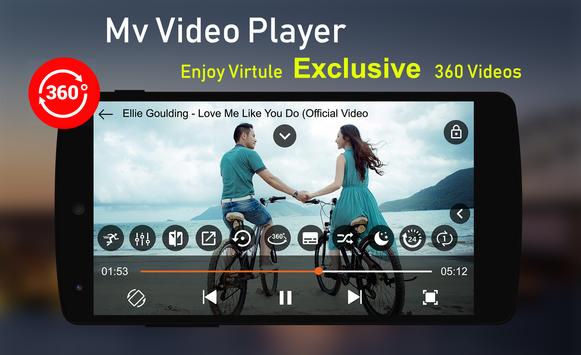
𝐌𝗩 𝐕𝐢𝐝𝐞𝐨 𝐏𝐥𝐚𝐲𝐞𝐫 is the professional virtual reality VR 3D video player that provide you full control , drive into new adventure of your environment, assume the things like you are already there in the scene.
𝟔)𝐒𝐮𝐛𝐭𝐢𝐭𝐞𝐥𝐬 𝐂𝐨𝐧𝐭𝐫𝐨𝐥𝐬:
You can download video subtiles.
𝟕)𝐒𝐮𝐟𝐟𝐥𝐞,𝐒𝐢𝐧𝐠𝐥𝐞 𝐏𝐥𝐚𝐲𝐞𝐫:
You Can customize all this in video.
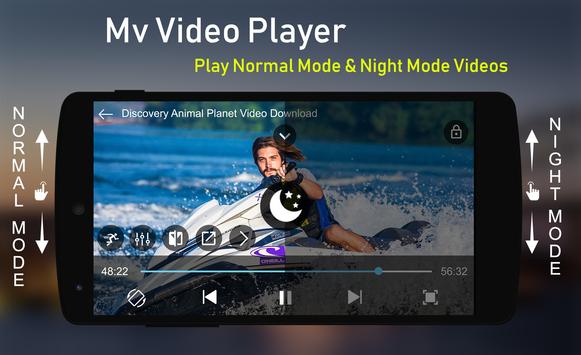
𝟖)𝐍𝐢𝐠𝐡𝐭 𝐌𝐨𝐝𝐞:
You Can Customize Video User Interface In Day Night Mode.
𝟗)𝐒𝐥𝐞𝐞𝐩 𝐓𝐢𝐦𝐞𝐫:
Video Player Automatically Close After Some Time Using This Control.
𝟏𝟎)𝐌𝐮𝐭𝐞:
Slow Down Volume using Mute Control.
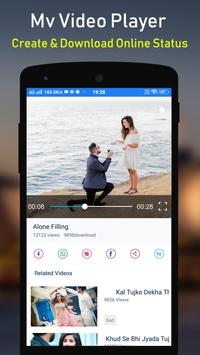
𝟏𝟏)𝐂𝐫𝐞𝐚𝐭𝐞,𝐔𝐩𝐥𝐨𝐚𝐝 𝐚𝐧𝐝 𝐝𝐨𝐰𝐧𝐥𝐨𝐚𝐝 𝐯𝐢𝐝𝐞𝐨 𝐬𝐭𝐚𝐭𝐮𝐬:
You can create video status from video using trim control or download and upplod video easaly.
𝟏𝟐)𝐒𝐡𝐚𝐫𝐞 𝐕𝐢𝐝𝐞𝐨 𝐄𝐚𝐬𝐚𝐥𝐲:
You Can Share Videos On Social Meadia In One Touch.
𝐓𝐡𝐚𝐧𝐤 𝐲𝐨𝐮.....
Performance improved
Ads reduce





9Apps 4.9













