

* Auto Call ဒီဂျစ်တယ်အသံဖမ်းစက်
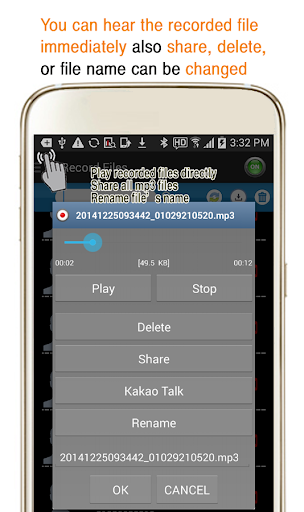
Recorded Files များမှာ MP3 type br mp3
အမျိုးအစားများကိုသင်ကစားနိုင်ပါသည်။
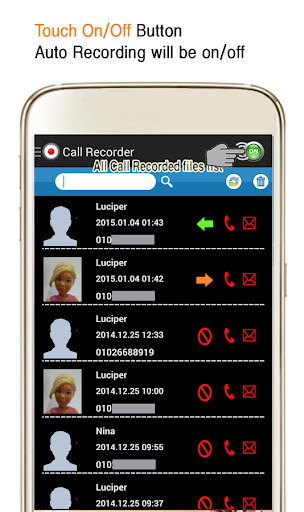
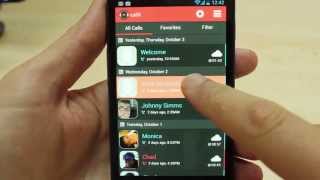
အလိုအလျောက်မှတ်တမ်းတင်ခြင်း function ကို Selection) function (ဖုန်းနံပါတ်, နာမည်ဖြင့်)
မှတ်တမ်းတင်ထားသောမာတိကာစာရင်းကိုအတည်ပြုပြီးနောက်ချက်ချင်းကစားပါ။ - တိကျသောဖိုင်မှတ်တမ်းတင်ခြင်း function ကိုဖျက်ခြင်း - မှတ်တမ်းတင်ခြင်းဖိုင်ဝေမျှခြင်း - အီးမေးလ်, , boxes စသည်တို့ကို etc ။
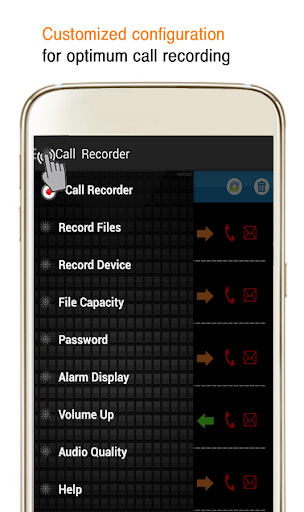
* Preferences Menu ဖော်ပြချက်
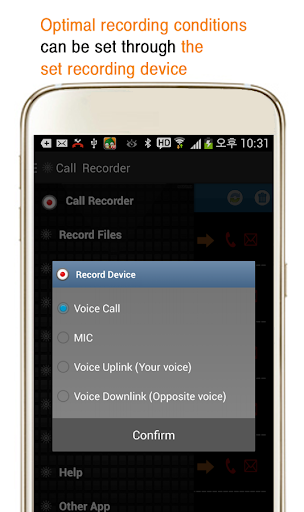
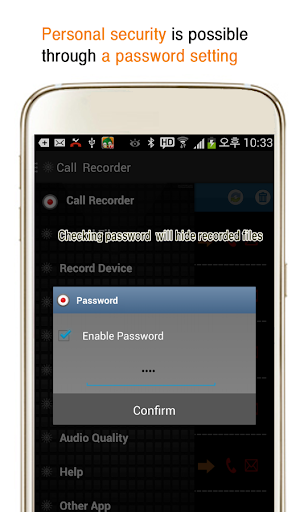
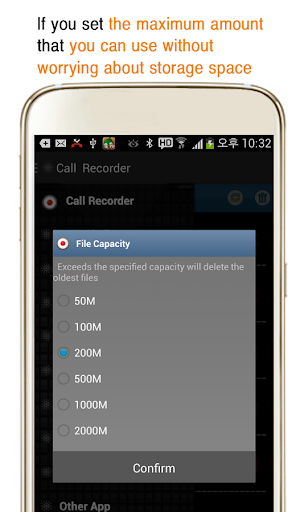
Record Device (Recording Device) - အသံခေါ်ဆိုမှု, MIC Recording Device, settings settings settings settings ကိုပြောင်းလဲရန်ကြိုးစားခြင်း) မှတ်တမ်းတင်ခြင်း - ဖိုင်စွမ်းရည် (သိုလှောင်မှု): 50 မီတာ ~ 2G
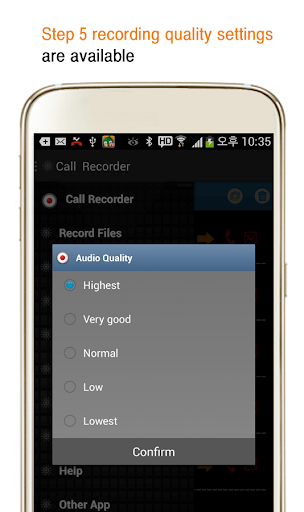
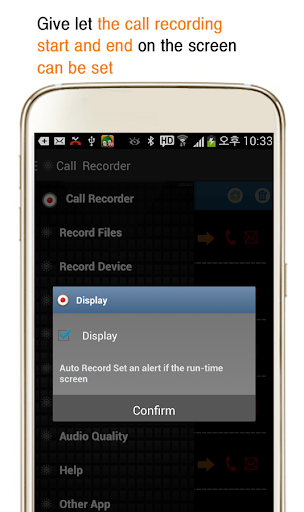
အကယ်. သင်သည်သိုလှောင်နိုင်စွမ်းထက်ကျော်လွန်ပါက, မှတ်တမ်းတင်ထားသောအကြောင်းအရာများကိုကြည့်ပါ။ - Display (အကြောင်းကြားထားပါက) - မှတ်တမ်းတင်ခြင်းအကြောင်းကြားစာကိုခေါ်ဆိုခြင်းရှိမရှိကိုသတ်မှတ်ပါ။ Volume Up (အသံအတိုးအကျယ်) The Volume-Audio အရည်အသွေး - အသံအရည်အသွေး - အသံအရည်အသွေး - Recording အရည်အသွေးကိုအဆင့် 5 အထိသတ်မှတ်သည်။ * Record file တည်နေရာ
SD Card ရှိ CallRecorder> RealCall Folder အသံသွင်းခြင်းသို့မဟုတ်အသံမသန့်ရှင်းပါနှင့်) 1) Recording Settings ကိုပြောင်းလဲရန်ကြိုးစားခြင်း
2) ဖုန်းနံပါတ်ကိုယ်တိုင်ပေါ် မူတည်. တယ်လီဖုန်းရိုက်ခြင်းလုပ်ငန်းကိုမသုံးနိုင်ပါ။
4) အခြားခေါ်ဆိုမှုမှတ်တမ်းတင်ထားသောအက်ပလီကေးရှင်းကိုသင်မလုံလောက်ပါကမှတ်တမ်းတင်ရန်စာရင်းတင်ပါ
Change to the recording library 64-bit and set additional authority according to SDK upgrade (READ_CALL_LOG)
Delete functions depending on Google policy
Android 7.0 and later, depending on Google policy Phone call recording has been disabled
If you are using Android 7.0 or higher,
Please use the basic recording feature in call settings
You can check the existing recorded contents






9Apps 4.9













