
Internet Speed Check 2018
is the only speed test that lets you test your internet connection on both Wi-Fi and cellular networks.
Internet Speed Check 2018
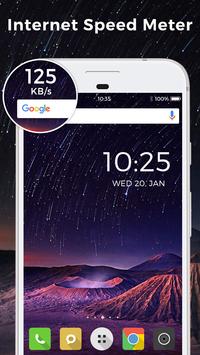
can test speed specifically optimized for mobile devices and measures accurately on GPRS, 3G, 4G, LTE and wifi connection. Internet Speed Meter shows your internet speed in status bar and shows howmuch amount of data used in notification panel using Mobile network and WiFi network. Internet speed test is private internet access helps you to monitor network connection anytime while using your Android Smartphone device like Internet Speed Master.
Internet Speed Check 2018
is an Internet Speed and usage monitor for your Android. Free test internet speed and monitor internet!
-
Internet Speed Check 2018
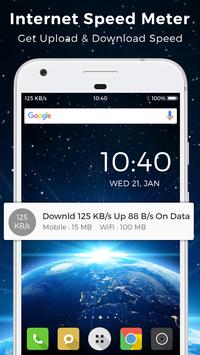
shows realtime Internet speed of your Internet connections on Status bar and Notification bar.
-
Internet Speed Check 2018
also shows daily both Mobile and WiFi data usage with current Internet (Download and Upload speed).
Features of Internet Speed Check 2018
❖ Test the Download and Upload Speed and Ping of WiFi Hotspots on dsl, adsl, cable connections
❖ Worldwide high speed data server network for reliable results
❖ Easily share your results
❖ IP address
❖ Wifi Speed Test
❖ 3G, 4G Speed Test
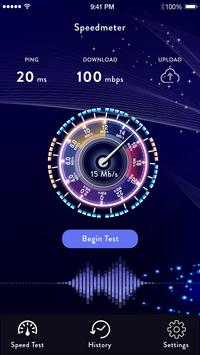
❖ Test the ping, download and upload speed of WiFi
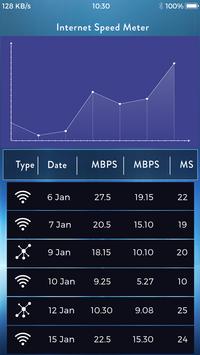
❖ Real-time graphs show connection consistency
❖ Select the default server
❖ Easily share your results
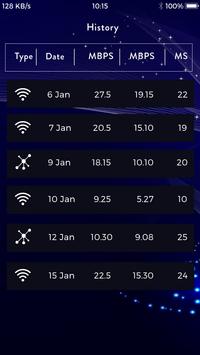
❖ History of results speed test
❖ IP address display
❖ Battery efficient
❖ Save the past results of Internet speed test automatically
If you like Internet Speed Check 2018(speed test & monitor internet), please give us five stars in Google Play to show your love! We are working on provide better network speed meter and internet monitor app.



9Apps 4.9













![국세청 홈택스 [손택스] on 9Apps](https://go.getnew.app/sg/res/jpg/f7/df/69cc2f90120ec331db2630e0f5b6-6dh.jpg?x-oss-process=style/jmq200)


