

Some India application are update now! 10,000+ users downloaded Silent Killer latest version on 9Apps for free every week! The App has powerful functions. This hot app was released on 2013-04-19. Find out more android software you're looking for at 9apps.com
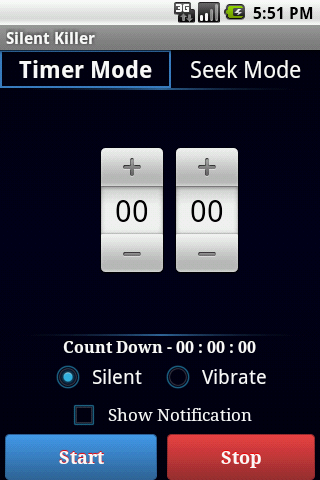
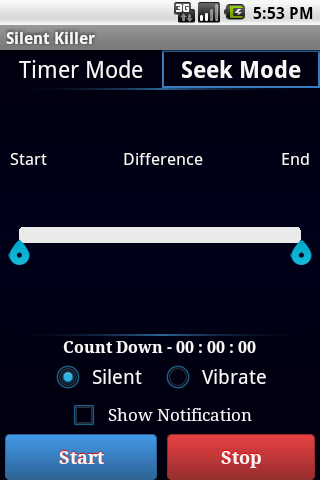
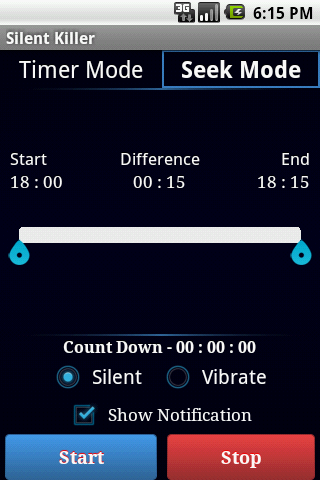
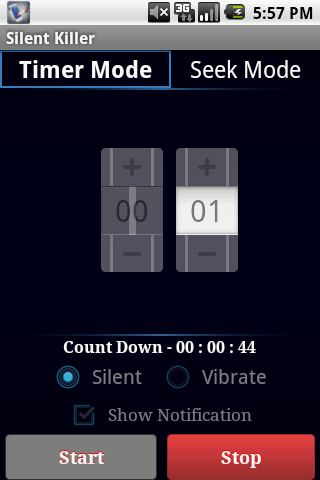
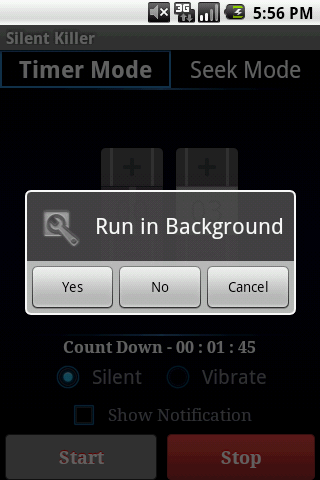
SilentKiller is a simple FREE application which enables you to automate the process of switching your phone from Normal mode to Silentvibrate mode and reverting back to Normal mode.You can choose from two options; Timer Mode to select a cutoff time limit Seek Mode to select a time interval for your phone to be in silentvibrate modeFeatures: Time picker with count down display Select time interval; Start and End time Swipe to select and view mode options Revert backs to original volume settings Run application in the background Notification messages Allows alarm clock functions Simple and easy to use interfaceSilentKiller will be a handy application for people; To sleep tight without being disturbed my text, email and call notifications Attend important meetings Forgetting to change phone mode from silent Enjoy a movie, date or sports match without getting distracted Wanting to have a peaceful chat with family and friendsHow to use:First select the mode you prefer i.e. Timer Mode or Seek ModeTIMER MODEIn Timer Mode set the time for which you want the phone to be in silent or vibrate mode. Silent or Vibrate mode can be selected by checking the respective radio buttons.You can switch the notifications onoffby using the check box.Then click on the Start button to activate the application. To run the application in the background, click the phones back button and select the appropriate option. SEEK MODEIn Seek Mode set the interval by adjusting the controllers in the seek bar. The phone will be in silent or vibrate mode for the fixed time interval.Silent or Vibrate mode can be selected by checking the respective radio buttons.You can switch the notifications onoffby using the check box.Then click on the Start button. To run the application in the background, click the phones back button and select the appropriate option. Keywords: silent restore, sleep timer, schedule mode, silence timer mode, silent timer mode, time, auto silent mode



9Apps 4.9













![국세청 홈택스 [손택스] on 9Apps](https://go.getnew.app/sg/res/jpg/f7/df/69cc2f90120ec331db2630e0f5b6-6dh.jpg?x-oss-process=style/jmq200)


