
Rotation Control Lets You Take Full Control of Your Device’s Orientation Settings
Rotation on demand lets you select screen rotation on the fly without having to switch to the app first.
A simple design with functions that are easy to understand and use.
Recommended for people who:
- Want to use their smartphone home screen in landscape mode
- Want to use landscape mode games or video apps in portrait mode
- Want to always use their tablet in landscape mode
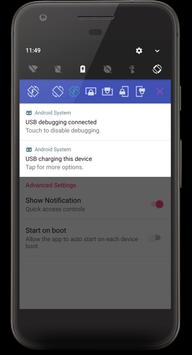
- Want to switch between fixed orientations with one tap via the status bar
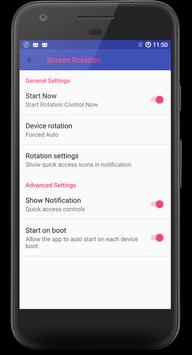
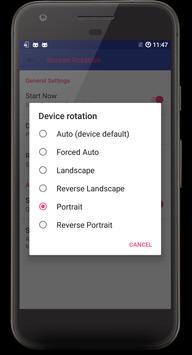
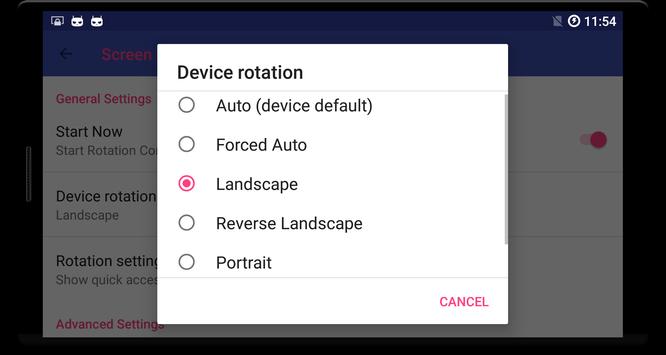
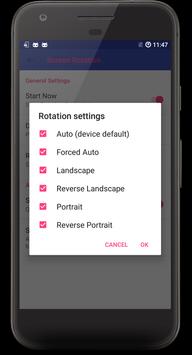
There are 8 modes which can be chosen in notification bar:
1. Auto (device default) - detect the device's orientation and prompt you whether to rotate the orientation
2. Landscape - force the orientation in landscape
3. Portrait - force the orientation in portrait
4. Reverse Portrait - force the orientation in reverse portrait
5. Reverse Landscape - force the orientation in reverse Landscape
6. Forced Auto - automatically rotate the screen in all orientation
7. Stock auto - exactly the same as original auto mode
8. Stock portrait - exactly the same as original portrait mode
This app is free for you. Please try and give us some feedbacks.
Thanks
supported Android 8.0 Oreo™

![Control Screen Rotation for Apps Individually - Samsung Galaxy Note 2 [How-To] screenshot 2](https://i.ytimg.com/vi/zcKm2XlW9Nc/mqdefault.jpg)




9Apps 4.9












![국세청 홈택스 [손택스] on 9Apps](https://go.getnew.app/sg/res/jpg/f7/df/69cc2f90120ec331db2630e0f5b6-6dh.jpg?x-oss-process=style/jmq200)


