
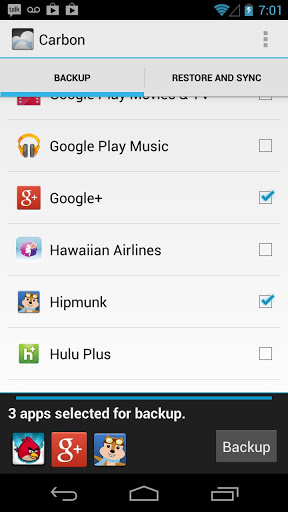
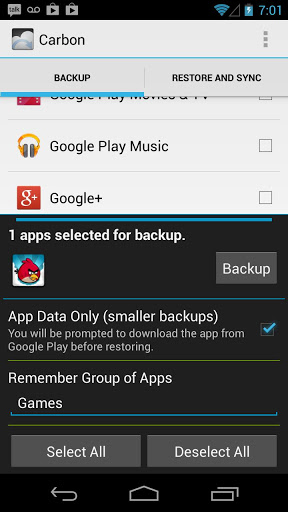
Helium is the missing app sync and backup solution for Android.
Helium does NOT require root. All Android users can use Helium to backup and sync Android applications.
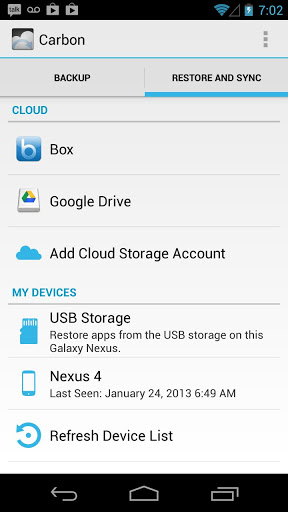
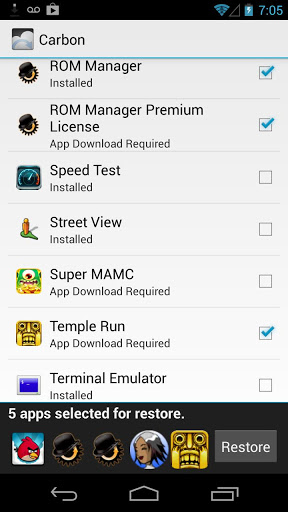
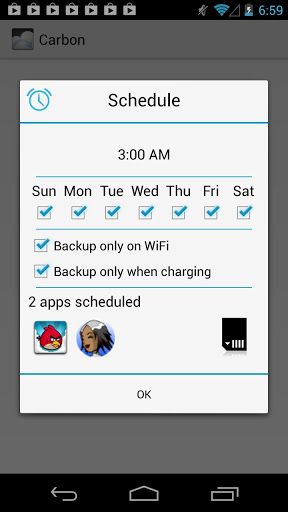
Helium lets you backup your apps and data to your SD card or cloud storage. With Helium, you can sync app data from your other Android devices-- even if they are not on the same network. Set up backup schedules with Helium, and never lose data again.
Helium Setup
1. Install Helium on Android
a) Root user? You're done!
2. Install and run Helium Desktop (link below)
3. Connect Android to computer.
a) You may need to set your USB Connection Mode to "PTP". (Nexus 7, Nexus 10, etc)
4. Helium on Android should now be enabled.
Support Wiki
https://github.com/koush/support-wiki/wiki/Helium-Wiki
Helium (Free) features:
Backup and restore to SD card
Backup and restore from PC
Helium (Premium) features:
No ads
Automatic Backup schedules
Android to Android sync
Cloud backup and restore
* Dropbox
* Box
* Google Drive
b>Note: Some Sony devices have issues with Helium. This includes the Xperia S and Xperia Z. Sony has *disabled* backup on these devices completely.
Helium Desktop Installer (non-rooted users):
Chrome browser user? Try the Chrome app: http://bit.ly/1zOvH2F
Not a Chrome user, or want the desktop installer? http://www.clockworkmod.com/carbon
Why do you need so many Permissions?
Contacts - Backup call log and sms
SMS - Backup call log and sms
Accounts - Backup and restore from Drive
Phone State - Uniquely identify phone for Android to Android sync
Read Logs - Debugging and bug reports
Wifi - Make sure scheduled backups only happen on wifi







9Apps 4.9















![국세청 홈택스 [손택스] on 9Apps](https://go.getnew.app/sg/res/jpg/f7/df/69cc2f90120ec331db2630e0f5b6-6dh.jpg?x-oss-process=style/jmq200)


