
Screen Stream Mirroring 2019 is Free, Fast, Secure, Easy and you can use it without limits!
You can share your screen ""live"" just like a dual screen to any device or PC on the same network via a media player, web browser, Chromecast, or UPnP / DLNA devices (many Smart TVs or other compatible devices).
✔️ You can make powerful presentation for work, education, or gaming.
✔️ This app has been tested and found works on most of android mobiles with android version 4.2 and above.
✔️ You can live broadcast everything to Twitch, Youtube Gaming, Facebook, Ustream, and any other internet popular streaming servers: perfect to broadcast your favorite games.
✔️ You can also record it to video files.
Please follow below steps to mirror your mobile screen to smart TV:
1) Your TV should support Wireless Display or any sort of Display Dongles.
2) The TV must be connected to wifi network same as your phone.
3) The Phone version must be android 4.2 and above.
4) Download and run Screen Mirroring App.
How to use?
1. Firstly, App open then click on wi-fi display you will go on cast screen directly.
2. Enable the TV Miracast.
3. Tap on start wifi of the application.
4. Miracast application should be enabled.
5. Both will connect automatically to each other then you can see same mobile screen show on Smart TV.
Features of Screen Stream Mirroring 2019:
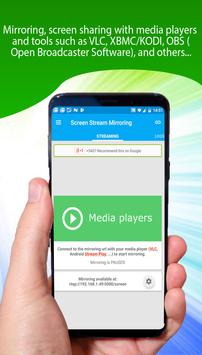
[✔] Mirroring, screen sharing with media players and tools such as VLC, XBMC/KODI, OBS (Open Broadcaster Software), and others...
[✔] Mirroring, screen sharing with web browsers
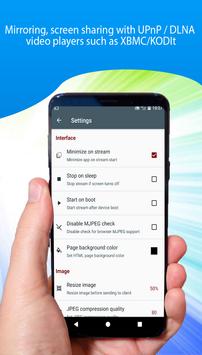
[✔] Mirroring, screen sharing with UPnP / DLNA video players such as XBMC/KODI
[✔] Mirroring, screen sharing with UPnP / DLNA devices such as Smart TV, Blu Ray players, and others compatible devices
[✔] No root: Prior to Android 5.0 you need to run our startup tool from your computer to activate screen mirroring.
[✔] Broadcasting to Twitch, Youtube (Youtube Gaming), Facebook Live, Ustream, and others...
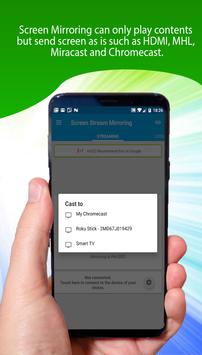
[✔] Google Cast™ Ready (Chromecast)
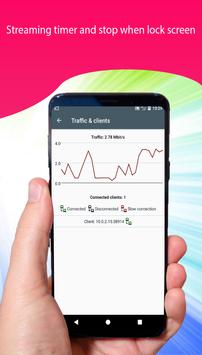
[✔] Streaming timer and stop when lock screen
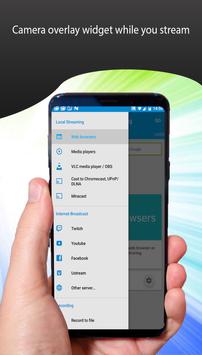
[✔] Camera overlay widget while you stream
[✔] Image overlays and web overlays (Android 5 )
[✔] Twitch chat preview while you broadcast
[✔] internal audio (ROOTED Android 4.4 and above) and microphone streaming
[✔] Mixed audio (internal microphone) streaming (ROOTED Android 4.4 and above)
[✔] Recording
[✔] Screen drawing while mirroring (perfect for demoing)
[✔] Compatible with Network Tethering (wifi, bluetooth, USB)
[✔] Many settings to optimize performances
[✔] Any number of connections can be made, so multiple people can connect at the same time
🔠 This is the free version of Screen Stream Mirroring 2019
This App also known as:
★ screen mirroring app
★ screen mirroring laptop
★ screen mirroring samsung tv
★ screen mirroring samsung smart tv
★ screen mirroring Samsung
★ screen mirroring for samsung tv
★ screen mirr
★ mirror cast
★ mirror screen android
★ mirroring to tv
★ mirror screen
★ mirror tv
★ samsung mirroring app
★ samsung screen mirroring
★ cast screen android
⚠️ Notes:
- Do not use reviews for reporting issues or if you have questions.
- CONTACT US at dangky223@gmail.com prior to leave a bad comment just because you were not able to use the app, we would be pleased to provide you any help.
- We have no way to help you or contact you through reviews.
- Please do not rate poorly if you do not have read the instructions.
- Warning: If you use an alternative ROM (CyanogenMod, AOKP...) to get better results you are recommended to update your ROM to the last version!
Download it FREE Now!"




9Apps 4.9










