

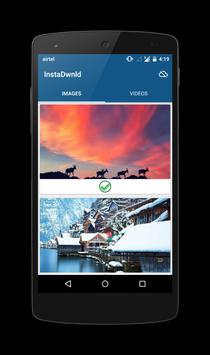
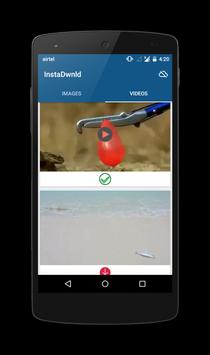
InstaDwnld for Instagram is free app that help you save public photos,video and instagram story from
Instagram to your mobile.Feature like auto download make you easier to download media to download to your mobile without opening instadownload (please see video if you are not patient to read below guide to use the app :) ).
instagram save helps instgram users to save time
save instagram photos , save instagram videos , save instagram stories , save instagram slide medias
App having most feature than any other instagram downloaders in playstore
Major updates
Download multiple instagram videos and photos on just copying profile url of public profiles to clipboard
Just Copy url from instagram ( Copy Profile or Photo or Video url to clipboard and enjoy following features)
1)Instagram Story downloader (Instagram story can be recorded and saved (Story))
2)Instagram Multiple media download
3)Instagram Image and Video download
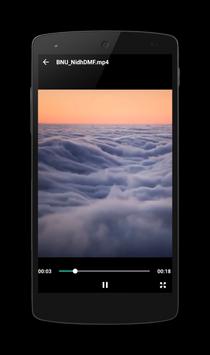
4)Default Video Player and Gallery (For Instagram Image,Video and Story)
* Play Instagram video,image and stories
* All Instagram videos can be streamed before downloading using default video player
* Option to switch default player with other media opening apps.
Instagram downloader
All Photos and videos are saved without any watermarks
Repost Media
You can repost all media which is saved in the storage
instagram downloader
***UPDATE*** BATCH DOWNLOAD
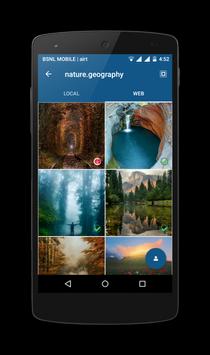
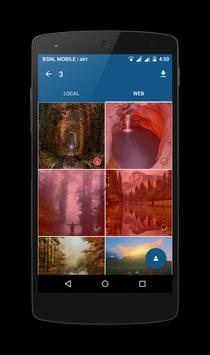
Download medias in a batch process by giving the profile url of any users whos profile is public.This feature allow to download multiple media on a single click
***ADDED*** Record the Instagram Stories to your gallery Using InstaDownload(Lollipop and above only)
***NOTICE: No information is taken from your Instagram app only download the public media to your mobile that you selected
How to use
its very simple to use instaDownloader
--------------------With out auto download option------------------------------------
1. Open InstaDownload first after installing
2. Open your Instagram app and choose Copy Share URL option for the selected media you want to save.(You can selected as much media you want to save)
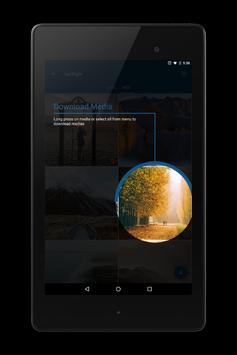
3. Open InstaDownload so that all the media you selected will be displayed you can download the media which you want to save
--------------------With auto download option------------------------------------
1. Open InstaDownload first after installing
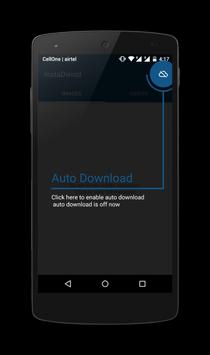
2. To enable auto download just click the top right menu option
3. Open your Instagram app and choose Copy Share URL option for the selected media you want to save.all media will be automatically saved in your mobile(You don't want to open app again and again to save media to your mobile until you turn off auto download option)
save instagram photos , save instagram videos , save instagram stories , save instagram slide medias
Instagram downloader -- Enjoy -- instagram Downloader
Bug fix
Instagram video and image
slides from batch



9Apps 4.9











