

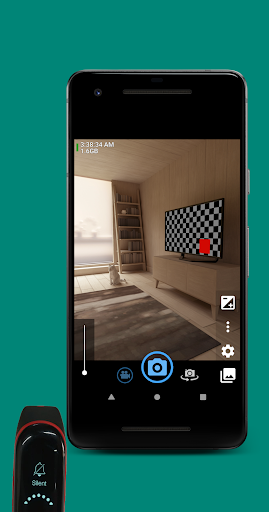
MIバンド3、(Android)を消すことができるスマートデバイス、SmartBand、MIバンド3、(Android)を着用することができるスマートバンド、(Android)は、ペアリングが必要です。
広告なし。プレミアムなし。
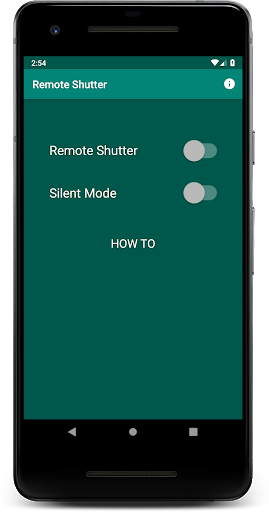
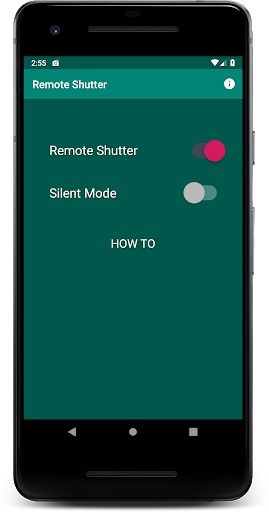
1。リモートシャッターをオンにします。
2。 (オプション)サイレントモードをオンにして、携帯電話をサイレントモードで強制的に設定します(シャッターサウンドの電源を切ってください)。これらのカメラアプリのうちの1つを開きます。
•
カメラを開くgoogle.com/store/apps/details?id = net.SourceForge.opencamera)
、
Bacon Camera(https://play.google.com/store/apps/details?id=com.fgnm.baconcamera)
、
unights selfie camera(https://play.google.com/store/apps/details?id= hu.kiti. .development.camerademo)
、
サークルカメラ(HTTPS) ://play.google.com/store/apps/details?id = com.camera.at.circle)
、
フリーカメラ(https://play.google.com/store/apps/details?id=net.SourceForge.FreeCamera)
4。写真やビデオを録音するには、スマートデバイスから携帯電話をミュート/ミュート/ミュート解除するには:MIバンド3、(Android)WEAR OS Watchなどが
LauncherアイコンはROMAN NURIKによって作成されます。
フィーチャグラフィックは、Litrik de RoyによるAndroid機能Graphic Generatorを使用して作成されています。
特別な感謝:Lukito H、Erdiavin P、Willem P.
v1.0.1
• Show "HOW TO" description. Could be hidden/shown by tapping the "HOW TO" text.
v1.0.0
• Tested works for Mi Band 3, but should also works on any smartband/smartwatch/smart device which has function to mute/unmute your phone.





9Apps 4.9










