HOW to use it?
1. Install the File manager
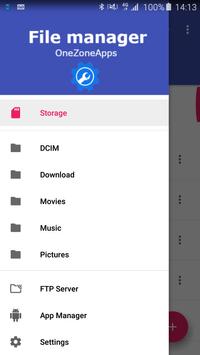
2. Select storage option from left menu
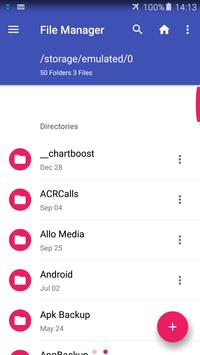
3. Select folder and open it.
4. All files sorted by date & time.
5. Copy, delete any other options for selected file.
DCIM, Download, Movies, Music, Pictures
1. Install the File manager
2. Select one of the options from the left menu
3. Copy, delete any other options for selected file.
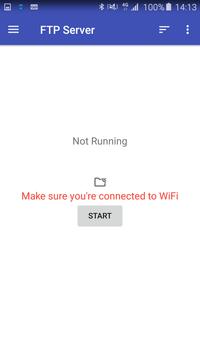
How to configure FTP server
1. Install the File manager
2. Select "FTP Server" option from the left menu.
3. You must be connected to WiFi.
4. Click start.
5. Open browser from your computer and navigate to ftp://{ipaddress}:{port}
App Manager:
1. Install the File manager
2.Select "App Manager" from left menu
3. Select application.
4. Backup, uninstall and details on the right menu.
Settings:
1. Select theme
2. Select color
3. Icons.
4. Remember paths.
5. Show file sizes.
6. Show permissions.
7. Feedback.
8. About the application & version.
Languages:
English, Arabic, Spanish, etc...
You can always contact us by Email: onezoneapps@gmail.com
Subject: File Manager
Powered By OneZoneApps
Bug fixes.

9Apps 4.9