


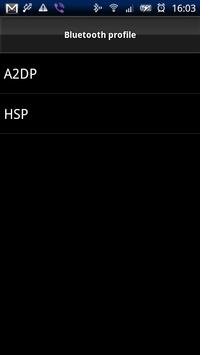
選択したペアリング済みデバイスをWidgetとして設定し、Widgetから接続/切断を行うことができます。また、どのデバイスに接続しているのかWidgetのアイコンで確認できます。
◆ 使い方
WidgetをHOME画面に配置する際に、プロファイルと接続先のBluetoothデバイスを選択します。
選択できるデバイスはペアリング済みのデバイスであるため、先に設定したいデバイスとのペアリングを行ってください。
HOME画面に配置されたWidgetをタップすると設定したBluetoothデバイスに接続します。
◆ 対応プロファイル
対応するプロファイルはHSP/A2DPですが、HSPについては動作が不安定です、
利用される方が多く改善が必要であれば対応します。
◆ 対応デバイス
現状、Android-2.1でのみ動作します。
また、XPERIA(SO-01B)でのみ動作を確認しており、他のデバイスでは利用できないかもしれません。
Fix the crash issue on Honeycomb.
Added ability to change the default name of BT device name display Widget. To change the display name already installed Widget, please re-create the back.
I update the Configuration view for widget. This is added the function to jump to Android settings.



9Apps 4.9










