
It has to be noticed that 20,000+ users downloaded VR Center latest version on 9Apps for free every week! This makes the app feel more like a popular merchandise, which is very positive in my opinion. This hot app was released on 2019-02-02. I will tell you how to use this app in the following page.
**Samsung Galaxy S 6/7/8 and Note 5/7/8 users: please make sure to enable WQHD+ display resolution in Settings > Display > Screen resolution > WQHD+ > Apply.**
• Live Feed
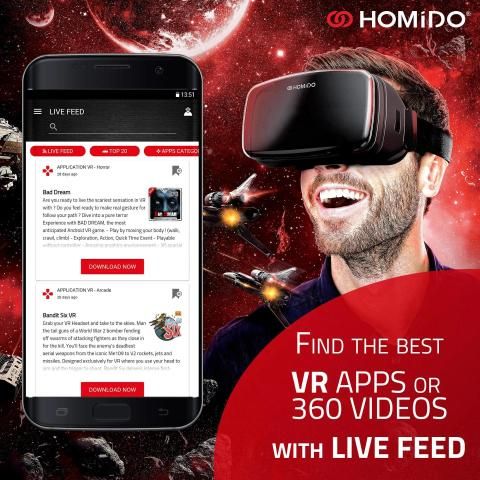
A news feed featuring the latest content for your virtual reality headset; this content can be a VR game, an experience, a 360 video or an article again. The Live Feed will be updated at least once a week, but can be updated on a daily basis depending on the news and content.
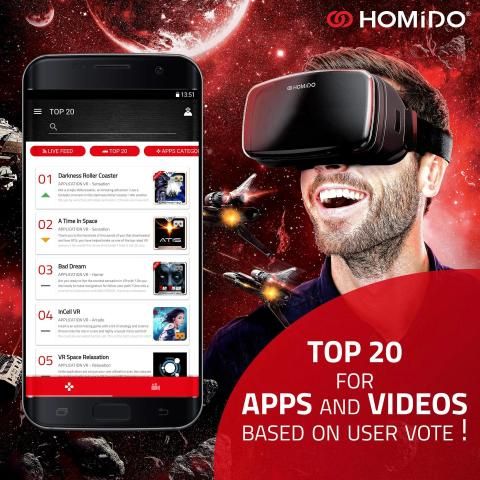
• TOP 20 and the user vote
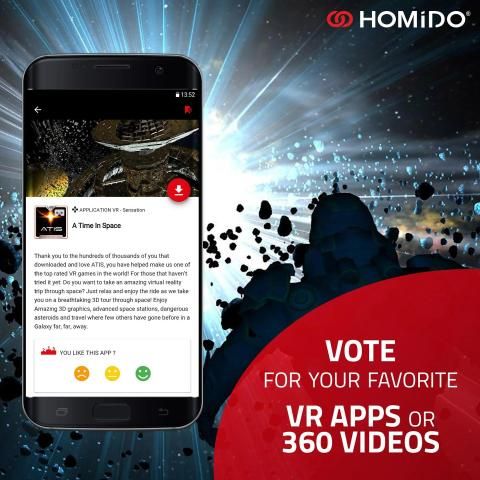
The VR Center Top 20 will be reviewed every week based on your votes; a ranking of applications and videos will be presented as a TOP 20 illustrated with icons indicating whether the content is up, down or stable compared to last week. The purpose of this vote is to help us and you find the best content in virtual reality. Unlike the Google Play and App Store notes, the votes within the app allow you to skip reviews of the users who accidentally stumble onto a VR application and reference it negatively as a result of misunderstanding. Developers and users will thus have a true idea of the popularity of their experiences.
• Apps and Videos categories
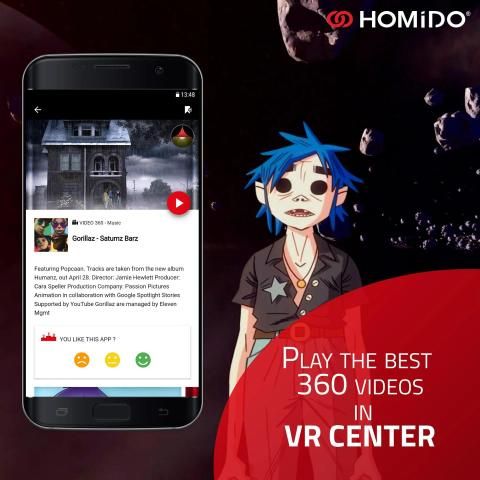
All the experiences offered in the VR Center are filed by category. The catalog will of course be extended during the beta phase and a premium set of the most popular content is also planned.
Are you a developer? Do not hesitate to submit your application to the following address: vrcenter@homido.com
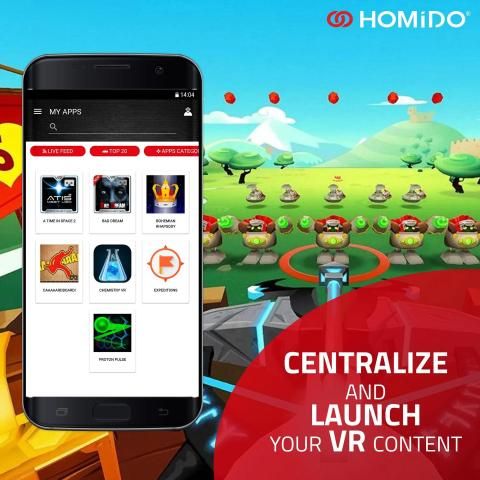
• My Apps
Indicated by the small icons at the top right of the application, the “my Apps” section allows you to find and launch all the VR Center applications already installed on your smartphone. It’s a simple and effective way to find all its contents in the same place.
This function is available for Android smartphones only.
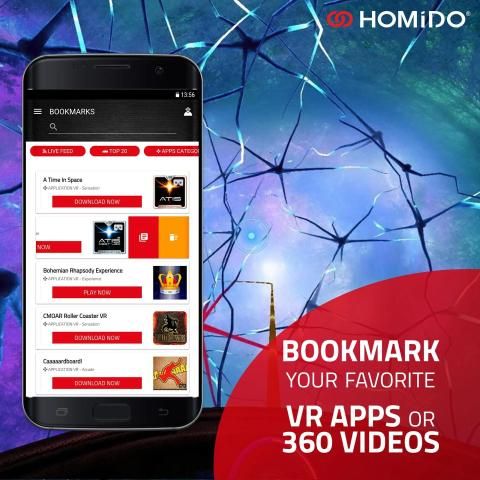
• Bookmarks
Located in the side menu, it allows to find all the experiences in the live feed as well as in the categories. Each application or a video card gives you the possibility to mark the content to find it later in this section, at any time.
By dragging an application card to the left, you can access this card or delete it from the Bookmarks page.
• Dynamic search
You can start a dynamic search at any time by typing in the first three characters of the content you are looking for. The results will be displayed instantly in the form of cards, giving you access to the experiences.
• Facebook Connect
To ensure that votes are counted and that no votes are doubled, the VR Center uses Facebook’s unique authentication. Only the email address is required for the sole purpose of identifying the user, no other information from your Facebook account is used.
• Sharing through the VR Center
It allows us to notify an application or a 360 video to be added in the VR Center. This function is very simple to use: press the Share button and share through the VR Center. After testing or viewing, we may add the proposed content.
• Expert mode
A space reserved for those who are familiar with more complex applications, technical articles and exclusive tutorials.
VR Center is compatible with all virtual reality headsets for smartphones including:
Homido, Durovis Dive, Freefly VR, Merge VR, Gear VR (via tips), VR Box, Shinecon, Dodo case, Daydream View, Dlodlo, VR One, Cardboard, Noon VR, Bobo VR etc.
All of the brand names or product names used are the registered marks of their respective owners.
** Samsung Galaxy S 6/7/8 dan Catatan pengguna 5/7/8: pastikan untuk mengaktifkan WQHD + resolusi layar di Pengaturan> Tampilan> Layar resolusi> WQHD +> Terapkan **.
• Hidup Pakan
Sebuah feed berita yang menampilkan konten terbaru untuk headset virtual reality Anda; konten ini bisa menjadi permainan VR, pengalaman, video 360 atau artikel lagi. Live Pakan akan diperbarui setidaknya seminggu sekali, tapi dapat diperbarui setiap hari tergantung pada berita dan konten.
• TOP 20 dan suara pengguna
VR Pusat Top 20 akan ditinjau setiap minggu berdasarkan penilaian Anda; peringkat aplikasi dan video akan disajikan sebagai TOP 20 diilustrasikan dengan ikon yang menunjukkan apakah konten adalah atas, bawah atau stabil dibandingkan minggu lalu. Tujuan suara ini adalah untuk membantu kami dan Anda menemukan konten terbaik dalam virtual reality. Tidak seperti Google Play dan App Store catatan, suara dalam aplikasi memungkinkan Anda untuk melewatkan review dari pengguna yang tidak sengaja tersandung ke aplikasi VR dan referensi negatif sebagai akibat dari kesalahpahaman. Pengembang dan pengguna dengan demikian akan memiliki gagasan yang benar dari popularitas pengalaman mereka.
• Aplikasi dan Video kategori
Semua pengalaman yang ditawarkan di VR Pusat yang diajukan berdasarkan kategori. katalog tentu saja akan diperpanjang selama fase beta dan premi set konten yang paling populer juga direncanakan.
Apakah Anda pengembang? Jangan ragu untuk mengirimkan aplikasi Anda ke alamat berikut: vrcenter@homido.com
• Aplikasi saya
Ditunjukkan dengan ikon kecil di kanan atas aplikasi, “Apps” bagian memungkinkan Anda untuk menemukan dan meluncurkan semua aplikasi VR Pusat sudah terinstal di smartphone Anda. Ini adalah cara sederhana dan efektif untuk menemukan semua isinya di tempat yang sama.
Fungsi ini tersedia untuk smartphone Android saja.
• Bookmark
Terletak di menu sisi, hal itu memungkinkan untuk menemukan semua pengalaman dalam pakan hidup serta dalam kategori. Setiap aplikasi atau kartu video memberikan kemungkinan untuk menandai konten untuk menemukan itu kemudian di bagian ini, setiap saat.
Dengan menyeret kartu aplikasi ke kiri, Anda dapat mengakses kartu ini atau menghapusnya dari halaman Bookmarks.
• penelusuran dinamis
Anda dapat memulai pencarian dinamis setiap saat dengan mengetikkan tiga karakter pertama dari konten yang Anda cari. Hasilnya akan ditampilkan langsung dalam bentuk kartu, memberikan Anda akses ke pengalaman.
• Facebook Connect
Untuk memastikan bahwa suara dihitung dan bahwa tidak ada orang yang dua kali lipat, VR Pusat menggunakan otentikasi unik Facebook. Hanya alamat email diperlukan untuk tujuan tunggal mengidentifikasi pengguna, tidak ada informasi lain dari akun Facebook Anda digunakan.
• Berbagi melalui VR Pusat
Hal ini memungkinkan kita untuk memberitahukan aplikasi atau video 360 untuk ditambahkan dalam VR Center. Fungsi ini sangat mudah digunakan: tekan tombol Berbagi dan berbagi melalui VR Pusat. Setelah pengujian atau melihat, kita dapat menambahkan konten yang diusulkan.
• Mode ahli
Sebuah ruang yang disediakan untuk mereka yang akrab dengan aplikasi yang lebih kompleks, artikel teknis dan tutorial eksklusif.
VR Pusat kompatibel dengan semua headset virtual reality untuk smartphone termasuk:
Homido, Durovis Dive, Freefly VR, Gabung VR, Gear VR (via tips), VR Box, Shinecon, kasus Dodo, Daydream View, Dlodlo, VR Satu, Karton, Noon VR, Bobo VR dll
Semua nama merek atau nama produk yang digunakan adalah merek dagang terdaftar dari pemiliknya masing-masing.
- New feature : Articles
- Updated : VideoPlayer


9Apps 4.9