Big event coming! 30,000+ users downloaded TransformersMod latest version on 9Apps for free every week! You get various free apps from the store. This hot app was released on 2018-07-24. Just use it when absolutely necessary.
Transformers Mod (Decepticons, Autobots, Cybertron)
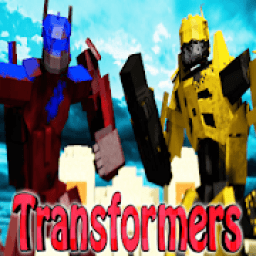
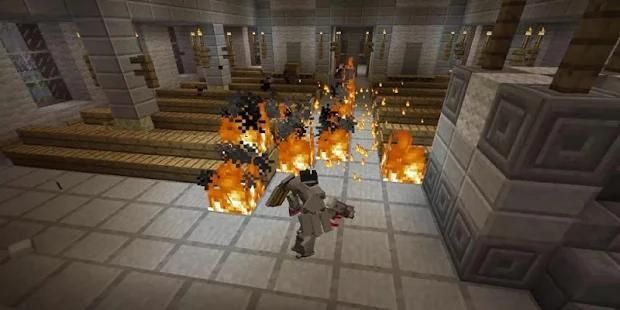
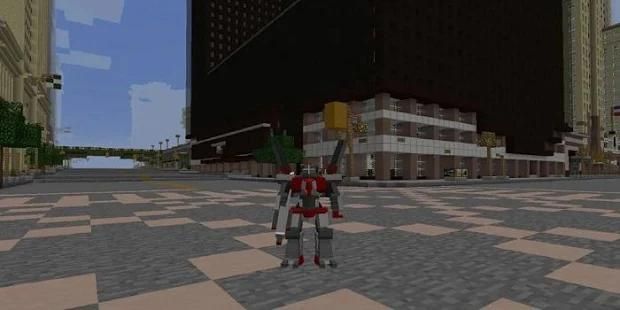
Transformers Mod is a Minecraft mod based all around the transformers movie and cartoon. There are also custom transformers in this Minecraft mod never seen in the movies or cartoon show of transformers.
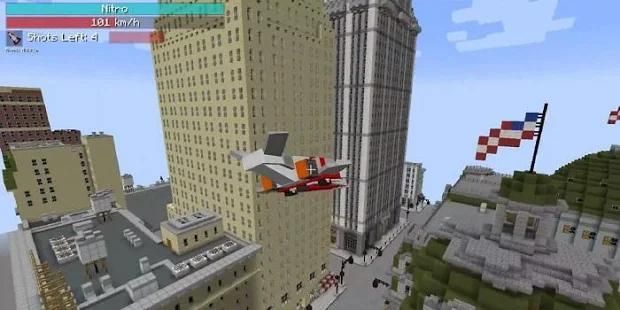
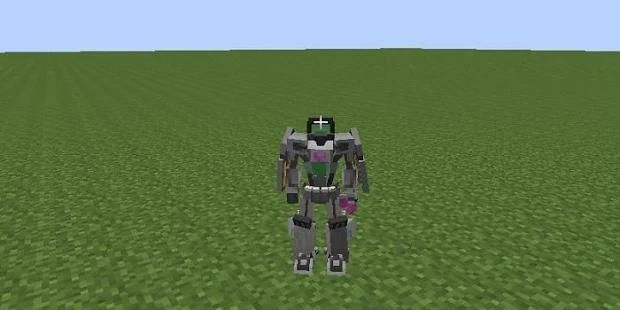
This mod adds in epic Transformers. You have the ability to become a robot and then transform yourself into vehicles. Right now you can become a tank, plane, or car.
Technology advances with the latest update to Transformers, with the knowledge of how to process Energon and Transformium into fantastic new components. Introducing several new machines, wireless power transmission and world-bending portals.
Begin work with the Alloy Crucible to begin smelting Flux Alloy and Focusing Crystals, which combined with a plethora of new components, create all the parts you need to make the new machines.
Start powering your machines with Energon. Use the Energon Processor to refine the raw crystals into a potent fuel, which can now be transmitted along Energy Relays, Energy Pylons and Energon Transmitters.
Need a more reliable source of power? Why not generate it passively using the Isotopic Condenser, which generates EmB from nearby blocks of Energon.
You can also bottle your energon up with the Energy Column, allowing your surplus to be physically stored and transported in canisters.
Refined Energon can also be stored in Energon Tanks.
Construct the Assembly Table, with its extended crafting slots to construct Transformer Suits and End-Game technology.
Strive to assemble the powerful Ground Bridge, allowing the creation of two-way portals to any conceivable location in the world. Further upgrade with additional modules for further travel, remote control and even nearby dimensions.
Skystrike’s model has been updated to better fit with existing sets.
Introduced NEI Support to assist with the new learning curve.
How to install:
Make sure you have already installed Minecraft Forge.
Locate the minecraft application folder.
On windows open Run from the start menu, type appdata and click Run.
On mac open finder, hold down ALT and click Go then Library in the top menu bar. Open the folder Application Support and look for Minecraft.
Place the mod you have just downloaded (.jar file) into the Mods folder.
When you launch Minecraft and click the mods button you should now see the mod is installed.
Disclaimer:
NOT AN OFFICIAL MINECRAFT PRODUCT. NOT APPROVED BY OR ASSOCIATED WITH MOJANG.
In accordance with http://account.mojang.com/documents/brand_guidelines
Transformers Mod (Decepticons, Autobots, Cybertron)
Transformers Mod adalah mod Minecraft berdasarkan seluruh film transformer dan kartun. Ada juga transformator kustom dalam mod Minecraft ini pernah melihat di film atau kartun acara transformer.
mod ini menambahkan dalam Transformers epik. Anda memiliki kemampuan untuk menjadi robot dan kemudian mengubah diri Anda menjadi kendaraan. Sekarang Anda bisa menjadi tangki, pesawat, atau mobil.
Kemajuan teknologi dengan update terbaru untuk Transformers, dengan pengetahuan tentang bagaimana untuk memproses Energon dan Transformium menjadi komponen-komponen baru yang fantastis. Memperkenalkan beberapa mesin baru, transmisi daya nirkabel dan portal membungkuk dunia.
Mulai bekerja dengan Crucible Alloy untuk memulai peleburan Flux Alloy dan Fokus Kristal, yang dikombinasikan dengan sejumlah komponen baru, membuat semua bagian yang Anda butuhkan untuk membuat mesin-mesin baru.
Mulai powering mesin Anda dengan Energon. Gunakan Prosesor Energon untuk memperbaiki kristal mentah menjadi bahan bakar ampuh, yang sekarang dapat ditransmisikan sepanjang Energi Relay, Energi pylons dan Energon Pemancar.
Membutuhkan sumber yang lebih dapat diandalkan kekuasaan? Mengapa tidak menghasilkan itu pasif menggunakan isotop Kondensor, yang menghasilkan EMB dari blok terdekat dari Energon.
Anda juga dapat botol Energon Anda sampai dengan Kolom Energy, yang memungkinkan surplus Anda secara fisik disimpan dan diangkut dalam tabung.
Halus Energon juga dapat disimpan dalam Tank Energon.
Membangun Majelis Table, dengan slot kerajinan diperpanjang untuk membangun Suits Transformer dan teknologi Akhir-Game.
Upayakan untuk merakit tanah Bridge yang kuat, memungkinkan penciptaan dua arah portal untuk setiap lokasi dibayangkan di dunia. Lebih meningkatkan dengan modul tambahan untuk perjalanan jauh, remote control dan bahkan dimensi dekatnya.
Model Skystrike telah diperbarui untuk lebih cocok dengan set yang ada.
Diperkenalkan NEI Dukungan untuk membantu dengan kurva pembelajaran baru.
Bagaimana cara menginstall:
Pastikan Anda telah menginstal Minecraft Forge.
Cari folder aplikasi minecraft.
Pada jendela terbuka Jalankan dari start menu, ketik AppData dan klik Run.
Di mac finder terbuka, tahan ALT dan klik Go kemudian Perpustakaan di menu bar bagian atas. Buka folder Application Support dan mencari Minecraft.
Tempatkan mod baru saja Anda download (file .jar) ke dalam folder Mods.
Ketika Anda memulai Minecraft dan klik tombol mods Anda sekarang harus melihat mod diinstal.
Penolakan:
BUKAN Minecraft RESMI PRODUK. TIDAK DISETUJUI OLEH ATAU YANG TERKAIT DENGAN Mojang.
Sesuai dengan http://account.mojang.com/documents/brand_guidelines



9Apps 4.9