
Discover apps for Android here, 30,000+ users downloaded Double Tap Screen On 2019 latest version on 9Apps for free every week! The world's most powerful app is here waiting for you. This hot app was released on 2018-10-15. Here are some guides of this app:
Double Tap Screen On Off – Smart Screen Lock
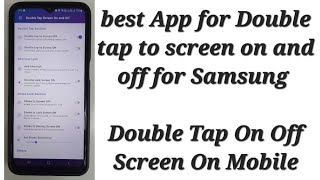
is an app that help you turn on/off your screen without using the power button.
The double-click to enable monitors is almost exclusively for LG units, but you can now double-tap to turn on your monitor by just using this awesome app!
Double Tap Screen On Off – Smart Screen Lock
will help you reduce the intensity of the power button and will ensure that the power button is stable and operates smoothly for long periods of time. Double tap screen on tapping the screen twice (Double Tap Screen On) works based on the sensor of the phone recording actions on the screen, double to screen to help open Phone screen fast.
From now on you will not have to use the power button to turn on the screen and double tap wake up screen, you just need to tap the screen slightly to wake up the phone.
Double Tap Screen On Off – Smart Screen Lock
opens the screen quite lightly without taking up too much RAM. Using our advanced application technology will not cause excessive battery drain compared to the same application on CH Play.
You can use the disabled area to turn off your phone by using the application or the phone to turn off the display. Safety mode to turn off the phone screen will be active after 1-2 seconds you send the address.
In addition, you can also use the off screen by swiping in the notification bar and clicking the application icon.
Double Tap Screen On Off – Smart Screen Lock
is really a great touch to turn off the screen with 2 touches, since having an app like having a long-term help person will help reduce the situation that the power button fades and damages your phone. Now just touch the screen twice to lock or open the screen
Main features Double tap lock screen and unlock screen:
Open & wake up screen and turn off screen
✔ Use the double tap to open the screen
✔ Use touch sensor to turn off the screen so less RAM, less wasted battery
✔ Show missed call information and unread messages on the lock screen
✔ Sound and vibrating alert when opening the screen
Screen lock & unlock
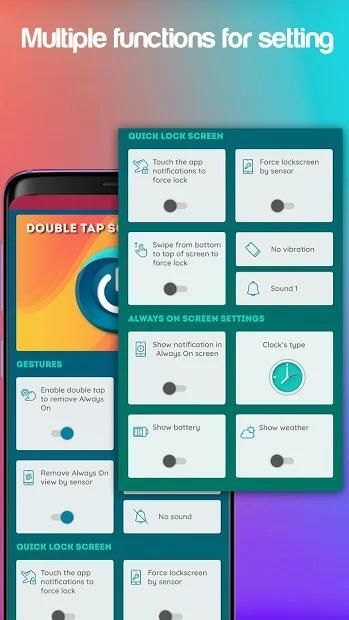
✔ Touch the notification of the app to lock the screen
✔ Cover proximity sensor to lock the screen
✔ Sound and vibration when locking the screen
✔ Action gesture support: Double Tap, Up
✔ Support multiple phone lines from low to high
With
Double Tap Screen On Off – Smart Screen Lock
, you can use features only available in high-end models. Protect the power button not be damaged with double tap the screen Double Tap Screen On Application.
Thank you for your trust and use
Double Tap Screen On Off – Smart Screen Lock
. If you have any questions, please feel free to contact us by email to the developer. Do not forget to rate this 5-star for
Double Tap Screen On Off – Smart Screen Lock
if it's useful! We will update more functions in the future to improve your experience.
Layar Ketuk Dua Kali Mati - Kunci Layar Cerdas adalah aplikasi yang membantu Anda menghidupkan / mematikan layar tanpa menggunakan tombol daya.
Klik ganda untuk mengaktifkan monitor hampir secara eksklusif untuk unit LG, tetapi Anda sekarang dapat mengetuk dua kali untuk menyalakan monitor Anda hanya dengan menggunakan aplikasi yang luar biasa ini!
Layar Ketuk Dua Kali Mati - Kunci Layar Pintar akan membantu Anda mengurangi intensitas tombol daya dan akan memastikan bahwa tombol daya stabil dan beroperasi dengan lancar untuk jangka waktu yang lama. Layar ketuk dua kali pada mengetuk layar dua kali (Double Tap Screen On) bekerja berdasarkan sensor tindakan perekaman telepon di layar, ganda ke layar untuk membantu membuka layar Ponsel dengan cepat.
Mulai sekarang Anda tidak perlu menggunakan tombol power untuk menyalakan layar dan double tap bangun layar, Anda hanya perlu menekan layar sedikit untuk membangunkan telepon.
Layar Ketuk Ganda Aktif Nonaktif - Kunci Layar Cerdas membuka layar cukup ringan tanpa menggunakan terlalu banyak RAM. Menggunakan teknologi aplikasi canggih kami tidak akan menyebabkan kehabisan baterai berlebihan dibandingkan dengan aplikasi yang sama pada CH Play.
Anda dapat menggunakan area yang dinonaktifkan untuk mematikan ponsel Anda dengan menggunakan aplikasi atau ponsel untuk mematikan layar. Mode perlindungan untuk mematikan layar ponsel akan aktif setelah 1-2 detik Anda mengirim alamat.
Selain itu, Anda juga dapat menggunakan layar mati dengan menggeseknya di bilah notifikasi dan mengklik ikon aplikasi.
Layar Ketuk Ganda Aktif Nonaktif - Kunci Layar Cerdas benar-benar merupakan sentuhan hebat untuk mematikan layar dengan 2 sentuhan, karena memiliki aplikasi seperti memiliki orang bantuan jangka panjang akan membantu mengurangi situasi bahwa daya tombol memudar dan merusak telepon Anda. Sekarang sentuh layar dua kali untuk mengunci atau membuka layar
Fitur utama Layar sentuh tap dua kali dan buka kunci layar:
Buka & bangun layar dan matikan layar
✔ Gunakan tap dua kali untuk membuka layar
✔ Gunakan sensor sentuh untuk mematikan layar sehingga lebih sedikit RAM, lebih sedikit baterai yang terbuang
✔ Tampilkan informasi panggilan tidak terjawab dan pesan yang belum dibaca di layar kunci
✔ Suara dan getar saat membuka layar
Kunci layar & buka kunci
✔ Sentuh pemberitahuan aplikasi untuk mengunci layar
✔ Tutup sensor jarak untuk mengunci layar
✔ Suara dan getaran saat mengunci layar
✔ Dukungan gestur tindakan: Tap Ganda, Atas
✔ Mendukung beberapa saluran telepon dari rendah ke tinggi
Dengan
Layar Ketuk Ganda Aktif Nonaktif - Kunci Layar Cerdas , Anda dapat menggunakan fitur yang hanya tersedia dalam model kelas atas. Lindungi tombol power jangan sampai rusak dengan double tap layar Double Tap Screen On Application.
Terima kasih atas kepercayaan Anda dan gunakan
Layar Ketuk Ganda Aktif Nonaktif - Kunci Layar Cerdas . Jika Anda memiliki pertanyaan, jangan ragu untuk menghubungi kami melalui email ke pengembang. Jangan lupa untuk memberi peringkat bintang 5 ini untuk
Layar Ketuk Ganda Aktif Nonaktif - Kunci Layar Cerdas jika berguna! Kami akan memperbarui lebih banyak fungsi di masa depan untuk meningkatkan pengalaman Anda.
- Explain Device Admin privileges




9Apps 4.9










