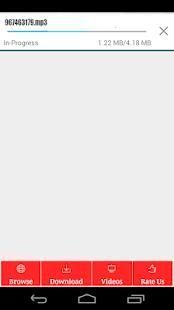
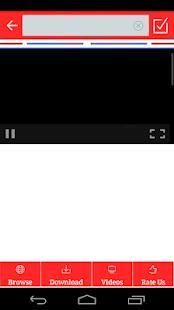
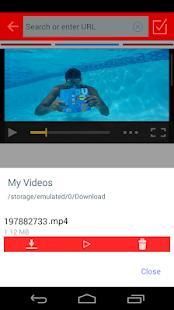
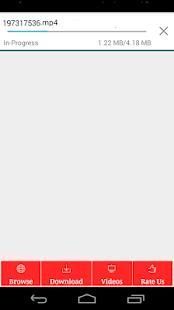

9Apps supports free android apps apk download. 20,000+ users downloaded ͏Save vedios 2018 latest version on 9Apps for free every week! It truly does not offer any money. This hot app was released on 2018-04-21. Don’t wait any longer– the application will shock you.
download videos and songs from Internet up to 5 times faster then other download on the market. Fast, free and easy. Save your favorite files and play them anytime in the future.
download All Videos you will be able to download Video files such as MPK, AVI, MP4, AVI,
flash media such as FLV, SWF, application files such as APK, and AUDIO, TEXT such as MP3, DOC, XLS, RAR, ZIP
to your device from web.
download All Videos is easy, speed up to 5x times as reported by thread!
How to use:
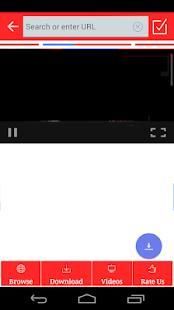
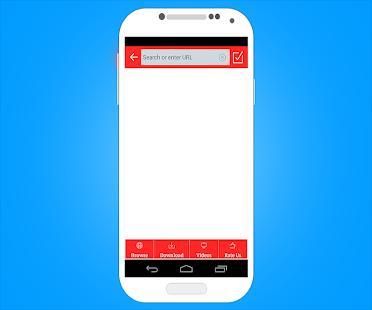
-Use the built-in Browser to visite your favorite web sites
-Click on video, audio, or any downloadable file (press and hold on images)
-Choose download
-Open the downloaded files from the left menu
-download path : sdcard/Broloader
Features:
• Integrated web browser
• Fully featured downloaded manager with pause/resume/remove and connection lost handling capabilities
• Fully featured file manager for easy video access and manipulation
• External browser support
• Secondary SD Card support
Free video downloads using the download of copyrighted is not responsible for the problem
Please check carefully the copyright
STEP 5. Click on the button in the header to the right to start the download process.
STEP 6. Select the video resolution you prefer " a high resolution requires more memory ."
STEP 7. FinHDy click " YES" to start downloading .
STEP 8. To check your downloads , go to the " Download" in the sub-header .
STEP 9. Watching video while downloading
STEP 10. Manage downloaded video
* video downloads will be stored in 'video downloader Downloader' folder at SDcard.
** If video is blocked due to the copyright, video downloader will not work.
*** video downloader will not be activated with Youtube.
FAQ:
• Can I download videos?
No! download from YT is forbidden by their Terms of Service. Please don't ask about YT support, because we can't add it.
• Which file format are supported?
All formats are supported if you use the recommended video players. However it’s best to use mp4 and m3u8 for video files, mp3 for music.
### download is not supported due to their Terms of Service ###
NOTE. Downloading files that are protected by copyright is prohibited and regulated by the laws of the country where you live. We assume no responsibility for any misuse of this application
Video Download dan lagu-lagu dari Internet hingga 5 kali lebih cepat kemudian download lainnya di pasar. Cepat, mudah dan gratis. Menyimpan file favorit Anda dan bermain kapan saja di masa depan.
Download semua Video Anda akan dapat men-download file Video seperti MPK, AVI, MP4, AVI,
media flash seperti FLV, SWF, file aplikasi seperti APK, dan AUDIO, TEXT seperti MP3, DOC, XLS, RAR, ZIP
ke perangkat Anda dari web.
Download Semua Video mudah, mempercepat 5x kali seperti dilansir benang!
Bagaimana cara menggunakan:
-Gunakan built-in Browser untuk visite situs web favorit Anda
-Klik pada video, audio, atau file download (tekan dan tahan gambar)
DOWNLOAD -Pilih
-Buka file yang didownload dari menu kiri
-Download path: sdcard / Broloader
Fitur:
• browser web Terpadu
• Manajer sepenuhnya download fitur dengan jeda / melanjutkan / menghapus dan koneksi hilang kemampuan penanganan
• file manager Sepenuhnya fitur untuk akses video yang mudah dan manipulasi
• dukungan browser Eksternal
• dukungan SD Card Sekunder
download video gratis menggunakan download hak cipta tidak bertanggung jawab atas masalah
Silakan periksa dengan seksama hak cipta
LANGKAH 5. Klik pada tombol di header ke kanan untuk memulai proses download.
LANGKAH 6. Pilih resolusi video yang Anda sukai "resolusi tinggi memerlukan lebih banyak memori."
LANGKAH 7. FinHDy klik "YES" untuk mulai men-download.
LANGKAH 8. Untuk memeriksa download Anda, pergi ke "Download" di sub-header.
LANGKAH 9. Menonton video saat men-download
LANGKAH 10. Kelola video download
* Download video akan disimpan dalam folder 'Video downloader Downloader' di SDcard.
** Jika video diblokir karena hak cipta video downloader tidak akan bekerja.
*** Video downloader tidak akan diaktifkan dengan Youtube.
FAQ:
• Dapatkah saya mendownload video?
Tidak! download dari YT dilarang oleh Persyaratan Layanan. Jangan bertanya tentang dukungan YT, karena kita tidak bisa menambahkannya.
• File Yang Format yang didukung?
Semua format yang didukung jika Anda menggunakan pemutar video yang direkomendasikan. Namun yang terbaik untuk menggunakan mp4 dan M3U8 untuk file video, mp3 untuk musik.
### DOWNLOAD tidak didukung karena Persyaratan Layanan ###
CATATAN. Men-download file yang dilindungi oleh hak cipta dilarang dan diatur oleh hukum negara di mana Anda tinggal. Kami tidak bertanggung jawab atas penyalahgunaan aplikasi ini

9Apps 4.9