With the updating of mobile application, 20,000+ users downloaded RAR – Zip, Unrar, Unzip, File Manager latest version on 9Apps for free every week! You'll found many people are using it. This hot app was released on 2019-03-16. To know more information, read the paragraph below.
Looking for a compressing and decompressing Zip files tool when you are away from your PC? An unpacking software on smartphone is a must-have item for everyone in this occasion, couldn’t agree more right? So there born one of the most efficient rar extractor on mobile - Unzip.
Far too convenient is not the only feature that helps this unzipper application surpass other mobile, let’s see what’s else it can surprise you!???
Using with ease:
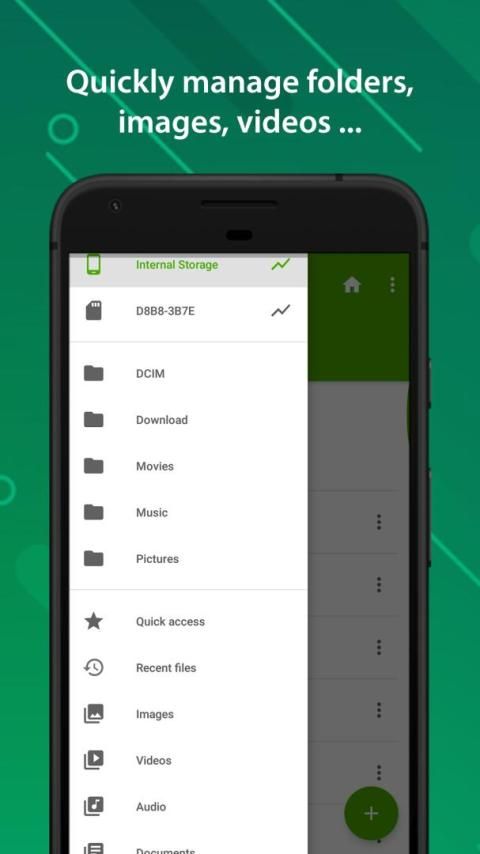
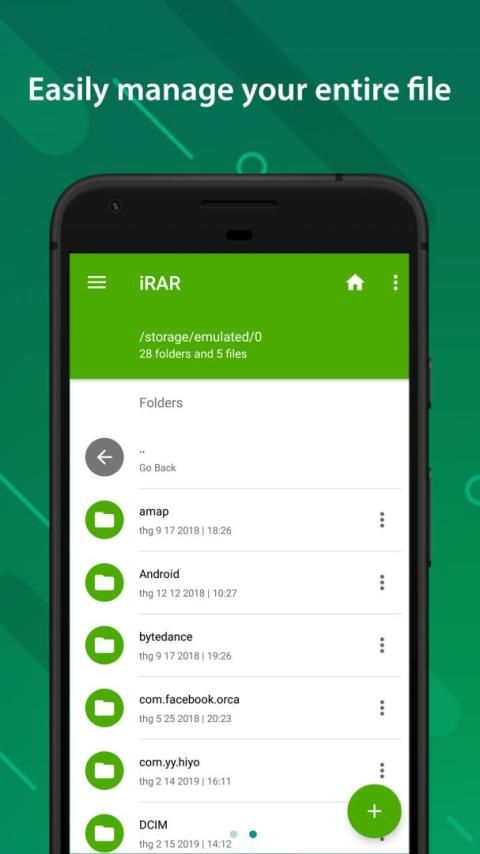
Having an useful interface that whether you are an expert or amateur to smartphone, unzipping files has never been so easy. Unzip is just so self-explanatory that users can extract files in just a few steps for a short while. With little or no effort, you can have access to any rar files like unzip videos files or unzip music files by using this rar extractor.
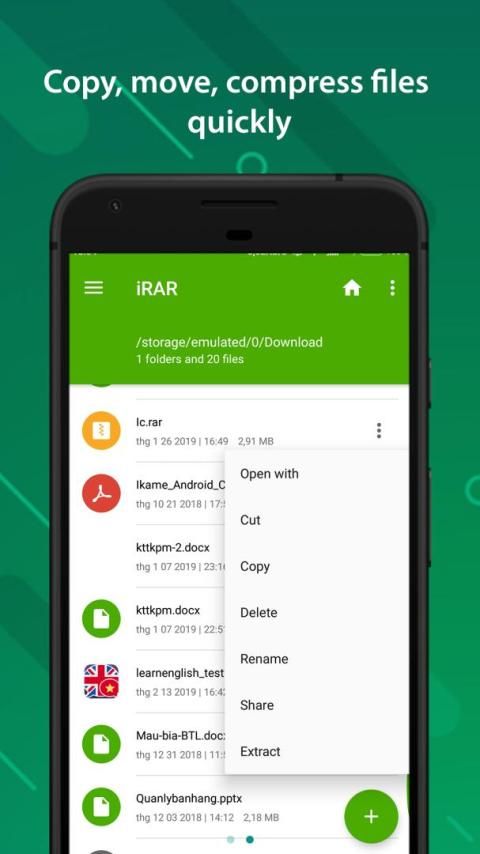
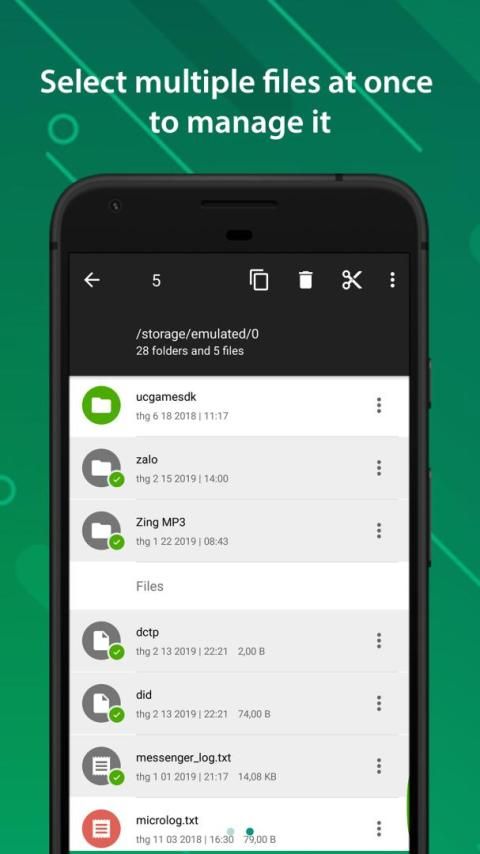
After that, you can save the files you want in the zip archive or remove the unnecessary ones from the memory database with just one button hit. More than supporting the users to extract unzip files, Unzip also serves as a helpful guy at managing files for your mobile phone.
Tremendous source at your disposal:
Having been equipped with the most powerful systems, Unzip can support almost all the popular formats of unzip files. Therefore, no need for you to worry if your rar extractor can not have access to any format, Unzip certainly helps.
After extracting the files, Unzip also provides you a huge storage to save any files you want without fearing for the lack of usage at all. What sounds even more interesting for all Unzip users is that it’s all free, free to use, free to access and free to save any files you want.
Time-saving rar file manager:
While the archive can be up to xxx Mb which you might regard as too large for mobile phone, Unzip does not slow down your phone at all. Rather, it often takes very little time to finish unzipping a file, thus not having to wait for the file especially when we are in a rush.
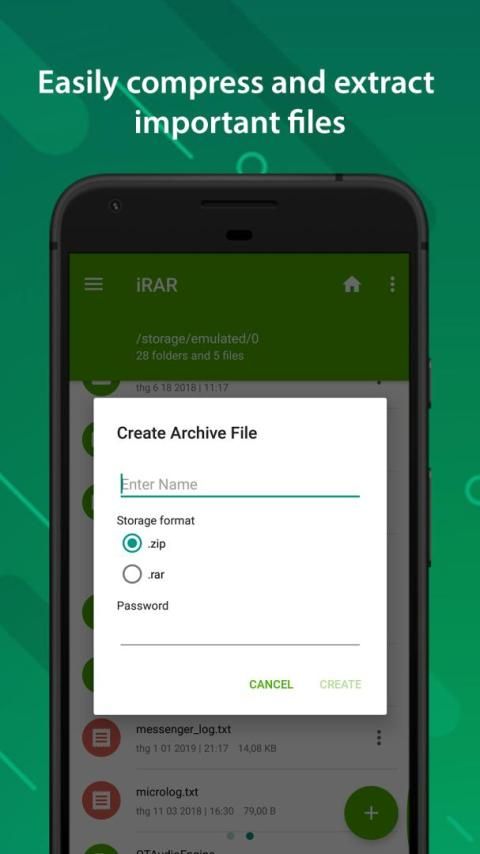
The only occasion it may takes longer is when handling password protected zip files, so you can use Unzip just as a standard archiving application but it is definitely worth your time.
Have fun using Unzip:
It will make you happy that Unzip allows the users to choose their background picture from the gallery. Therefore, you will never get bored of looking at a mere bold background from time to time.
Rather you can try to discover what suits your phone the most and switch to one another everytime you want. The manner is, also, way simple to do, just clicking one button to pick one picture from your album and done for the good job. So if you are still wondering what’s best to extracting unzip files apart from your PC then this zip file manager will not let you down.
We are so grateful for your trust in Unzip and using it as a daily tool. Should there be any inquiries, feel free to reach us with the developer contact above and we are looking for your reviews. If Unzip can somehow help you then do not hesitate to give it a 5-star rate, we will highly appreciate. We will upgrade more features in the future to further your experience with Unzip so stay tuned!
Functions:
✔ Easy file management
✔ Compress and unzip rar files, zip files easily for android.
✔ View rar file and zip file information.
✔ View the extracted zip files in the archive.
✔ Extract files in the selected folder.
✔ Create a new folder, file
✔ Completely free
✔ Simple interface easy to use
Mencari alat Zip file yang dikompresi dan didekompresi saat Anda jauh dari PC? Perangkat lunak pembongkaran pada ponsel cerdas adalah barang yang harus dimiliki untuk semua orang dalam kesempatan ini, tidak bisakah lebih setuju? Maka lahirlah salah satu ekstraktor rar paling efisien di perangkat seluler - Unzip.
Terlalu nyaman bukan satu-satunya fitur yang membantu aplikasi unzipper ini melampaui ponsel lain, mari kita lihat apa lagi yang bisa mengejutkan Anda! ???
Menggunakan dengan mudah:
Memiliki antarmuka yang bermanfaat yang entah Anda ahli atau amatir untuk smartphone, membuka ritsleting file tidak pernah semudah ini. Unzip sangat jelas sehingga pengguna dapat mengekstrak file hanya dalam beberapa langkah untuk sementara waktu. Dengan sedikit atau tanpa usaha, Anda dapat memiliki akses ke file rar seperti file video unzip atau file musik zip dengan menggunakan extract rar ini.
Setelah itu, Anda dapat menyimpan file yang Anda inginkan di arsip zip atau menghapus yang tidak perlu dari database memori hanya dengan menekan satu tombol. Lebih dari mendukung pengguna untuk mengekstrak file unzip, Unzip juga berfungsi sebagai orang yang membantu dalam mengelola file untuk ponsel Anda.
Sumber luar biasa yang Anda inginkan:
Telah dilengkapi dengan sistem yang paling kuat, Unzip dapat mendukung hampir semua format populer dari file unzip. Oleh karena itu, tidak perlu bagi Anda untuk khawatir jika extractor rar Anda tidak dapat memiliki akses ke format apa pun, Unzip tentu saja membantu.
Setelah mengekstraksi file, Unzip juga menyediakan Anda penyimpanan yang sangat besar untuk menyimpan file apa pun yang Anda inginkan tanpa takut kekurangan penggunaan sama sekali. Yang terdengar lebih menarik bagi semua pengguna Unzip adalah semuanya gratis, bebas untuk digunakan, bebas untuk mengakses, dan bebas untuk menyimpan file apa pun yang Anda inginkan.
Manajer file rar yang menghemat waktu:
Meskipun arsipnya dapat mencapai hingga xxx Mb yang Anda anggap terlalu besar untuk ponsel, Unzip sama sekali tidak memperlambat ponsel Anda. Sebaliknya, seringkali membutuhkan waktu yang sangat sedikit untuk menyelesaikan unzipping file, sehingga tidak harus menunggu file terutama ketika kita sedang terburu-buru.
Satu-satunya kesempatan yang mungkin memakan waktu lebih lama adalah ketika menangani file zip yang dilindungi kata sandi, sehingga Anda dapat menggunakan Unzip hanya sebagai aplikasi pengarsipan standar tetapi itu pasti bernilai waktu Anda.
Bersenang-senang menggunakan Unzip:
Ini akan membuat Anda senang bahwa Unzip memungkinkan pengguna untuk memilih gambar latar belakang mereka dari galeri. Karena itu, Anda tidak akan pernah bosan melihat latar belakang yang berani dari waktu ke waktu.
Sebaliknya, Anda dapat mencoba menemukan yang paling sesuai dengan telepon Anda dan beralih satu sama lain setiap kali Anda inginkan. Caranya juga sederhana untuk dilakukan, cukup mengklik satu tombol untuk memilih satu gambar dari album Anda dan dilakukan untuk pekerjaan yang baik. Jadi jika Anda masih bertanya-tanya apa yang terbaik untuk mengekstrak file unzip selain dari PC Anda, manajer file zip ini tidak akan mengecewakan Anda.
Kami sangat berterima kasih atas kepercayaan Anda pada Unzip dan menggunakannya sebagai alat harian. Jika ada pertanyaan, jangan ragu menghubungi kami dengan kontak pengembang di atas dan kami sedang mencari ulasan Anda. Jika Unzip dapat membantu Anda, maka jangan ragu untuk memberikannya harga bintang 5, kami akan sangat menghargai. Kami akan memutakhirkan lebih banyak fitur di masa depan untuk meningkatkan pengalaman Anda dengan Unzip, jadi tunggu saja!
Fungsi:
✔ Manajemen file yang mudah
✔ Kompres dan unzip file rar, zip file dengan mudah untuk android.
✔ Lihat informasi file rar dan file zip.
✔ Lihat file zip yang diekstrak dalam arsip.
✔ Ekstrak file dalam folder yang dipilih.
✔ Buat folder baru, file
✔ Sepenuhnya gratis
✔ Antarmuka sederhana yang mudah digunakan

9Apps 4.9