
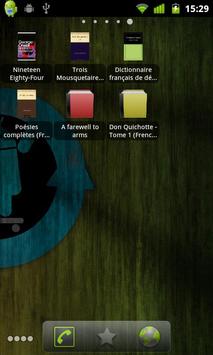
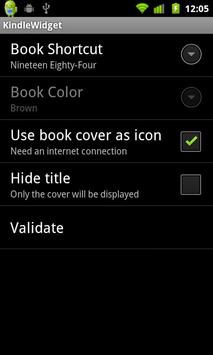
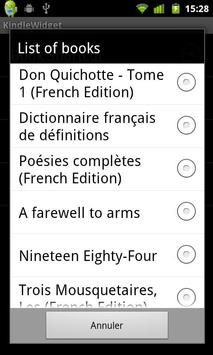
Kindle Widget enable you to add home screen shortcuts to your preferred Kindle Books. You can customize each shortcut by setting the color of the icon.
Instructions: To Add Widget Do: Menu->Add->Widgets->Kindle Shortcut from the home screen.
Notice that your phone needs to have Kindle app installed and a SD card to make it works.
And feel free to send me feedback to emmanuel.garnier.dev@gmail.com
--- version 1.9.6 ---
- Book list sorted by title
--- version 1.9.5 ---
- Increased hit area
--- version 1.9.4 ---
- Shortcuts are now resizable
--- version 1.9.2 ---
- Really faster book loading!
--- version 1.9 ---
- Support of books added in /mnt/sdcard/Kindle/ directory
--- version 1.8 ---
- Fix "Time out" bug
--- version 1.7 ---
- Possibility to hide title in order to have a bigger cover icon
--- version 1.5 ---
- New design
- Use book cover as icon



9Apps 4.9










