
Believe it or not! 20,000+ users downloaded Image Converter - JPEG, PNG, GIF, WEBP, PSD latest version on 9Apps for free every week! You will feel better when you start playing This hot app was released on 2018-12-06. You’ll want to use it on your own phones after you know more.
Image Converter –JPEG, PNG, GIF, WEBP, PSD app is convert to jpg, pin, gif, tiff, psd file format.
This application is very easily and simple to use. This application is gives to you all of detail
of your photo.Image Converter –JPEG, PNG, GIF, WEBP, PSD is very useful app.Photo converter is very
easy to use, in a moment you can convert your photo files to formats such as JPG, PNG, BMP,
GIF and much more.
Features:
-Using multiple file.
-Easy to use.
-image resizer.
-Image cropping facility available.
-Image rotation.
How to use:
-Search the Image Converter –JPEG, PNG, GIF, WEBP, PSD App.
-Download this app.
-Install this application.
-Image Converter –JPEG, PNG, GIF, WEBP, PSD page will be open in your phone.
-Select the one photo from gallery or camera.
-Selected photo will be open.
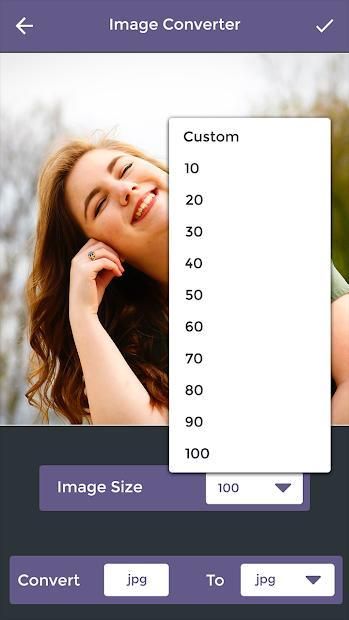
-You can change your photo size.
-Click on image size button.
-Select the size in image size list.
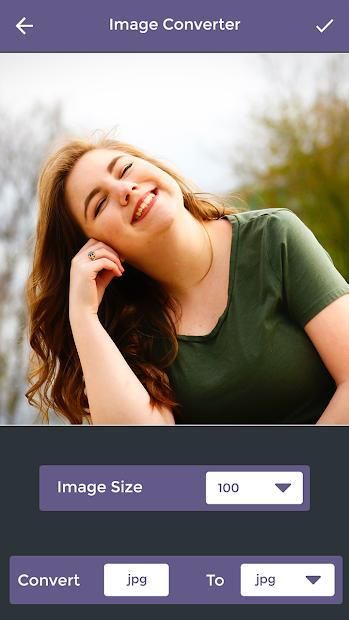
-Convert JPEG to bmp, jpg, png, and much more option.
-Select any one option in the list.
-Click on right arrow button.
-Your converter photo will be open.
-View all details of your photo like name ,height ,width, size.
-Share your photo with your friends and family member on social media.
-If you deleted your photo click on delete button.
-Your created photo will be open in my converted button.
Image Converter –JPEG, PNG, GIF, WEBP, aplikasi PSD dikonversi ke format file jpg, pin, gif, tiff, psd.
Aplikasi ini sangat mudah dan mudah digunakan. Aplikasi ini memberi Anda semua detail
dari photo.Image Converter Anda –JPEG, PNG, GIF, WEBP, PSD adalah aplikasi yang sangat berguna.Foto converter sangat
mudah digunakan, suatu saat Anda dapat mengkonversi file foto Anda ke format seperti JPG, PNG, BMP,
GIF dan banyak lagi.
Fitur:
-Menggunakan banyak file.
-Mudah digunakan.
penghitung-image.
- Fasilitas pemotongan gambar tersedia.
-Gambar rotasi.
Bagaimana cara menggunakan:
-Hasil Image Converter –JPEG, PNG, GIF, WEBP, PSD App.
-Download Aplikasi ini.
-Instal aplikasi ini.
-Gambar Konverter –JPEG, PNG, GIF, WEBP, halaman PSD akan terbuka di telepon Anda.
-Pilih satu foto dari galeri atau kamera.
Foto yang dipilih akan terbuka.
-Anda dapat mengubah ukuran foto Anda.
-Klik pada tombol ukuran gambar.
-Pilih ukuran dalam daftar ukuran gambar.
-Convert JPEG ke bmp, jpg, png, dan masih banyak lagi opsi lainnya.
-Pilih salah satu opsi dalam daftar.
-Klik tombol panah kanan.
-Video konverter Anda akan terbuka.
-Lihat semua rincian foto Anda seperti nama, tinggi, lebar, ukuran.
-Berbagi foto Anda dengan teman dan anggota keluarga di media sosial.
-Jika Anda menghapus foto Anda, klik tombol hapus.
Foto yang Anda buat akan terbuka di tombol konversi saya.




9Apps 4.9










