Welcome to our app recommend. 20,000+ users downloaded iLock Screen iphone X latest version on 9Apps for free every week! Therefore, people are willing to accept this latest version. This hot app was released on 2018-05-08. 9Apps has thousands of apps and updated daily!
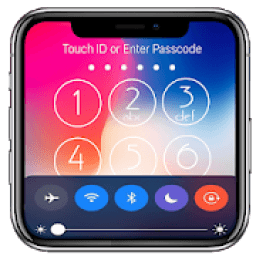
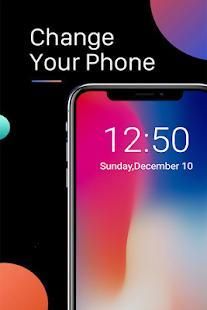
Want an iPhone X Lock Screen style on your android device? Yes, this is the best iPhone X Lock Screen application for android. You will get the cool iOS 11 lock screen to make your device look stylish.
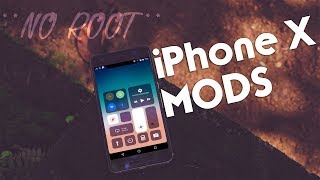
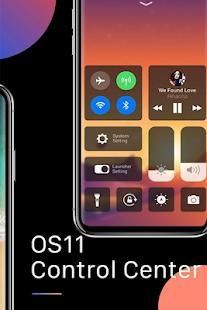
Control Center gives you instant access to camera, clock and other settings
Open the control center
- Drag upward, drag to the right, or swipe to the left of the edge of the screen.
Close the control center
- Swipe down, tap the top of the screen or tap the Back, Home, Recent button.
If you want to change the way you access Control Center on your device, open the Control Center application.
The Phone X saw a big change to the long-established Phone formula. And if you are a fan of Phone X, you want to experience on the new phone x. Lock Screen Style Phone X will give your phone the greatest user interface and user experience of Phone X Experience, surely when someone takes your phone, it just look like super-awesome new phone X.
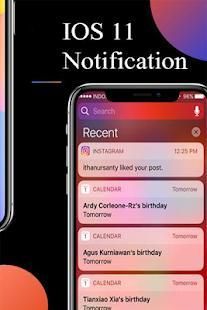
Lock Screen Phone X: Os 11 Lock Screen with the main options you can activate and deactivate the OS 11 lock screen. You can turn it on whenever you need and again can turn it off from here. You can get the notifications right on your lock screen in the similar way that is available in the Phone X locker. You can open notifications from your lock screen.
Phone X Lock Screen also once you activate the Phone X lock screen style, you will have access to control center on the top of screen (Control Center OS 11). You can control a lot of things here, like flashlight, Wi-Fi and Bluetooth, settings, brightness and a lot more.
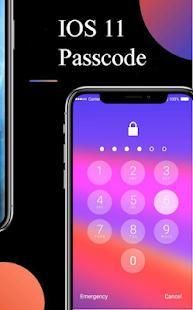
Lock Screen Phone X: Os 11 Lock Screen features a lot of other varieties of the lock screen similar to that of the OS 11 locker. You can also set a pin here, which is asked every time you unlock your phone and this will increase the privacy of your phone. You can activate and deactivate the pin protection with the security options in the app.
iLocke screen X has all the best features from iOS lockscreen:
- Great design
- iOS iPhone X style lockscreen
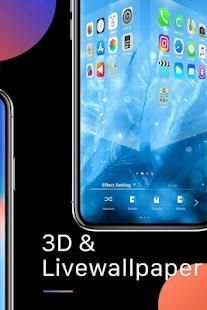
- More than 10000 beautiful Background HD wallpaper
- Maximum device protection
- Notifications that you can easily open or remove
- ActionBar for quick access to the most important functions
- Random wallpapers feature
• Airplane Mode: Use Airplane Mode to instantly turn off Bluetooth, Wi-Fi, and cellular connections on your android device.
• Wi-Fi: Turn on Wi-Fi to browse the web, stream music, download movies, and more.
• Bluetooth: Connect to headphones, car kits, wireless keyboards, and other Bluetooth-enabled devices.
• Do Not Disturb: Silence calls, alerts, and notifications that you receive while your device is locked.
• Portrait Orientation Lock: Keep your screen from rotating when you move your device.
• Adjust brightness: Adjust the brightness of your display from any screen.
• Flashlight: The LED flash on your camera doubles as a flashlight, so you can get extra light when you need it.
• Alarms and Timer: Set an alarm, timer, or stopwatch, or check the time in another country or region.
• Calculator: Tap numbers and functions in Calculator, just like a standard calculator.
• Camera: Never miss a moment to take a picture with quick access to your camera.
• Control audio: From here, you can quickly play, pause, and control volume of your favorite song, podcast, and more.
Great design and powerful features - all of this in one app. So, if you want to change your lock screen into and fresh and original one - download iLocke now
Ingin Layar gaya iPhone X Lock pada perangkat android Anda? Ya, ini adalah yang terbaik aplikasi Layar iPhone X Lock untuk android. Anda akan mendapatkan dingin layar kunci iOS 11 untuk membuat perangkat Anda melihat gaya.
Control Center memberikan Anda akses cepat ke kamera, jam dan pengaturan lainnya
Membuka pusat kontrol
- Drag ke atas, tarik ke kanan, atau gesek ke kiri tepi layar.
Tutup pusat kontrol
- Gesek ke bawah, tekan bagian atas layar atau tekan Back, Home, tombol Terbaru.
Jika Anda ingin mengubah cara Anda mengakses Control Center pada perangkat Anda, buka aplikasi Control Center.
Telepon X melihat perubahan besar dengan formula Telepon lama mapan. Dan jika Anda adalah penggemar Telepon X, Anda ingin mengalami di telepon x baru. Lock Screen Style Telepon X akan memberikan ponsel Anda antarmuka pengguna terbesar dan pengalaman pengguna dari X Experience Phone, pasti ketika seseorang mengambil telepon Anda, itu hanya terlihat seperti super-awesome baru ponsel X.
Lock Screen Telepon X: Os 11 Lock Screen dengan pilihan utama Anda dapat mengaktifkan dan menonaktifkan layar kunci OS 11. Anda dapat menyalakannya setiap kali Anda butuhkan dan lagi dapat mematikannya dari sini. Anda bisa mendapatkan pemberitahuan kanan pada layar kunci Anda dalam cara yang sama yang tersedia di locker Telepon X. Anda dapat membuka pemberitahuan dari layar kunci Anda.
Telepon X Lock Screen juga setelah Anda mengaktifkan telepon X gaya layar kunci, Anda akan memiliki akses untuk mengontrol pusat di bagian atas layar (Control Center OS 11). Anda dapat mengontrol banyak hal di sini, seperti senter, Wi-Fi dan Bluetooth, pengaturan, kecerahan dan banyak lagi.
Lock Screen Telepon X: Os 11 Lock Screen fitur banyak varietas lain dari layar kunci mirip dengan OS 11 ganti. Anda juga dapat mengatur pin di sini, yang meminta setiap kali Anda membuka kunci ponsel dan ini akan meningkatkan privasi telepon Anda. Anda dapat mengaktifkan dan menonaktifkan perlindungan pin dengan pilihan keamanan di app.
iLocke layar X memiliki semua fitur yang terbaik dari iOS lockscreen:
- Desain besar
- Gaya iOS iPhone X lockscreen
- Lebih dari 10.000 Latar Belakang indah HD wallpaper
- perlindungan perangkat Maksimum
- Pemberitahuan bahwa Anda dengan mudah dapat membuka atau menghapus
- ActionBar untuk akses cepat ke fungsi yang paling penting
- Fitur wallpaper Acak
• Mode pesawat: Gunakan Mode pesawat untuk langsung mematikan Bluetooth, Wi-Fi, dan koneksi seluler pada perangkat android Anda.
• Wi-Fi: Aktifkan Wi-Fi untuk menelusuri web, aliran musik, film download, dan banyak lagi.
• Bluetooth: Hubungkan ke headphone, car kit, keyboard nirkabel, dan perangkat Bluetooth lainnya.
• Jangan Ganggu: Silence panggilan, peringatan, dan pemberitahuan yang Anda terima saat perangkat terkunci.
• Portrait Orientasi Lock: Jauhkan layar Anda dari berputar ketika Anda memindahkan perangkat Anda.
• Atur kecerahan: Mengatur kecerahan layar Anda dari layar manapun.
• Senter: Lampu kilat LED pada kamera Anda berfungsi sebagai senter, sehingga Anda bisa mendapatkan cahaya tambahan ketika Anda membutuhkannya.
• Alarm dan Timer: Atur alarm, timer, atau stopwatch, atau memeriksa waktu di negara atau wilayah lain.
• Kalkulator: nomor Tap dan fungsi di Kalkulator, seperti kalkulator standar.
• Kamera: Jangan pernah melewatkan waktu untuk mengambil gambar dengan akses cepat ke kamera Anda.
• Kontrol audio yang: Dari sini, Anda dapat dengan cepat bermain, pause, dan kontrol volume lagu favorit Anda, podcast, dan banyak lagi.
desain besar dan fitur canggih - semua ini dalam satu aplikasi. Jadi, jika Anda ingin mengubah layar kunci Anda ke dalam dan segar dan asli satu - Download iLocke sekarang

9Apps 4.9