

Millions of free Android apps are provide on 9apps. 10,000+ users downloaded eJumble File Manager latest version on 9Apps for free every week! This is a wonderful app which is unique in android apps. This hot app was released on 2013-04-18. If you like it, just download and enjoy this app!
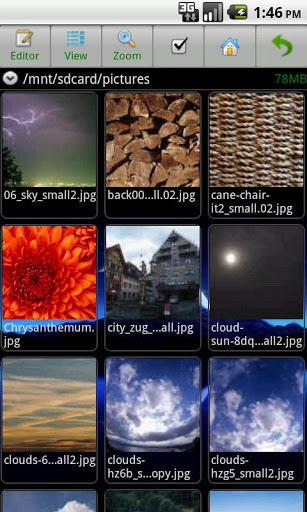
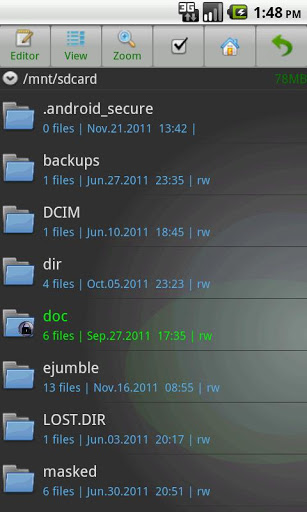
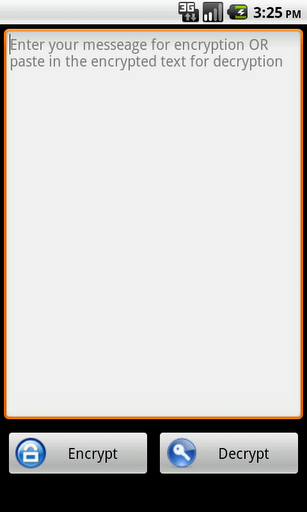
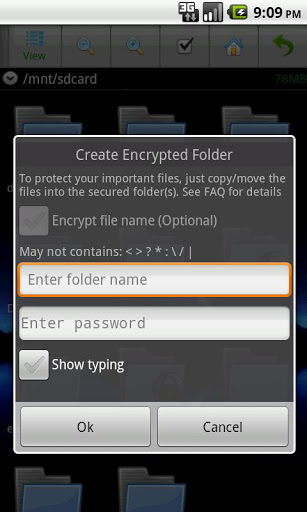
eJumble Keep Your Files SecuredeJumble is a full featured file browsermanager, with an integrated file encryption feature that allows you to safe guard your importance files e.g. office docs, picturesHave you ever wonder what if you misplaced your phone device? This app protects all your importance documents and pictures from prying eyes. No one without a correct password can access or view any of the contents within the folders.The PRO version of eJumble is ad free and with extra privacy protection feature that allows you to optionally encrypt the file name within the encrypted folder. Encrypted Folder This feature allows you to encrypt the entire contents within the securedencrypted folder. And you can still browse amp; manage the secured contents like any other folders, once its unlocked with a correct password. And yes even pictures thumbnails preview. How to setup a encrypted folder with eJumble FileSafe:Press 39;Menu39; gt; 39;New Folder39;; select 39;Encrypted folder39;; enter folder name and password. CopyMove the files that you would like to be password protected into the encrypted folder.To viewmanage the file within the secured folder you39;d need to enter the password once for every time you open the app. Once you39;ve closedexited the app every files in the encrypted folder are secured again. Verified by Amazon Appstore Please note that the difference between 39;Encrypt39; amp; 39;SecuredEncrypted Folder39; features.The 39;Encrypt39; function allows user to encrypt filesfolders to be transported or archived on external storage, so the original contents are kept unchanged.The 39;SecuredEncrypted Folder39; feature are intended for safe guarding your files stored on the device. Features Securedencrypted folders.File amp; Text encryption.SMB remote file management via WIFI.Stream musicvideo directly from a remote serverdrive.Display thumbnails.Easy one click zoom inout views. One click to switch between list view amp; icon view.Copy, move amp; delete files.Batch select, multiselect.Text edit.Allows other apps to pick file.Zip compression.Extract zip, tar, gz, bz2, tgz.Zip,Tar compressed file contents preview.Files amp; text encryption.Install apk.Send encrypted file without the need of exchanging password.Permissions Explanation:Read Contacts permission is needed for the quot;send encrypted material without the need of exchanging passwordquot; feature. This feature access the 39;Contacts39; info to allows user to pick from the list of contactsrecipients before the encryption. See app39;s FAQ for more details on the feature.No informations are being collected or sent by the app.KW: file manager, file explorer, file browser file encryption, text encryption, 256bit AES, save email attachments, secured folders, password protected folder, privacy protection, SMB Samba access remote servers. Please report issue or comment to quot;support@opaqueware.comquot;

9Apps 4.9










