
Photo Blur - Blur background like DSLR Camera Photography
Photo Blur will help you blur some part of your photo image.
Very very simple and convenient photo editing.
It can be changed the strength of the after effect.
--- Features ---
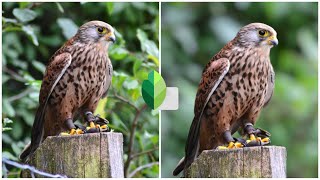
- This will get the background blur effect like professional photographer having DSLR Cameras.
- Very easy to use with friendly and simple user interface.
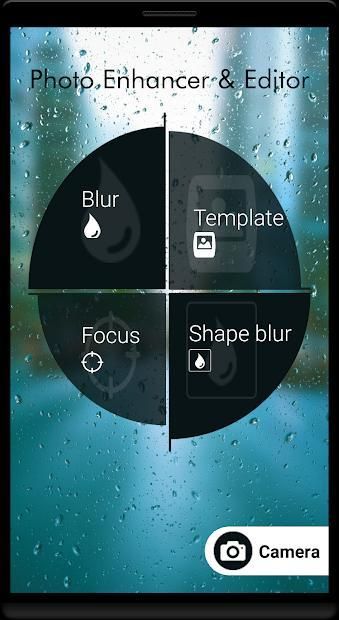
-Use templates to highlight parts of Photos
-Use Focus blur to highlight focused area
-Use clip-art drawing for focusing image
-Live camera effects to capture Photos(Mustaches, Masks, Goggles, Animal effects, etc..)
-Use color effects at last to make your Photo Look Rich!
--- How to use ---
- Load image from library or capture new image.
- Use the blur image brush or photo effect brush to blur and add effect any part of the photo.
- Change the size of the blur brush to fit your use.
- Change after the level of the effect you use.
- Save or share
--- Features,2 ---
- Shallow focus photo in the background of the image.
- Blur the unwanted part of your picture.
- Blur image background effect.
- Use brush to blur where you want.
- Share freely on social network.
Have fun using photo Blur.
--- Safe social networking ---
It is also useful for example, when you want to up the photos to SNS.
Face and car license plate, you can blur the name etc.
Protect the privacy.
Want to give your pic a blur effect? Want to set a blur background to an image using, the blur photo filters? If yes, then Photo Blur is the ideal blur photo editor or blur picture editor to do so.
This app is one of the best blur background apps or blur camera apps, can be used to effectively blur selfies with a blur effect.
Key features blur image background
1. Image picking from Gallery and Camera
Select the image to be blurred from the gallery and give it a blurry effect. The photo clicked using the camera option can also be given, a blur effect, using this blur photo editor or blurry camera app.
2. Zoom in and Zoom out for image blur
Zoom in and give the picture, a blurry effect, with a blurry background, using this blur photo editor.
3. Picture Blur intensity adjustment
Adjust the image blur intensity, in order, to give a bigger blur effect, to the picture to be blurred, using this blur pic editor or speed blur app.
4. Brush Size adjustment
Adjust the brush size for pic blurring and give it a blur background, using this blur pic editor or blurry editor.
5. Undo and reset option
The blurry effect can also be reverted, using this blur image editor or blur photography app. The blurred pic can also be reset using this blur photo image app or blur on photo app.
6. Attractive UI.
This blur photo editor or blur background photo editor, which gives a blurry background to your pic, has an attractive GUI.
7. Save and share to all social networks
The blurred pic can be saved to the gallery using this blur picture editor. The blurred picture can be shared to social media platforms like the Facebook, Instagram and so much more, using this blurry app or blur editing app.
Blur image background is the best blur photo editor or blur image apps for pic blurring. Download this top photo blur app or blur image app, for free, and blur pics the way you want, and also give it a blur background with a blurry effect.
Photo Blur - Blur background seperti DSLR Camera Photography
Photo Blur akan membantu Anda mengaburkan sebagian gambar foto Anda.
Editing foto yang sangat sederhana dan nyaman.
Itu bisa diubah kekuatan efek setelahnya.
--- Fitur ---
- Ini akan mendapatkan efek blur latar belakang seperti fotografer profesional yang memiliki Kamera DSLR.
- Sangat mudah digunakan dengan antarmuka pengguna yang ramah dan sederhana.
-Gunakan template untuk menyorot bagian Foto
-Gunakan Fokus blur untuk menyorot area fokus
-Gunakan gambar clip-art untuk memfokuskan gambar
Efek kamera -Live untuk menangkap Foto (Kumis, Masker, Goggles, efek Hewan, dll ..)
-Gunakan efek warna akhirnya untuk membuat Foto Anda Terlihat Kaya!
--- Bagaimana cara menggunakan ---
- Muat gambar dari pustaka atau ambil gambar baru.
- Gunakan sikat gambar buram atau sikat efek foto untuk mengaburkan dan menambahkan efek bagian foto mana pun.
- Ubah ukuran sikat blur agar sesuai dengan penggunaan Anda.
- Ubah setelah tingkat efek yang Anda gunakan.
- Simpan atau bagikan
--- Fitur, 2 ---
- Foto fokus dangkal di latar belakang gambar.
- Blur bagian yang tidak diinginkan dari gambar Anda.
- Efek latar belakang gambar buram.
- Gunakan kuas untuk mengaburkan di mana Anda inginkan.
- Bagikan secara bebas di jejaring sosial.
Bersenang-senang menggunakan foto Blur.
--- Jaringan sosial yang aman ---
Ini juga berguna misalnya, ketika Anda ingin mengunggah foto ke SNS.
Plat nomor mobil dan wajah, Anda dapat mengaburkan nama dll.
Lindungi privasi.
Ingin memberi efek buram pada gambar Anda? Ingin mengatur latar belakang buram untuk menggunakan gambar, filter foto buram? Jika ya, maka Photo Blur adalah editor foto blur atau editor gambar blur yang ideal untuk melakukannya.
Aplikasi ini adalah salah satu aplikasi latar blur terbaik atau aplikasi kamera buram, dapat digunakan untuk memburamkan foto diri secara efektif dengan efek buram.
Kunci menampilkan latar belakang gambar buram
1. Gambar mengambil dari Galeri dan Kamera
Pilih gambar yang akan buram dari galeri dan berikan efek buram. Foto yang diklik menggunakan opsi kamera juga dapat diberikan, efek buram, menggunakan editor foto buram ini atau aplikasi kamera buram.
2. Perbesar dan Perkecil untuk gambar buram
Perbesar dan berikan gambar, efek buram, dengan latar belakang buram, menggunakan editor foto buram ini.
3. Penyesuaian intensitas gambar buram
Sesuaikan intensitas blur gambar, agar, untuk memberikan efek buram yang lebih besar, ke gambar yang akan buram, menggunakan editor blur pic atau aplikasi blur kecepatan ini.
4. Penyesuaian Ukuran Sikat
Sesuaikan ukuran kuas untuk gambar buram dan berikan latar belakang buram, menggunakan editor blur pic atau editor buram ini.
5. Batalkan dan atur ulang opsi
Efek buram juga dapat dikembalikan, menggunakan editor gambar buram ini atau aplikasi fotografi buram. Foto yang buram juga dapat disetel ulang menggunakan aplikasi gambar foto buram ini atau buram pada aplikasi foto.
6. UI yang menarik.
Ini editor foto blur atau editor foto latar belakang buram, yang memberikan latar belakang buram ke pic Anda, memiliki GUI yang menarik.
7. Simpan dan bagikan ke semua jejaring sosial
Foto yang kabur dapat disimpan ke galeri menggunakan editor gambar buram ini. Gambar yang buram dapat dibagikan ke platform media sosial seperti Facebook, Instagram, dan banyak lagi, menggunakan aplikasi buram atau aplikasi pengeditan buram ini.
Latar belakang gambar buram adalah editor foto buram terbaik atau aplikasi gambar kabur untuk pengaburan gambar. Unduh aplikasi blur atas foto ini atau aplikasi gambar buram, gratis, dan buram foto seperti yang Anda inginkan, dan juga berikan latar belakang buram dengan efek buram.
Added Template Blur, Clip-Art Blur, Focus Blur & Live Camera Effects!





9Apps 4.9









