


Create & test visual search experiences for real products you sell. Our toolbox makes it easy for retailers to integrate best-in-class Image Recognition in their branded apps and transform the way consumers discover and shop for products in the real world.
You can make your users easily scan real consumer packaged goods, or images of products, to buy from your catalog, or lead them to extra content, reviews and promotions.
What can you use this demo app for?
Use the app in combination with Catchoom's Image Recognition service (free trial available).
- Try your own experiences with no need to code, to see how easy and engaging it will be for the users of your own branded apps.
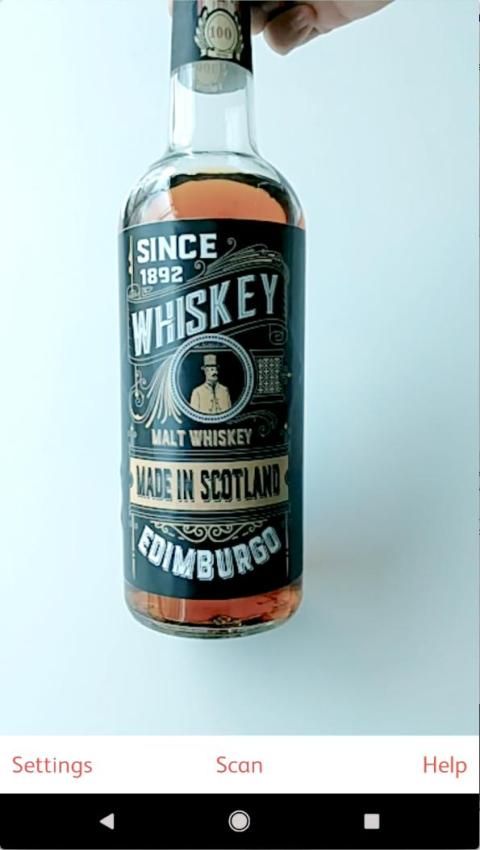
- Test and demo on on your real-world products, such as the label on a bottle of wine or a photo in a catalog, that you used as the target of the experience.
Note that to use your own collections and items (objects that become interactive) you'll need to create an account at Catchoom's Craftar Image Recognition service. You can start with a Free Trial (https://my.craftar.net/accounts/signup/).
How to use the app:
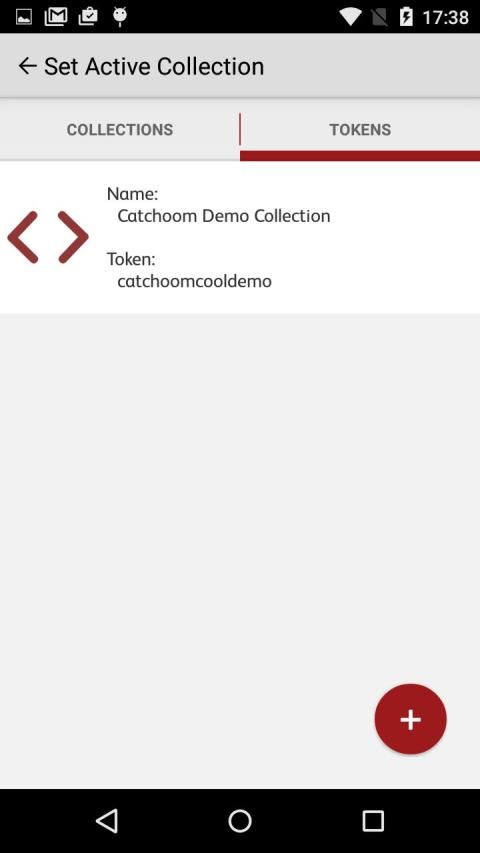
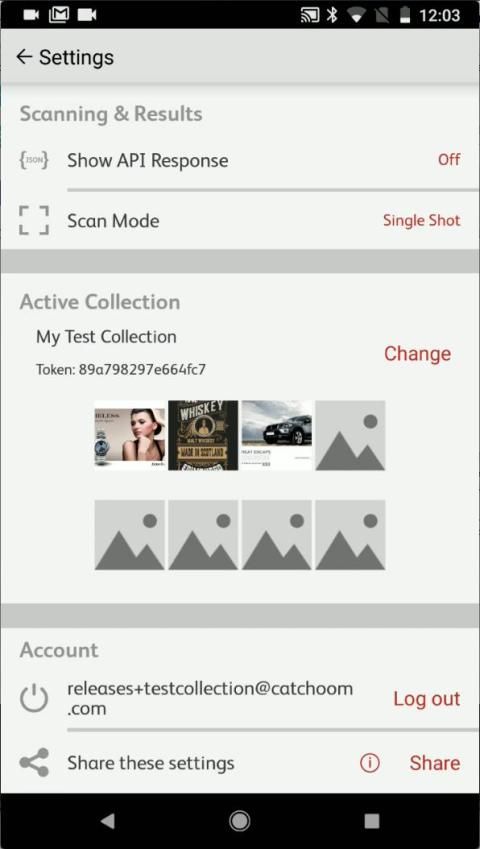
- Log into this app using your account credentials. This will allow you to choose the collection you’ve previously created, representing the objects that you want to recognize when scanning.
- Share your settings (including your specific demo collections) with others from the app to show your colleagues how great your ideas are.
Features:
- Image recognition of your real world objects (example: open a website after scanning an item such as a product packaging or ad).
- Test your cloud and on-device collections. Download the on-device collection bundles to perform experiences following a search on the local collection - with no internet connection needed for recognition.
- Switch between Single Shot Mode (snapping a picture) and Finder Mode (continuously scanning).
- Share your collection and settings with someone else in a message that includes a mobile deep link.
How does the app work?
1. Point to a test image in Catchoom's demo collection, or select one of your own collections by logging into your CraftAR account.
2. Take a picture with the camera - the image will be sent to Catchoom's Cloud Image Recognition Service or the search will be performed locally if your collection is on-device.
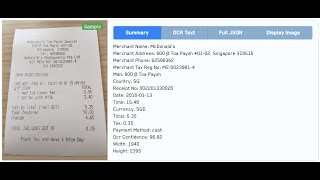
3. Whatever experience you have previously crafted will pop-up from the object you scan. API results will be shown in a table.
Buat & menguji pengalaman pencarian visual untuk produk nyata yang Anda jual. toolbox kami membuatnya mudah bagi pengecer untuk mengintegrasikan terbaik di kelasnya Gambar Pengakuan dalam aplikasi bermerek mereka dan mengubah cara konsumen menemukan dan berbelanja produk di dunia nyata.
Anda dapat membuat pengguna Anda dengan mudah memindai barang-barang konsumen yang nyata dikemas, atau gambar produk, untuk membeli dari katalog Anda, atau membawa mereka ke konten, ulasan dan promosi tambahan.
Apa yang dapat Anda gunakan demo aplikasi ini untuk?
Gunakan aplikasi dalam kombinasi dengan Image Catchoom ini layanan Recognition (trial gratis yang tersedia).
- Cobalah pengalaman Anda sendiri tanpa perlu kode, untuk melihat bagaimana mudah dan menarik akan untuk pengguna aplikasi bermerek Anda sendiri.
- Test dan demo pada pada produk dunia nyata, seperti label pada botol anggur atau foto dalam katalog, yang digunakan sebagai target dari pengalaman.
Perhatikan bahwa untuk menggunakan koleksi Anda sendiri dan item (benda-benda yang menjadi interaktif) Anda harus membuat account di Craftar Gambar layanan Pengakuan Catchoom ini. Anda dapat memulai dengan Free Trial (https://my.craftar.net/accounts/signup/).
Cara menggunakan aplikasi:
- Masuk ke aplikasi ini menggunakan kredensial akun Anda. Ini akan memungkinkan Anda untuk memilih koleksi sebelumnya Anda buat, yang mewakili benda-benda yang ingin Anda untuk mengenali saat memindai.
- Berbagi pengaturan Anda (termasuk koleksi demo spesifik Anda) dengan orang lain dari aplikasi untuk menunjukkan rekan-rekan Anda betapa besar ide-ide Anda.
Fitur:
- pengakuan Gambar dari dunia nyata Anda objek (contoh: membuka website setelah pemindaian item seperti kemasan produk atau iklan).
- Uji cloud dan on-perangkat koleksi. Download bundel koleksi on-perangkat untuk melakukan pengalaman setelah pencarian di koleksi lokal - tanpa koneksi internet diperlukan untuk pengakuan.
- Beralih di antara Satu Ditembak Mode (gertakan gambar) dan Finder Mode (terus menerus memindai).
- Bagi koleksi Anda dan pengaturan dengan orang lain dalam pesan yang berisi link dalam ponsel.
Bagaimana aplikasi bekerja?
1. Point ke gambar tes dalam koleksi demo Catchoom, atau pilih salah satu koleksi Anda sendiri dengan login ke akun CraftAR Anda.
2. Ambil gambar dengan kamera - gambar akan dikirim ke Catchoom Cloud Gambar Pengakuan Service atau pencarian akan dilakukan secara lokal jika koleksi Anda pada perangkat.
3. Apapun pengalaman Anda telah dibuat sebelumnya akan pop-up dari objek Anda memindai. Hasil API akan ditampilkan dalam sebuah tabel.
- New App name





9Apps 4.9











