
Free and secured download of Android apps on 9Apps. 20,000+ users downloaded Zip Tool, Unzip Files latest version on 9Apps for free every week! The App has powerful functions. This hot app was released on 2019-05-26. Download and play this free app for android mobile phone now!
Zip app: Zip Tool, Unzip Files is an application that extract, open most efficient compressed files on Android with the user-friendly interface. It is a great Zip extractor for you in some emergency situations you need.
Zip file reader also supports you fast and efficient file manager as well as read the archive. With its simple interfaces, “Zip app: Zip Tool, Unzip Files” provides the easiest and most secure way to manage Zip file on Android phones for business and professional users.
♻️
Feature highlights of Zip app: Zip Tool, Unzip Files
♻️
⚡ It is the support needed to: unzip files, and act as the zip extractor
⚡ Create Zip and Unzip to File manager
⚡ Name and format the zip file: Zip, GZ, Bz2
⚡ Zip extractor has many utilities that allow you to zip and unzip files
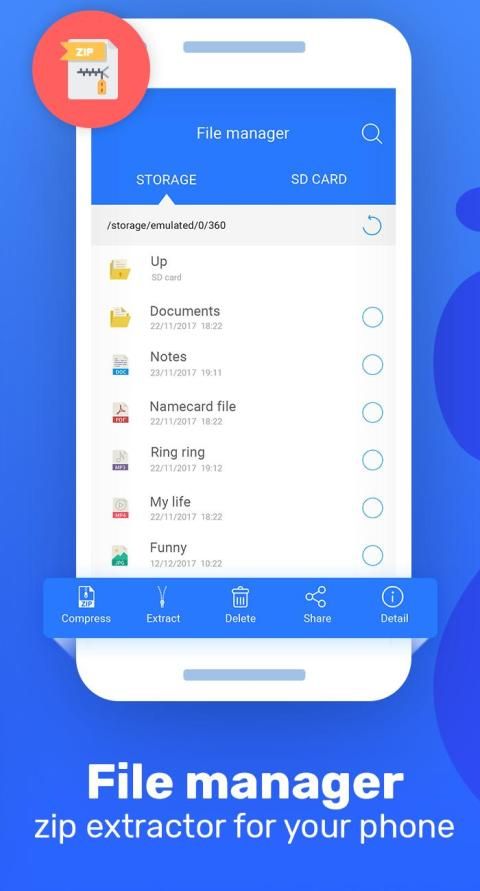
⚡ File manager you have stored and created from Zip file reader.
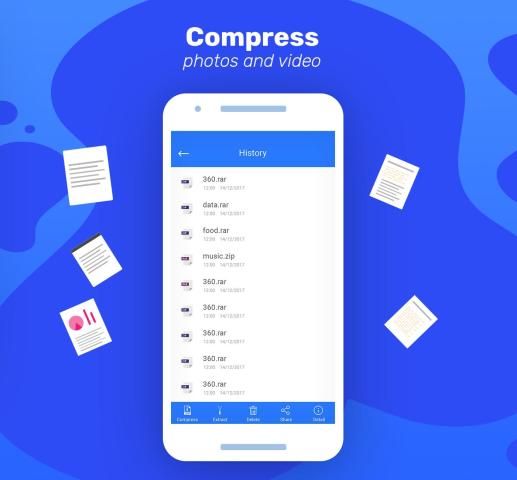
⚡ Zip file reader helps move, rename, delete and share zip file.
⚡ Helps file manager, zip extractor for your phone
⚡ Automatically Zip file reader: Zip, Zip extractor and install Android apps (.apk files) delivered as Zip file from Google Play
⚡ Cloud integration (such as Google Drive and Dropbox) for easy access to the latest versions (Zip app: Zip Tool, Unzip Files 1.1) or Android device.
⚡ Open Zip extractor including password protected and encrypted Zip file.
⚡ Zip file reader just like feature of winzip or winrar
⚡ In addition, the Zip app also file manager and arranges the zip file and Zip extractor logically.
Zip app: Zip Tool, Unzip Files for Android lets you view:
✶Photos and images (.jpg, .jpeg, .png, .bmp, .gif, etc)
✶ Text files (.rtf, .csv, .txt, .ini, .inf, .bat, .js, .log, .xml,.css, .java, etc)
☘
Just a few steps to use the “Zip app: Zip Tool, Unzip File”
☘
● Open zip app to see zip extractor operations
● Select files and folders to Zip and Unzip
● File manager helps to store created files
● Use it as a zip file to jpg file converter
⛔ This Zip Application can unzip and zip any type of file so easy you will not believe your eyes
⛔ Using Zip file reader allows the zip extractor utility component and zip extraction can support the most popular formats which makes the application that much more use able to you.
Thank you for your trust and use the application “Zip app: Zip Tool, Unzip Files”
If you have any questions, please feel free to contact us by email to the developer. Do not forget to rate this 5⭐⭐⭐⭐⭐ for Zip app: Zip Tool, Unzip Files. If it's useful!
Aplikasi Zip: Alat Zip, File Unzip adalah aplikasi yang mengekstrak, membuka file terkompresi paling efisien di Android dengan antarmuka yang ramah pengguna. Ini adalah ekstraktor Zip hebat untuk Anda dalam beberapa situasi darurat yang Anda butuhkan.
Pembaca file Zip juga mendukung Anda manajer file yang cepat dan efisien serta membaca arsip. Dengan antarmuka sederhana, "Aplikasi Zip: Alat Zip, File Unzip" menyediakan cara termudah dan paling aman untuk mengelola file Zip di ponsel Android untuk pengguna bisnis dan profesional.
♻️
Sorotan fitur dari aplikasi Zip: Alat Zip, Unzip File
♻️
⚡ Ini adalah dukungan yang diperlukan untuk: unzip file, dan bertindak sebagai extractor zip
⚡ Buat Zip dan Unzip ke File manager
⚡ Beri nama dan format file zip: Zip, GZ, Bz2
⚡ Zip extractor memiliki banyak utilitas yang memungkinkan Anda untuk zip dan unzip file
⚡ Manajer file yang telah Anda simpan dan buat dari pembaca file Zip.
⚡ Pembaca file Zip membantu memindahkan, mengganti nama, menghapus, dan berbagi file zip.
⚡ Membantu pengelola file, ekstraktor zip untuk ponsel Anda
⚡ Pembaca file Zip secara otomatis: Zip, extractor Zip dan instal aplikasi Android (file .apk) dikirim sebagai file Zip dari Google Play
⚡ Integrasi cloud (seperti Google Drive dan Dropbox) untuk akses mudah ke versi terbaru (aplikasi Zip: Alat Zip, Unzip File 1.1) atau perangkat Android.
⚡ Buka Zip extractor termasuk file Zip yang dilindungi kata sandi dan terenkripsi.
⚡ Pembaca file Zip seperti fitur winzip atau winrar
⚡ Selain itu, aplikasi Zip juga mengatur file dan mengatur file zip dan ekstraktor Zip secara logis.
Aplikasi Zip: Alat Zip, Unzip File untuk Android memungkinkan Anda melihat:
✶Foto dan gambar (.jpg, .jpeg, .png, .bmp, .gif, dll)
✶ File teks (.rtf, .csv, .txt, .ini, .inf, .bs, .js, .log, .xml, .css, .java, dll)
☘
Hanya beberapa langkah untuk menggunakan "aplikasi Zip: Alat Zip, Unzip File"
☘
● Buka aplikasi zip untuk melihat operasi zip extractor
● Pilih file dan folder untuk Zip dan Unzip
● Manajer file membantu menyimpan file yang dibuat
● Gunakan sebagai file zip ke konverter file jpg
⛔ Aplikasi Zip ini dapat membuka zip dan zip semua jenis file sehingga Anda tidak akan mempercayai mata Anda
⛔ Menggunakan pembaca file Zip memungkinkan komponen utilitas ekstraktor zip dan ekstraksi zip dapat mendukung format yang paling populer yang membuat aplikasi yang jauh lebih mampu menggunakan Anda.
Terima kasih atas kepercayaan Anda dan gunakan aplikasi "Zip app: Zip Tool, Unzip Files"
Jika Anda memiliki pertanyaan, jangan ragu untuk menghubungi kami melalui email ke pengembang. Jangan lupa untuk menilai 5⭐⭐⭐⭐⭐ ini untuk aplikasi Zip: Alat Zip, Unzip Files. Jika bermanfaat!

9Apps 4.9