

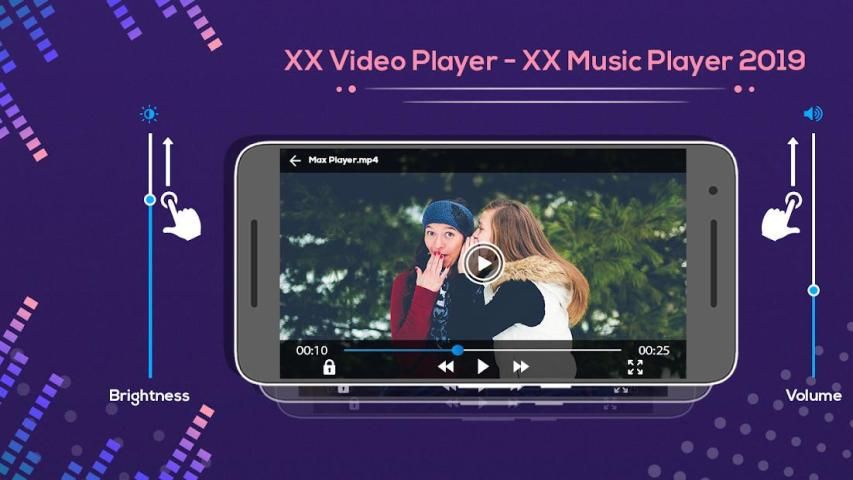

Here are some news for you to learn more about one of the best android apps. 20,000+ users downloaded XX Video Player - XX Music Player 2019 latest version on 9Apps for free every week! It is the app that defined the best for a generation. This hot app was released on 2018-12-17. Come and download it now!
XX Video Player-XX Music Player is one of the best audio and video player.
With player you can adjust the video and audio effect such as set video
displaying size and adjust the audio track.
Features:
-Automatically video will be play.
-Easy to use.
-Video Lock available.
-Crop the video.
-Video brightness facility available.
-Change the video volume.
-Rotate the video.
-Play and pause the video.
-Playing audio and video player.
How to use :
_Search the XX video and music player.
-Install the XX video and music player.
-Update this application.
-XX video player is open on your smart phone.
-Select your favourite video in video list.
-Your selected video will be play automatically.
-Click on rotate button.
-Your selected video will be rotate.
-You can also change the volume.
-Click on brightness button and change the video brightness.
-Select the lock button.
-Your video will be lock.
-To crop your video click on crop button.
-you can also play the audio player.
Pemutar Video XX Player-XX Music adalah salah satu pemutar audio dan video terbaik.
Dengan pemutar Anda dapat menyesuaikan efek video dan audio seperti mengatur video
menampilkan ukuran dan mengatur track audio.
Fitur:
-Secara otomatis video akan dimainkan.
-Mudah digunakan.
-Kunci Video tersedia.
-Crop videonya.
- Fasilitas kecerahan Video tersedia.
-Mengubah volume video.
-Rotate video.
-Putar dan jeda videonya.
-Memutar pemutar audio dan video.
Bagaimana cara menggunakan :
_Cari pemutar video dan musik XX.
-Instal video XX dan pemutar musik.
-Update Aplikasi ini.
-XX pemutar video terbuka di ponsel pintar Anda.
-Pilih video favorit Anda dalam daftar video.
-Video yang Anda pilih akan diputar secara otomatis.
-Klik tombol putar.
- Video pilihan Anda akan dirotasi.
-Anda juga bisa mengubah volumenya.
-Klik tombol kecerahan dan ubah kecerahan video.
-Pilih tombol kunci.
-Video Anda akan dikunci.
-Untuk memotong klik video Anda pada tombol crop.
-Anda juga dapat memainkan pemutar audio.

9Apps 4.9


![Hayley Kiyoko - xx [Official Audio] screenshot 2](https://i.ytimg.com/vi/8mPKYdM4qwg/mqdefault.jpg)












