

Download the official version of India apps from 9apps now. 30,000+ users downloaded Windows 10 Launcher latest version on 9Apps for free every week! The app has made a strong effect. This hot app was released on 2020-04-01. If you like it, just download and enjoy this app!
Internity Labs is proud to present you the simplified Windows 10 Launcher which takes the best of windows and android world, and packages it in the best way possible with the goal to make you more productive.
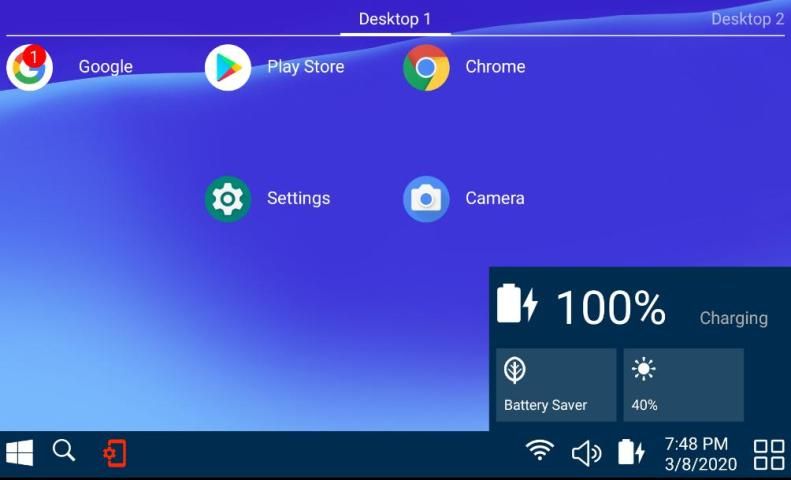
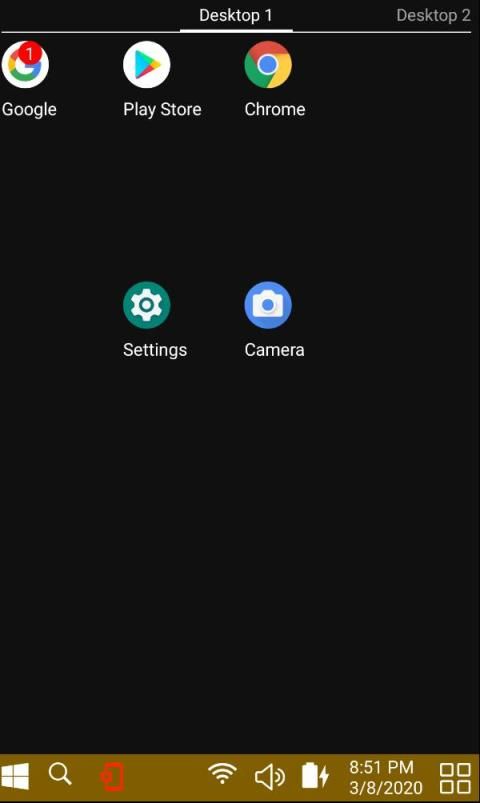
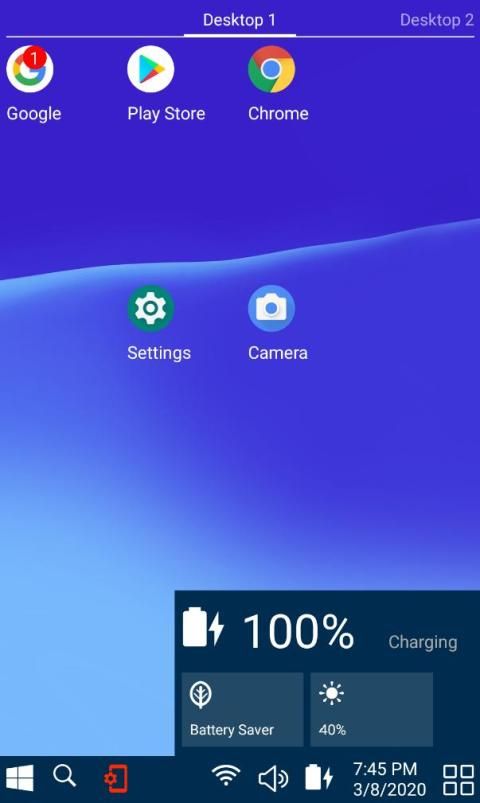
This launcher is available for android phones, as well as for tablets. When you open it for the first time, it will ask you for the permissions it needs to operate. Once launched, you will see a familiar windows user interface.
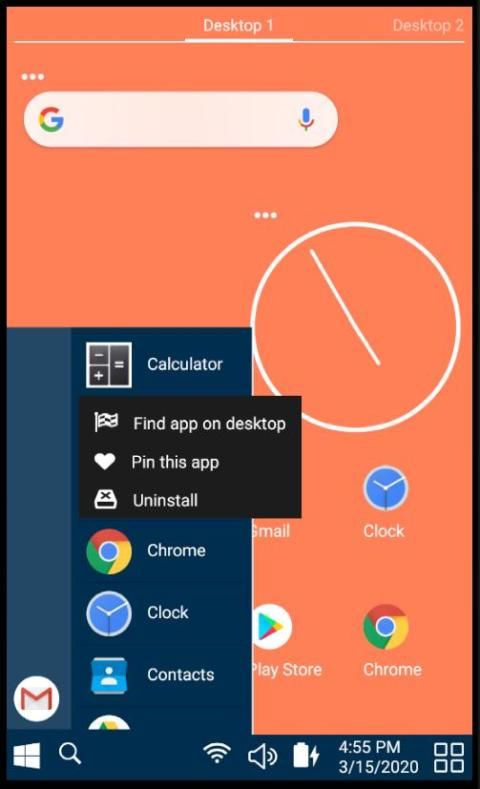
When you press the windows start button, you will see the list of currently installed apps. By touching and holding an app, additional menu will show up, which will enable you to move the app to desktop. If you touch and hold an app which is already on the desktop, you can move the app around to your favorite place. It is also possible to move an app to a new desktop through the menu that will pop up when you hold an app on the desktop.
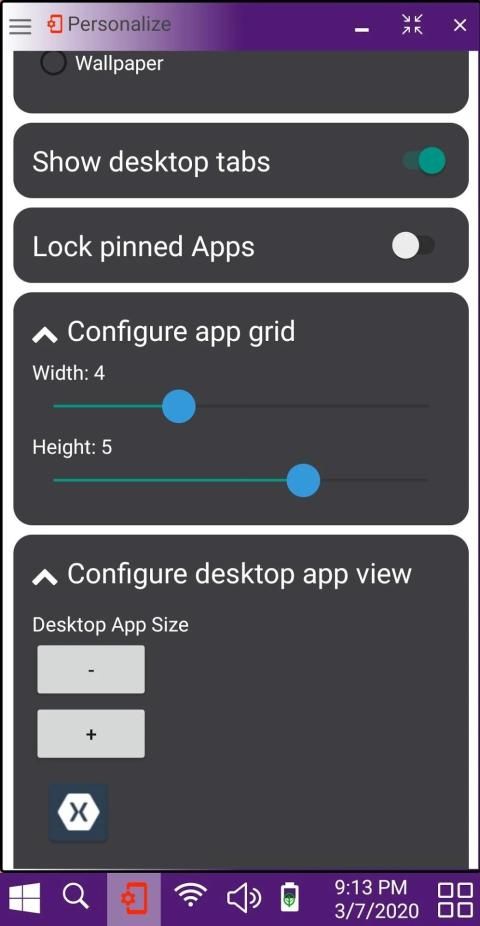
For a very few chosen critical apps, such as phone, messages, camera, you can pin it right at the start panel, which will provide you a quick access to these apps, which we find very useful. Once you are done configuring your pinned apps, this feature can be locked via the personalize menu preventing accidental unpinning of the critical apps.
The search button enables you to search for any app. You could also search the web, or the play store from the same place. Once you find an app that you were looking for, you can locate that app on the desktop using the popup menu.
You can further personalize your view by changing the grid size to provide more space for apps or increase the size of apps on the desktop. You could also change the background color, or switch to a wall paper of your choice.
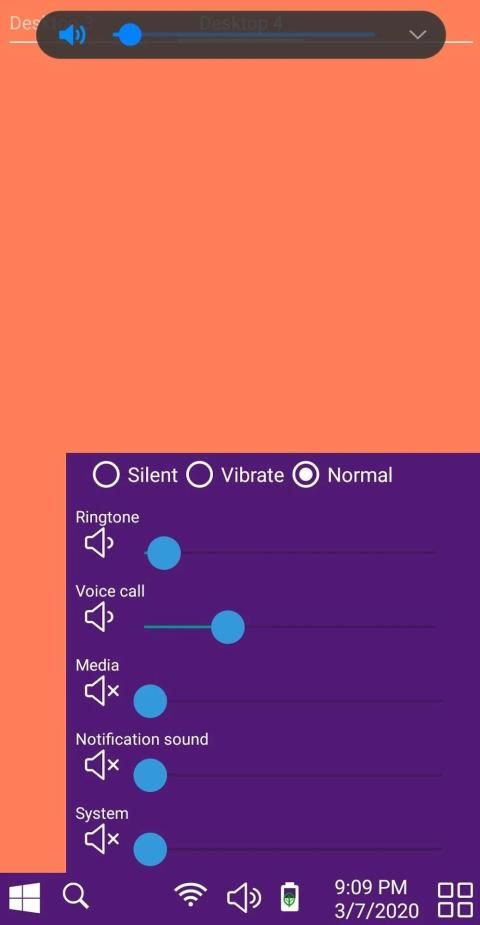
The system tray also has familiar windows controls for wifi, volume, battery status, date and time.
Unlike some other launchers, we have worked hard to integrate notification support into the launcher by providing app badges. It can be turned on from Notifications control panel under ‘More Options’.
Don’t forget to rate and leave great comments. If you feel that you need some other feature, please feel free to write us an email. The details are in ‘about page’.
Internity Labs dengan bangga mempersembahkan kepada Anda Windows 10 Launcher yang disederhanakan yang mengambil yang terbaik dari dunia windows dan android, dan mengemasnya dengan cara sebaik mungkin dengan tujuan untuk membuat Anda lebih produktif.
Peluncur ini tersedia untuk ponsel android, serta untuk tablet. Saat Anda membukanya pertama kali, ia akan meminta izin untuk beroperasi. Setelah diluncurkan, Anda akan melihat antarmuka pengguna windows yang akrab.
Ketika Anda menekan tombol start windows, Anda akan melihat daftar aplikasi yang saat ini diinstal. Dengan menyentuh dan menahan aplikasi, menu tambahan akan muncul, yang memungkinkan Anda untuk memindahkan aplikasi ke desktop. Jika Anda menyentuh dan menahan aplikasi yang sudah ada di desktop, Anda dapat memindahkan aplikasi itu ke tempat favorit Anda. Dimungkinkan juga untuk memindahkan aplikasi ke desktop baru melalui menu yang akan muncul ketika Anda memegang aplikasi di desktop.
Untuk beberapa aplikasi kritis yang dipilih, seperti telepon, pesan, kamera, Anda dapat menyematkannya di panel mulai, yang akan memberi Anda akses cepat ke aplikasi ini, yang kami temukan sangat berguna. Setelah Anda selesai mengkonfigurasi aplikasi yang disematkan, fitur ini dapat dikunci melalui menu personalisasi untuk mencegah pembatalan pemasangan aplikasi kritis yang tidak disengaja.
Tombol pencarian memungkinkan Anda untuk mencari aplikasi apa pun. Anda juga bisa mencari di web, atau play store dari tempat yang sama. Setelah Anda menemukan aplikasi yang Anda cari, Anda dapat menemukan aplikasi itu di desktop menggunakan menu popup.
Anda dapat lebih lanjut mempersonalisasi tampilan Anda dengan mengubah ukuran kisi untuk menyediakan lebih banyak ruang untuk aplikasi atau menambah ukuran aplikasi pada desktop. Anda juga dapat mengubah warna latar belakang, atau beralih ke kertas dinding pilihan Anda.
Baki sistem juga memiliki kontrol windows yang sudah dikenal untuk wifi, volume, status baterai, tanggal dan waktu.
Tidak seperti beberapa peluncur lainnya, kami telah bekerja keras untuk mengintegrasikan dukungan pemberitahuan ke peluncur dengan menyediakan lencana aplikasi. Itu dapat dihidupkan dari panel kontrol Pemberitahuan di bawah ‘Opsi Lainnya’.
Jangan lupa untuk menilai dan memberikan komentar yang bagus. Jika Anda merasa perlu beberapa fitur lain, silakan menulis email kepada kami. Detailnya ada di ‘tentang halaman’.
1. Improved the personalize view UI.
2. Providing better messages for missing permissions.
3. Clicking on empty space does not trigger the app open

9Apps 4.9