Are you looking for some free apps? 20,000+ users downloaded Wifi Mouse latest version on 9Apps for free every week! The world's most powerful app is here waiting for you. This hot app was released on 2018-06-03. And it takes your phone small room to run it.
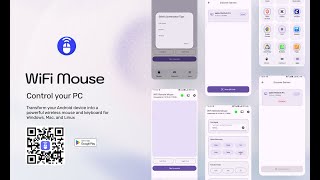
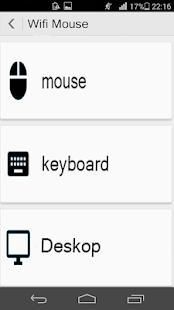
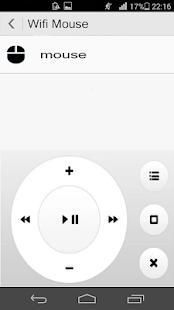
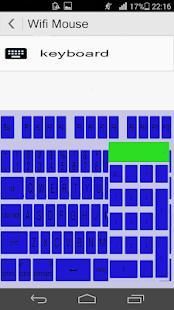
Wifi Mouse could make your mobile phone the very easy-to-use wireless remote control to remotely control your computer. Including: perfect simular touch screen, keyboard and multi-function control panel. It can be comparable to the actual mouse and keyboard, or even better.
Speeches? Nothing is more practical than our portable wireless mice. Watch movies online? Let yourself lean on your sofa and take your remote!
Functional characters
• wireless touch screen and keyboard, compatible horizontal and vertical screens
• support various touch gestures
• functional keyboard that supports input by combinatorial keys
• perfect simulated mouse: click, double click, right click, roll, slide
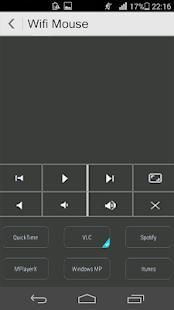
• Remote Control Multimedia Panel: Easily control Windows Media Player, Windows Image Viewer, PowerPoint, iTunes, Keynote, Hulu
• other control panels: remote control by computer programs, keypad, switch
• code protection - protect your computer from connecting other computers
• auto-definition of images
• available in Wi-Fi and 3G
• compatible with Windows, Mac OS X
To connect the devices to the computer, you need to
1. download and install the Remote Mouse program on your computer
2. Make sure your phone and computer are connected to the same Wi-Fi network
3. Find Remote Mouse in your phone, click "démarrage" to connect automatically.
Wifi Tikus bisa membuat ponsel Anda yang sangat mudah digunakan remote control nirkabel untuk kontrol jarak jauh komputer Anda. Termasuk: Layar sempurna simular sentuh, keyboard dan panel kontrol multi-fungsi. Hal ini dapat dibandingkan dengan mouse yang sebenarnya dan keyboard, atau bahkan lebih baik.
Pidato? Tidak ada yang lebih praktis daripada tikus nirkabel portabel kami. Menonton film online? Biarkan diri Anda bersandar di sofa dan mengambil remote!
karakter fungsional
• layar sentuh dan keyboard nirkabel, layar horisontal dan vertikal yang kompatibel
• dukungan berbagai gerakan sentuhan
• Keyboard fungsional yang mendukung input dengan kunci kombinasi
• sempurna tikus simulasi: klik, klik ganda, klik kanan, roll, geser
• Remote Control Multimedia Panel: Mudah mengontrol Windows Media Player, Windows Image Viewer, PowerPoint, iTunes, Keynote, Hulu
• kontrol panel lainnya: remote control oleh program komputer, keypad, switch
• kode perlindungan - melindungi komputer Anda dari menghubungkan komputer lain
• auto-definisi gambar
• tersedia di Wi-Fi dan 3G
• kompatibel dengan Windows, Mac OS X
Untuk menghubungkan perangkat ke komputer, Anda perlu
1. download dan menginstal program Tikus remote pada komputer Anda
2. Pastikan ponsel dan komputer yang terhubung ke jaringan Wi-Fi yang sama
3. Cari Tikus Jauh di telepon Anda, klik "démarrage" untuk menghubungkan secara otomatis.

9Apps 4.9