Designed for
YouTubers
. Imagine your YouTube Studio as Android Widget.
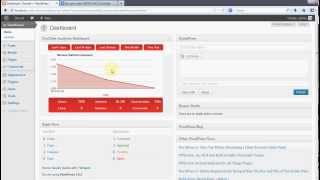
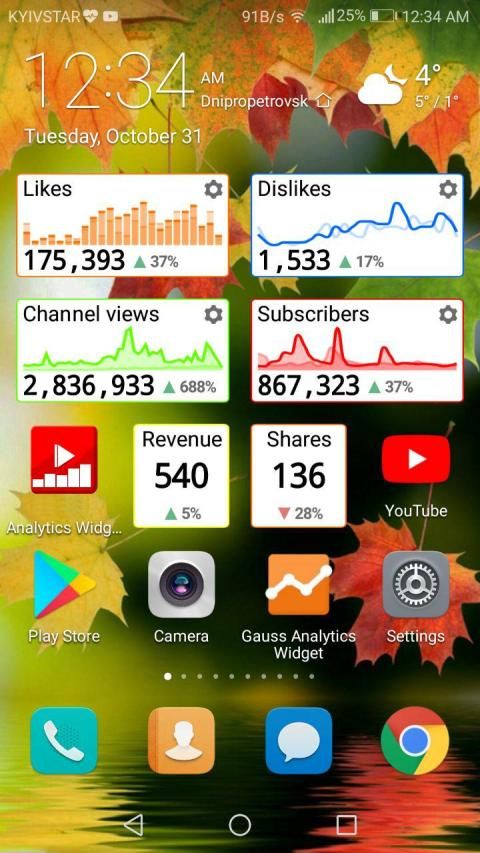
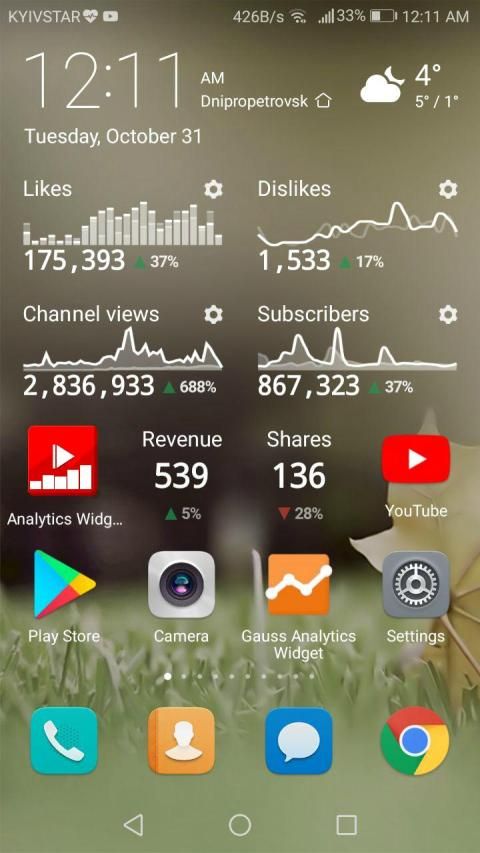
Widget for YouTube Analytics is a YouTube Analytics Informer which provides charts with metrics, trends and statistics in timeline view from YouTube Analytics service accessing your YouTube Channel Statistics.
You have one of any widgets for free, which will display your most important metric.
Features:
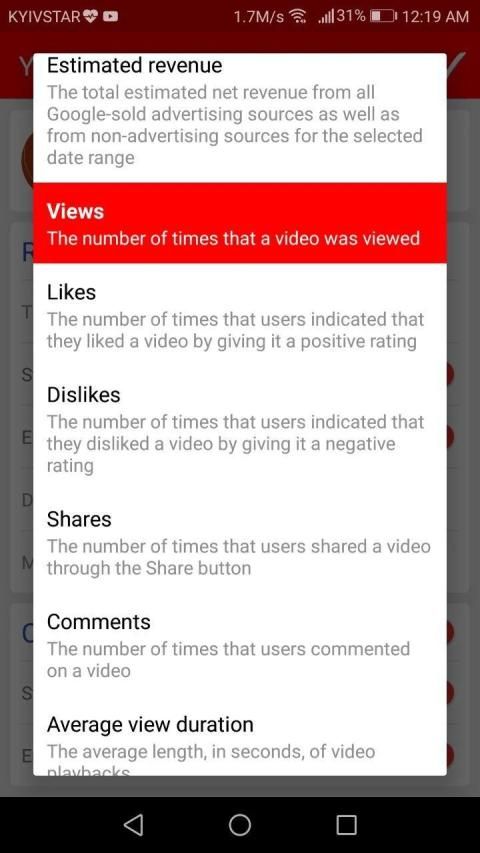
It has categories and metrics from YouTube Analytics which you can track. For example you can setup the following items:
- YouTube Channel Subscribers Boost (YouTube Channel Subscribers Increase);
- YouTube Channel Subscribers Lost (YouTube Channel Subscribers Decrease);
- YouTube Channel Views (YouTube Video Views);
- YouTube Channel Likes (YouTube Video Likes);
- YouTube Channel Dislikes (YouTube Video Dislikes);
- YouTube Comments (YouTube Video Comments);
- YouTube Shares (YouTube Video Shares);
- YouTube View Duration (YouTube Video View Duration);
- YouTube Metrics Counter (YouTube Counter).
See your YouTube Channel Statistics and analytics at the moment.
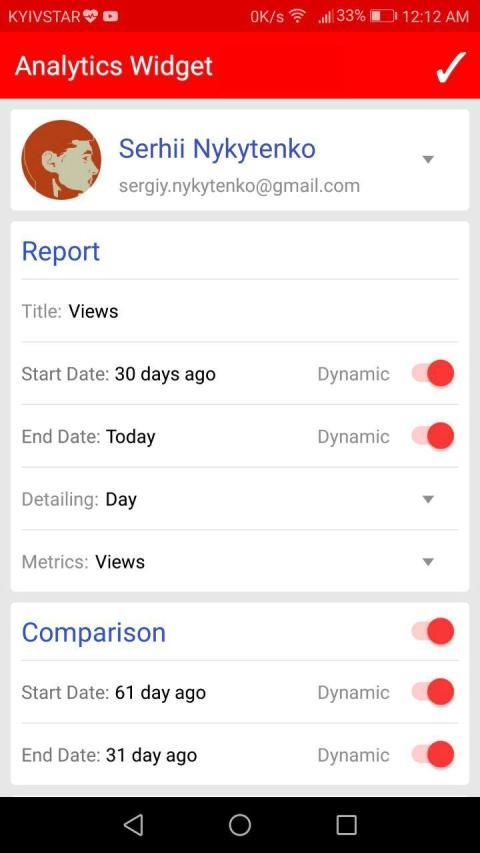
YouTube Statistics Widget has configuring time detailing to represent your YouTube Analytics data in Day and Month dimentions.
Widget for YouTube Channel Analytics has configuring dynamic time period for YouTube Analytics report. For example: Today, Yesterday, 7 Days Ago, 30 Days Ago, N Days Ago or static period as fixed dates.
Widget for YouTube Channel Statistics provides configuring comparison mode. You can compare statistics of the current period with the previous one. For example, compare the revenue of the current month with the previous or with the same one a year ago.
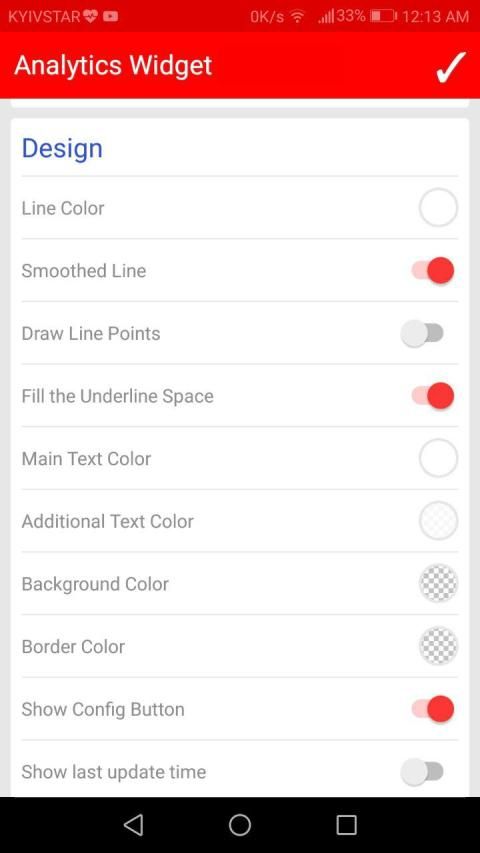
Widget's with Full YouTube Analytics flexible configuration on the colour scheme for the user interface makes it possible to fit it into any Android main screen design.
When the device is offline all items of widgets with YouTube Full Statistics display the last loaded information with time tag.
All supported metrics:
- Gained YouTube Subscribers Number (subscribersGained);
- Lost YouTube Subscribers Number (subscribersLost);
- YouTube Views Number of Channel Videos (views);
- Average YouTube View Duration (averageViewDuration);
- YouTube Comments Number (comments);
- YouTube Likes Number (likes);
- YouTube Dislikes Number (dislikes);
- Estimated Minutes Watched of YouTube Channel Videos (estimatedMinutesWatched);
- YouTube Shares Number of Videos (shares);
- YouTube Annotation Click Through Rate Number (annotationClickThroughRate);
- YouTube Annotation Close Rate Number (annotationCloseRate).
In the future the team of Gauss Analytics Widget plans to extend this list as well as provide analytics and statistics on playlists and certain videos.
Dirancang untuk
YouTube . Bayangkan Anda YouTube Studio sebagai Android Widget.
Widget untuk YouTube Analytics adalah Analytics Informer YouTube yang menyediakan grafik dengan metrik, tren dan statistik dalam tampilan timeline dari layanan YouTube Analytics mengakses Saluran YouTube Statistik.
Anda memiliki salah satu widget gratis, yang akan menampilkan metrik Anda yang paling penting.
Fitur:
Ini memiliki kategori dan metrik dari YouTube Analytics yang dapat Anda melacak. Misalnya Anda dapat setup item berikut:
- Saluran YouTube Pelanggan Meningkatkan (YouTube Saluran Pelanggan Meningkatkan);
- Saluran YouTube Pelanggan Hilang (YouTube Saluran Pelanggan Penurunan);
- Saluran YouTube Views (YouTube Video Views);
- Saluran YouTube Suka (YouTube Video Suka);
- Saluran YouTube Dislikes (YouTube Video Dislikes);
- Komentar YouTube (YouTube Video Comments);
- Saham YouTube (Saham Video YouTube);
- YouTube View Duration (YouTube Video View Duration);
- YouTube Metrik Counter (YouTube Kontra).
Lihat YouTube Statistik Channel dan analisis pada saat ini.
YouTube Statistik Widget telah mengkonfigurasi waktu merinci untuk mewakili data YouTube Analytics di dimensi Hari dan Bulan.
Widget untuk Saluran YouTube Analytics telah mengkonfigurasi jangka waktu yang dinamis untuk laporan YouTube Analytics. Sebagai contoh: Hari ini, Kemarin, 7 Hari Yang Lalu, 30 Hari Yang Lalu, N Hari Yang Lalu atau periode statis sebagai tanggal tetap.
Widget untuk Saluran YouTube Statistik menyediakan mengkonfigurasi modus perbandingan. Anda dapat membandingkan statistik dari periode saat ini dengan yang sebelumnya. Sebagai contoh, membandingkan pendapatan dari bulan berjalan dengan sebelumnya atau dengan yang sama tahun lalu.
Widget dengan penuh YouTube Analytics konfigurasi yang fleksibel pada skema warna untuk antarmuka pengguna memungkinkan untuk memasukkannya ke setiap desain layar utama Android.
Bila perangkat offline semua item dari widget dengan YouTube Statistik penuh menampilkan informasi dimuat terakhir dengan tag waktu.
Semua metrik didukung:
- Raih YouTube Pelanggan Jumlah (subscribersGained);
- Hilang YouTube Pelanggan Jumlah (subscribersLost);
- Tampilan YouTube Jumlah Saluran Video (dilihat);
- Rata-rata YouTube View Duration (averageViewDuration);
- YouTube Komentar Number (komentar);
- YouTube Suka Number (seperti);
- YouTube suka Number (tidak suka);
- Perkiraan Menit Ditonton dari YouTube Saluran Video (estimatedMinutesWatched);
- YouTube Saham Jumlah Video (saham);
- YouTube Anotasi Klik Melalui Rate Number (annotationClickThroughRate);
- YouTube Anotasi Tutup Tingkat Number (annotationCloseRate).
Di masa depan tim Gauss Analytics Widget berencana untuk memperpanjang daftar ini serta memberikan analisis dan statistik playlist dan video tertentu.
fixed some defects;
added possibiliy to see statistics of brand account/channel
added Linechart, Barchart and Total widgets;
added Youtube Analytics metrics:
- annotationClickThroughRate
- annotationCloseRate
- averageViewDuration
- comments
- dislikes
- estimatedMinutesWatched
- estimatedRevenue
- likes
- shares
- subscribersGained
- subscribersLost
- views

9Apps 4.9