

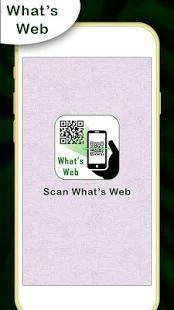
Discover apps for Android here, 20,000+ users downloaded WhatzWeb Chat latest version on 9Apps for free every week! This app is intended for an adult audience. This hot app was released on 2018-08-21. Just download it and use on your android phone!
Would you like to open two account in same device or same account in multiple devices then this app for you.
Now you can use same account in multiple device.
Whatz Web Chat For Whatapp is an application with use of it you can browse another whatsweb account in your phone easily and securely.
It is too easy to use second whats web account in your phone with this WhatzWeb Chat For Whatapp application in mobiles and tablets.
The easiest and fastest app that will let you open the same account on 2 different phones.
How To Use Whats Web Chat :
1. Open your Whatsapp application, open right-hand side menu
2. Select Whats-App Web
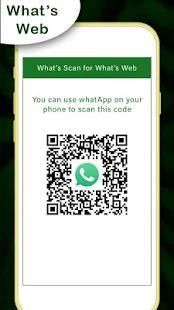
3. Now start WhatzWeb Chat other mobile and Whatsapp scan QR code. !
4. Enjoy whatzapp in your device.
Features of Whats Web Chat :
- Dual whats up account on same / different phone / tablet
- Whats Web Messenger is Fully secure
- Scan the QR Code from whats up Web and load instantly
- Open same account on multiple phones /tablets
- Double whats up, double the fun!
- You can have dual whats up in 1 device!
Tag
====
WhatsScan Web
Whatz Web
WhatsWeb Scan
Multi Accounts
Clone Messenger
Apakah Anda ingin membuka dua akun di perangkat yang sama atau akun yang sama di beberapa perangkat maka aplikasi ini untuk Anda.
Sekarang Anda dapat menggunakan akun yang sama di beberapa perangkat.
Whatz Web Chat Untuk WhatApp adalah sebuah aplikasi dengan penggunaan itu Anda dapat menelusuri akun whatsweb lain dalam ponsel Anda dengan mudah dan aman.
Hal ini terlalu mudah untuk menggunakan account web kedua whats di ponsel Anda dengan WhatzWeb ini obrolan Untuk aplikasi WhatApp di ponsel dan tablet.
Termudah dan tercepat aplikasi yang akan membiarkan Anda membuka akun yang sama pada 2 ponsel yang berbeda.
Bagaimana Menggunakan Whats Web Chat:
1. Buka aplikasi Whatsapp, menu sisi terbuka kanan Anda
Web 2. Pilih Whats App-
3. Sekarang mulai WhatzWeb Chatting lainnya mobile dan Whatsapp memindai kode QR. !
4. Nikmati whatzapp di perangkat Anda.
Fitur Whats Web Chat:
- Ganda whats up account pada yang sama / berbeda ponsel / tablet
- Whats Web Messenger adalah Sepenuhnya aman
- Scan QR Code dari whats up Web dan beban langsung
- Buka akun yang sama pada beberapa ponsel / tablet
- Double whats up, dua kali lipat menyenangkan!
- Anda dapat memiliki ganda whats up dalam 1 perangkat!
Menandai
====
WhatsScan Web
whatz Web
WhatsWeb Pindai
Account multi
clone Messenger




9Apps 4.9











