

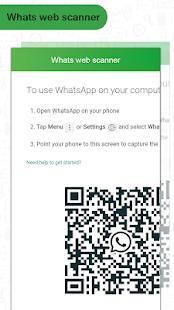
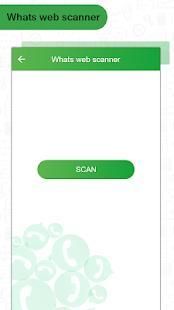
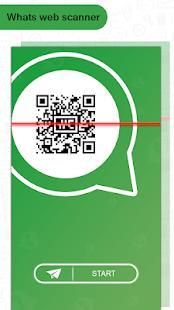
There you can get the android apps APK installed on your device. 20,000+ users downloaded Whats Web Scanner latest version on 9Apps for free every week! You can find this multifunction app on 9Apps easily. This hot app was released on 2018-06-01. And it takes your phone small room to run it.
whats web scan. Web application whats capable of cloning using scanning technology.
Whats Web Scanner is an application in which you browse another whatszapp account in your phone easily.
What you can make by whats web for whatscan :
- Messages Read / reply and Send
- Profile Picture and Status Changes
- Images / Videos Downloads and Forward
- Send Images from Gallery, camera
- document Files and Contacts sending
This awesome application allows you to use multiple accounts of any users on your Phone, nothing needed more than 2 steps:
- Open the QR Scanner on their Application
- Open the Whatscan Web Scanner App, and scan the QR Code appears on it!!
How to use :
- Install and open this application on your Android mobile.
- Open whatsapp web.
- Open chats screen >> menu >> whatsapp web.
- On android phone: go to settings >> whatsapp web.
- Scan the QR code on whatscan app screen from the other Android phone.
- Now you will get Full access to other whatsapp account.
whats web scan. aplikasi web whats mampu kloning menggunakan teknologi pemindaian.
Whats Web Scanner adalah sebuah aplikasi di mana Anda menelusuri akun whatszapp lain dalam ponsel Anda dengan mudah.
Apa yang bisa Anda buat dengan whats web untuk whatscan:
- Pesan Baca / balasan dan Kirim
- Profil Picture dan Status Perubahan
- Gambar / Video Downloads dan Maju
- Kirim Gambar dari Galeri, kamera
- File dokumen dan Kontak mengirim
Aplikasi mengagumkan ini memungkinkan Anda untuk menggunakan beberapa account dari setiap pengguna pada telepon Anda, tidak perlu lebih dari 2 langkah:
- Buka QR Scanner pada Aplikasi mereka
- Buka Whatscan Web Scanner App, dan memindai QR Code muncul di atasnya !!
Bagaimana cara menggunakan :
- Instal dan buka aplikasi ini di ponsel Android Anda.
- Buka whatsapp web.
- Buka chatting layar >> menu >> whatsapp web.
- Pada ponsel android: pergi ke web pengaturan >> whatsapp.
- Scan kode QR di layar aplikasi whatscan dari ponsel Android lainnya.
- Sekarang Anda akan mendapatkan akses penuh ke akun whatsapp lainnya.

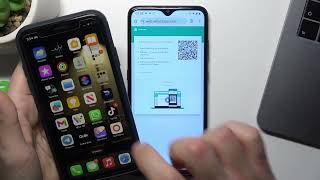

![How to WhatsApp Web Scan Mobile To Mobile [Step by Step Guide] screenshot 4](https://i.ytimg.com/vi/ZoDizTgGnNw/mqdefault.jpg)


9Apps 4.9










